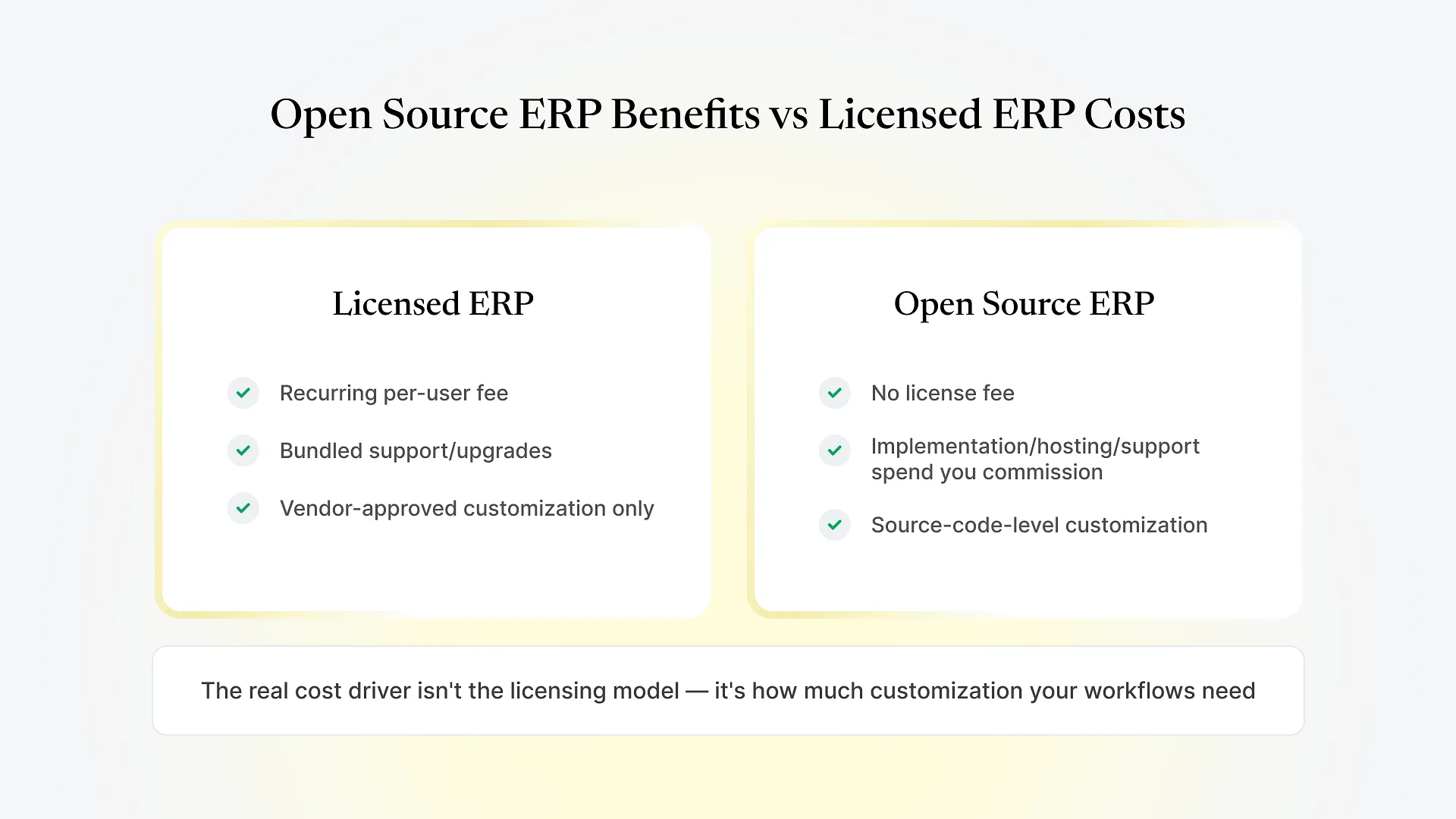
The main open source ERP benefits are no recurring license fee and full source-code access, so a partner can customize workflows without vendor approval. Licensed ERP flips that trade: you pay an ongoing per-user fee for a vendor-maintained product, with less freedom to change how it works without going through that vendor. Neither model is automatically cheaper or better — it depends on how standard your workflows are and how much you plan to change.
If you’re early in evaluating ERP options, you’ve likely run into this distinction already without anyone explaining it plainly, because most vendor content skips straight to pitching a specific platform. This guide stays one level up from that: what each licensing model actually means for your budget and flexibility, so you’re working from an accurate picture before you start comparing specific systems.
What "Open Source" and "Licensed" Actually Mean
Licensed ERP — the model most large, proprietary enterprise suites use — bundles software access, vendor support, and scheduled upgrades into a recurring per-user or per-module fee. The vendor maintains the code, which means you don’t get to touch it directly. Customization requests go through their configuration tools or a paid professional-services engagement, and upgrades happen on their release schedule.
Open-source ERP inverts that structure. The software carries no license fee — you can run it without paying anyone for the right to use it. What you’re actually paying for, when you bring in an implementation partner, is the work itself: configuration, data migration, custom development, hosting, and ongoing support. The source code is yours to read, modify, and extend, which is the structural difference everything else in this comparison flows from.
If you want the fuller picture of how one specific open-source platform works in practice, our guide to what ERPNext is covers that in detail. This section stays focused on the licensing distinction itself, since it applies across open-source ERP options generally, not just one platform.
The Benefits of Open-Source ERP
No per-seat license fee
Cost doesn't climb automatically every time you add a user, which matters once headcount starts scaling.
Source-code-level customization
A qualified partner can build against the actual codebase, rather than working within whatever configuration options a vendor pre-built.
No forced upgrade schedule
You decide when to upgrade and how much of a new release to adopt, instead of being moved to a new version on the vendor's timeline.
No single-vendor dependency for the software itself
Because nothing about the software depends on one company staying in business or staying responsive, you can change implementation partners without starting over.
Where Licensed ERP Software Cost Actually Comes From
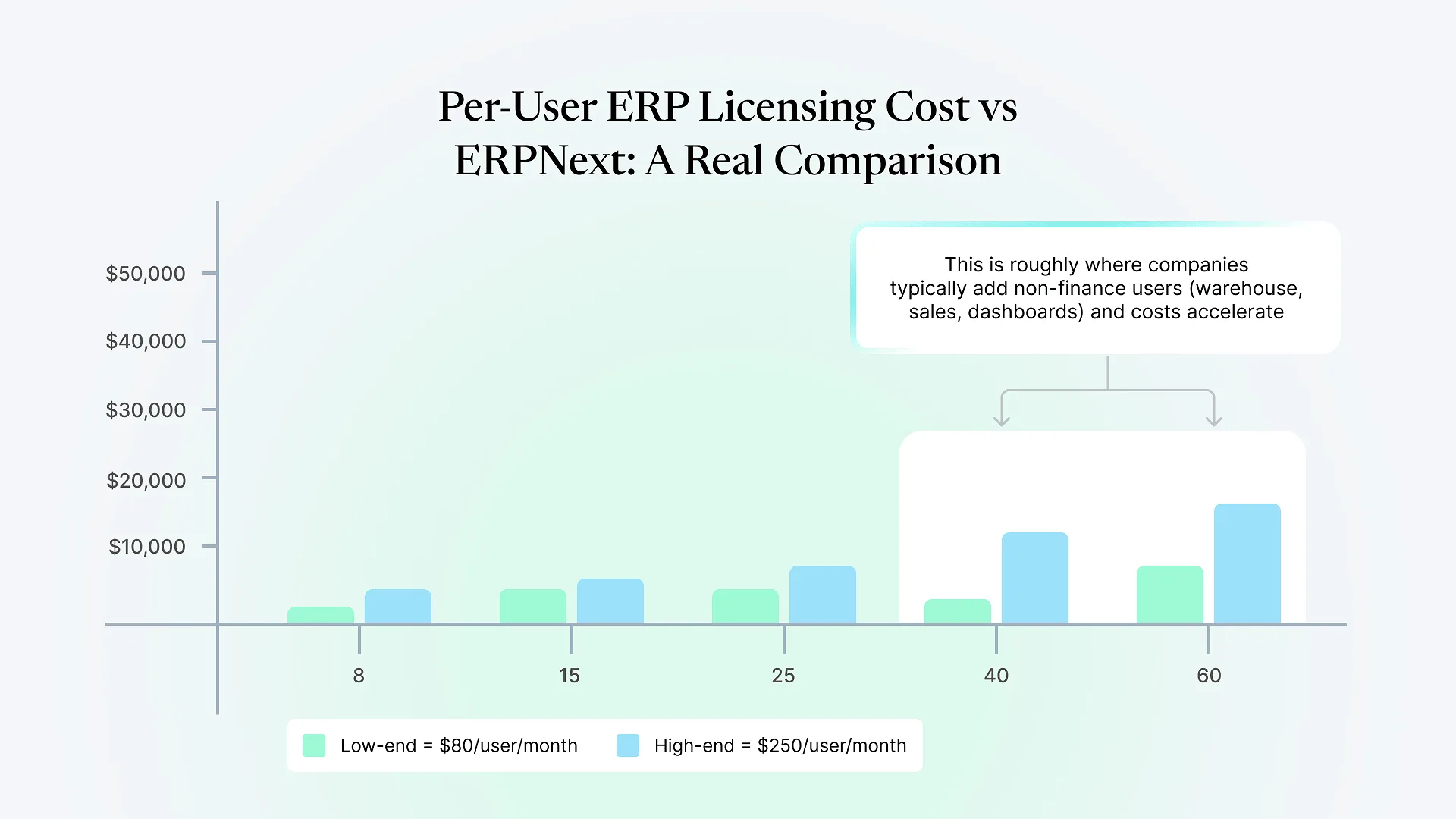
Licensed ERP software cost is usually structured as a recurring per-user or per-month fee that scales directly with your headcount and the modules you activate. That fee typically bundles in vendor support and scheduled upgrades, which is genuinely convenient if your workflows are close to standard and you’d rather not manage those pieces yourself.
The tradeoff shows up when you need something outside what the vendor’s configuration tools support. Deeper changes usually mean a paid engagement with the vendor or their certified partner network, priced and scheduled on their terms rather than yours. For a business with simple, standard workflows, that rarely becomes a problem. For one with workflows specific to its industry or operating model, it’s where licensed ERP costs can climb in ways that don’t show up on the initial quote.
Open-Source vs Licensed ERP: Side-by-Side
| Factor | Open-source ERP (e.g. ERPNext) | Licensed ERP |
|---|---|---|
| License fee | None | Recurring, per-user or per-module |
| Where the cost goes | Implementation, customization, hosting, support | Bundled license fee, plus paid work for deep changes |
| Customization access | Full source code | Vendor-approved configuration; deeper changes need vendor engagement |
| Upgrade timing | Self-directed | Set by vendor release schedule |
| Support model | Chosen implementation partner, replaceable | Vendor support, tied to the license |
| Best fit | Workflows that diverge from standard modules | Workflows close to standard, minimal customization expected |
The Cost Question Most Comparisons Get Wrong
Most “open source vs licensed” content frames this as free versus expensive. That’s not accurate on either side. Open-source ERP shifts cost from a license line to a project and a support relationship — it isn’t automatically cheaper once you account for implementation and ongoing development. Licensed ERP isn’t automatically more expensive either, if your workflows genuinely fit its standard modules without much modification.
The variable that actually determines total cost is how much customization your business needs, not which licensing model you start with. A business running fairly standard finance and inventory processes will likely find a licensed suite’s bundled pricing predictable. A business with workflows specific enough that they don’t map cleanly onto standard modules will pay for that gap either way — through vendor-priced customization requests under a licensed model, or through development work it commissions directly under an open-source one.
This is where it’s worth being direct about where Aavatto sits in this picture: we’ve spent since 2020 implementing ERPNext and building custom Frappe apps for manufacturers and distributors across India and the Middle East, including a fair number of projects where a previous vendor left mid-build. That experience is specific to the open-source side of this comparison — it’s not a claim that open-source is right for every business, just that the cost and control tradeoffs described above play out in practice, not just in theory.
When Each Model Tends to Fit Better
Your workflows diverge meaningfully from standard finance, inventory, or manufacturing processes
You expect ongoing customization as the business grows or changes, not a one-time setup
Owning your data and hosting outright matters to you
You want the option to change implementation partners without starting over
Your workflows are close enough to standard that deep customization is unlikely
You'd rather have one vendor accountable for software, support, and upgrades
Your internal capacity to manage an implementation partner and ongoing development is limited