The cloud ERP vs on premise ERP decision comes down to one question: do you want to pay for infrastructure and control, or pay less upfront and hand that control to a vendor? Cloud ERP runs on the vendor’s servers, billed as a subscription, with lower upfront cost and less internal IT burden. On-premise ERP runs on your own servers, with higher upfront cost but full control over data, customization, and uptime.
Both models can run the same ERP software — including ERPNext — equally well. The right choice depends less on the software and more on your compliance requirements, IT capacity, and how much control your business actually needs over its infrastructure.
What "Cloud ERP" and "On-Premise ERP" Actually Mean
Cloud ERP means the ERP application and database run on infrastructure owned and managed by a hosting provider or the software vendor. You access it through a browser, pay a recurring fee (usually per user, per month), and the provider handles servers, backups, security patching, and uptime. Frappe Cloud, for example, is a managed cloud option built specifically for ERPNext.
On-premise ERP means the application and database run on servers your business owns or leases — in your own data center, a server room, or a dedicated rack at a colocation facility. Your team (or a contracted partner) manages the operating system, database, backups, security, and every update.
There’s a middle ground too: a private cloud or VPS (virtual private server) deployment, where you rent dedicated infrastructure but still manage the software stack yourself, or a partner manages it on your behalf. This sits between the two extremes on both cost and control.
Cloud ERP vs On-Premise ERP: Key Differences
| Factor | Cloud ERP | On-Premise ERP |
|---|---|---|
| Upfront cost | Low — no hardware purchase | High — servers, storage, networking |
| Ongoing cost | Predictable subscription (OpEx) | Variable — hardware refresh, power, IT staff (CapEx + OpEx) |
| IT staffing | Minimal — vendor manages infrastructure | Requires in-house or contracted sysadmin capacity |
| Data location | Vendor's data centers (region often selectable) | Wherever your servers physically sit |
| Customization depth | Usually possible, sometimes constrained by the platform's multi-tenant architecture | Full control — no platform-level restrictions |
| Uptime responsibility | Vendor's SLA | Your team's responsibility |
| Scalability | Add users/resources on demand | Requires provisioning new hardware or capacity in advance |
| Upgrade path | Vendor pushes updates, often automatically | Your team schedules and tests every upgrade |
| Disaster recovery | Typically built into the vendor's infrastructure | You must design and maintain it yourself |
When On-Premise ERP Makes Sense
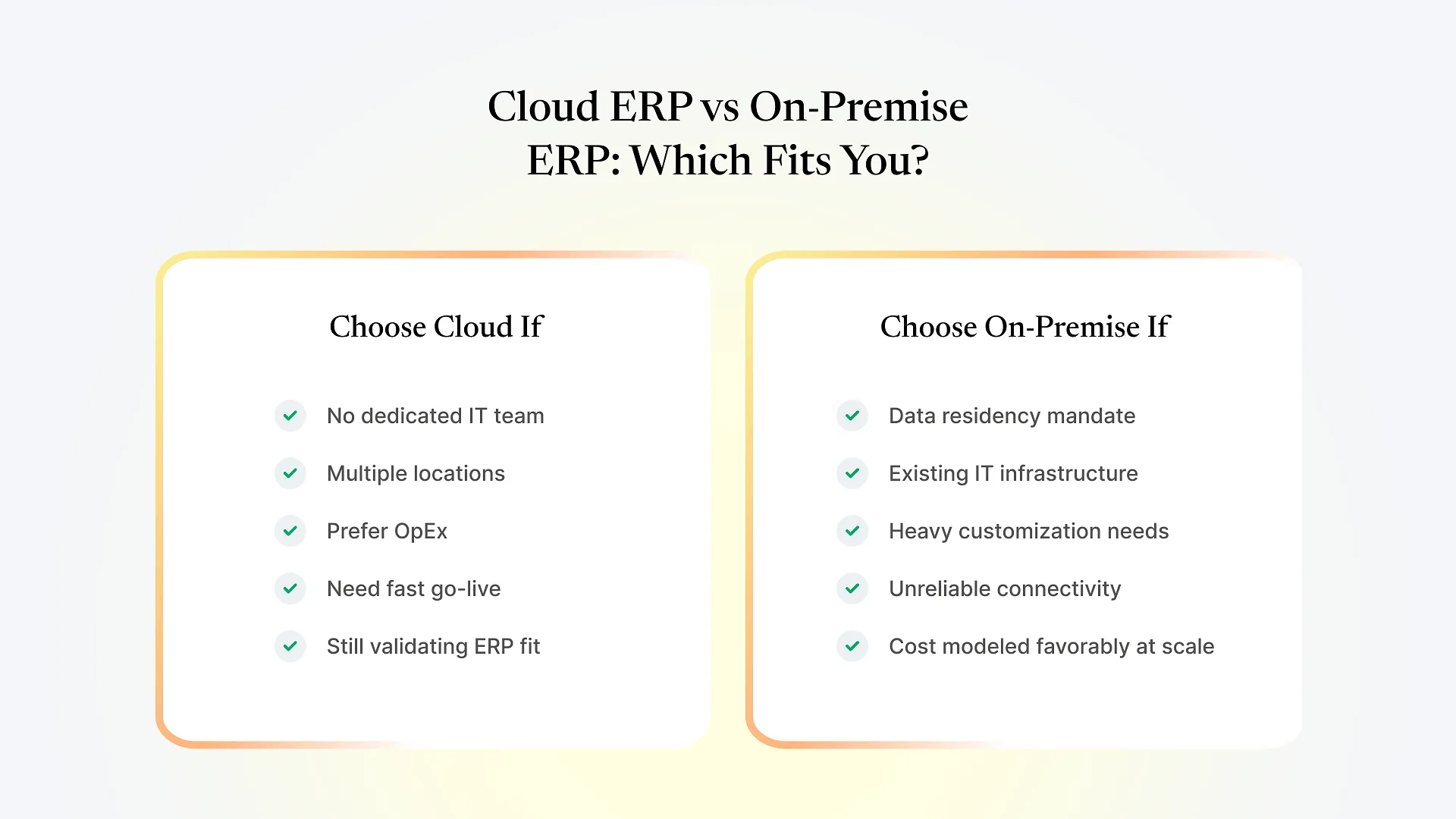
Regulatory or contractual data residency requirements that mandate data stay on infrastructure you directly control, regardless of region.
Existing IT infrastructure and staff already in place, where hosting one more application costs little extra.
Heavy customization needs that push against a multi-tenant cloud platform's limits — though this matters less with open-source platforms like ERPNext, where the codebase is identical self-hosted or cloud-hosted.
Unreliable or restricted internet connectivity, where depending on a remote server is itself an operational risk.
Businesses that have priced out cloud costs at their scale and found owned infrastructure cheaper over a long time horizon — this only holds true past a certain scale, and should be modeled, not assumed.
When Cloud ERP Makes Sense
No dedicated IT team, or one better spent on business systems than server maintenance.
Multiple locations or a distributed team, where cloud access removes the need for VPNs just to reach the ERP.
Cash flow preference for OpEx over CapEx — a predictable monthly line item over a large upfront outlay.
Faster go-live requirements, since there's no server procurement lead time before implementation starts.
Businesses still validating that ERP is the right investment, where an easier-to-exit subscription reduces the downside of getting it wrong.
Cost Comparison: CapEx vs OpEx
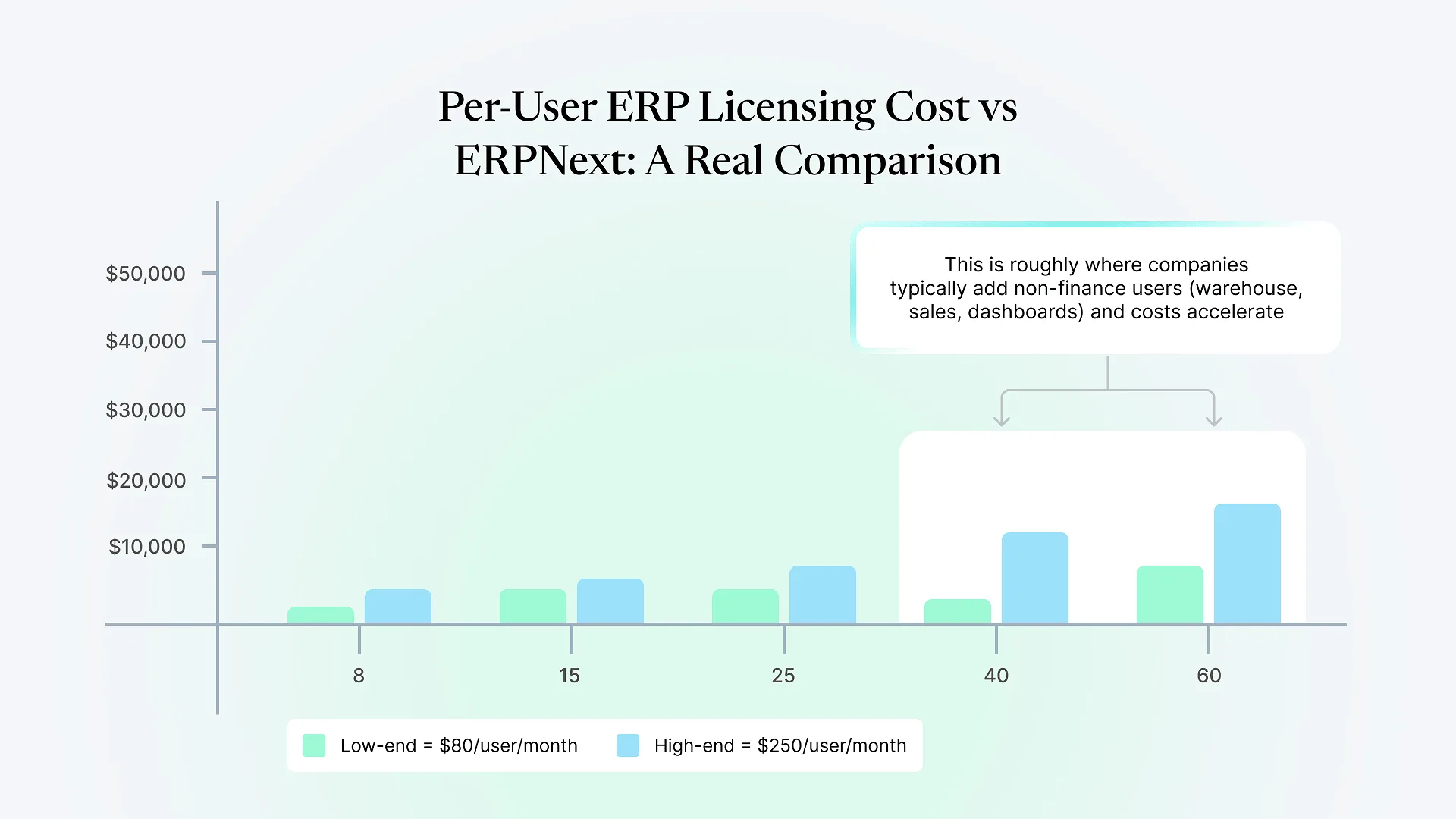
Cloud ERP spreads cost evenly as a subscription. There's no large capital outlay, but the total cost over a long enough period (often 5+ years, depending on the vendor and user count) can exceed what equivalent owned infrastructure would have cost.
On-premise ERP requires a significant upfront investment in servers, storage, networking, and setup, plus ongoing costs for power, maintenance, hardware refresh cycles (typically every 3-5 years), and IT staff time. The breakeven point versus cloud subscription costs depends heavily on user count, infrastructure choices, and how efficiently your team manages it.
Data Security , Compliance, and Control
For businesses in regulated industries, or operating across India and the Middle East where data residency expectations vary by jurisdiction and sector, this is often the factor that overrides cost entirely.
Cloud ERP providers generally invest more in security infrastructure — dedicated teams, regular audits, redundant backups — than most businesses could justify building in-house. But you’re trusting a third party with your data, with limited control over exactly which infrastructure it sits on, even when a provider lets you select a region.
On-premise ERP gives complete control over where data lives and who can access it, which matters when contracts or regulation require it. That control comes with the responsibility of building and maintaining the security posture yourself — a secured on-premise deployment isn’t simpler than a well-run cloud one, just differently resourced.
Talk to an ERPNext consultant before you decide — especially if data residency or compliance requirements are part of your evaluation criteria, since these constraints can eliminate one deployment model before cost even enters the conversation.
How This Differs From Choosing an ERPNext Hosting Option
It’s easy to conflate this question with a narrower one: once you’ve decided ERPNext is the right ERP, which specific hosting setup should you use? That’s a separate decision, covered in our breakdown of on-premise vs Frappe Cloud vs VPS hosting for ERPNext, which gets into the technical specifics of each ERPNext-specific hosting path.
This article is about the deployment model decision that should happen before that — whether your business belongs on a cloud-delivered ERP or an owned, on-premise system, regardless of which ERP platform you ultimately choose. Get this decision right first, and the hosting-specific choice becomes much narrower and easier.
A Decision Framework for CEOs/CFOs
Rather than starting from “which is better,” work through these questions in order:
Do you have a hard data residency or compliance requirement?
If yes, confirm with legal or compliance before evaluating vendors — it may eliminate cloud outright.
Do you have in-house IT capacity to manage servers, patching, and backups?
If no, on-premise adds a hidden cost most CFOs underestimate at proposal stage.
What's your growth trajectory over the next 3-5 years?
Rapid growth favors cloud's elastic scaling; stable, predictable scale strengthens the case for owned infrastructure.
How does your finance team prefer to budget — CapEx or OpEx?
A genuine organizational preference that affects approval processes as much as total spend.
How customized will your ERP need to be?
Deep customization historically favored on-premise, though this gap has narrowed with open-source platforms like ERPNext.