





Every month, finance teams in India file two returns that are supposed to tell the same story. GSTR-1 lists your outward supplies invoice by invoice. GSTR-3B summarises your liability and pays the tax.
GSTR-1 GSTR-3B reconciliation software compares the outward supplies reported in GSTR-1 against the tax liability declared in GSTR-3B for the same period, flags differences by tax head and supply type, and traces each difference back to the invoice, credit note or adjustment that caused it, so you can correct it before filing.
Most standalone tools run that comparison after both returns are prepared. If both returns are generated from the same ERPNext ledger, you can catch most problems earlier, at the document level, where they are cheaper to fix.
Why GSTR-1 and GSTR-3B Stop Matching
Two returns built from one clean dataset would always agree. In practice they drift apart for two reasons: data changes between filing GSTR-1 and preparing GSTR-3B, and the two returns group the same transactions differently.
The usual culprits:
A sales invoice is posted into last month after that month's GSTR-1 was filed. It appears in the books, and in any GSTR-3B prepared from the books, but not in GSTR-1.
A credit note raised this month against an invoice from an earlier month gets reported in one period in GSTR-1 and another in GSTR-3B.
The e-invoice is cancelled on the IRP, but the sales invoice is still submitted in the books, or the other way round.
IGST charged where CGST and SGST were due. The total tax can match while the individual tax heads don't.
Tax on an advance receipt is declared, but the adjustment against the final invoice is missed or reported in a different month.
Nil-rated, exempt, non-GST and zero-rated export supplies sit in different tables and are easy to put in the wrong one.
Someone keys 3B figures from a spreadsheet summary instead of generating them from the same records that produced GSTR-1.
How ERPNext Data Changes the Reconciliation Job
ERPNext, together with the India Compliance app, builds GSTR-1 and GSTR-3B data from the same sales invoices, credit notes, journal entries and tax templates. That removes the most common structural source of mismatch: two people preparing two returns from two separate files.
It does not remove every mismatch. Every cause listed above is a data problem, and ERPNext will report bad data faithfully. What it adds is traceability. Each figure in a return can be drilled down to the document that produced it, which makes GST return reconciliation in ERPNext a question of fixing source documents rather than adjusting totals.
If you’re not sure your current GST configuration is producing return-ready data, that’s worth checking before the next filing date rather than during it.
A Monthly Pre-Filing Checklist in ERPNext
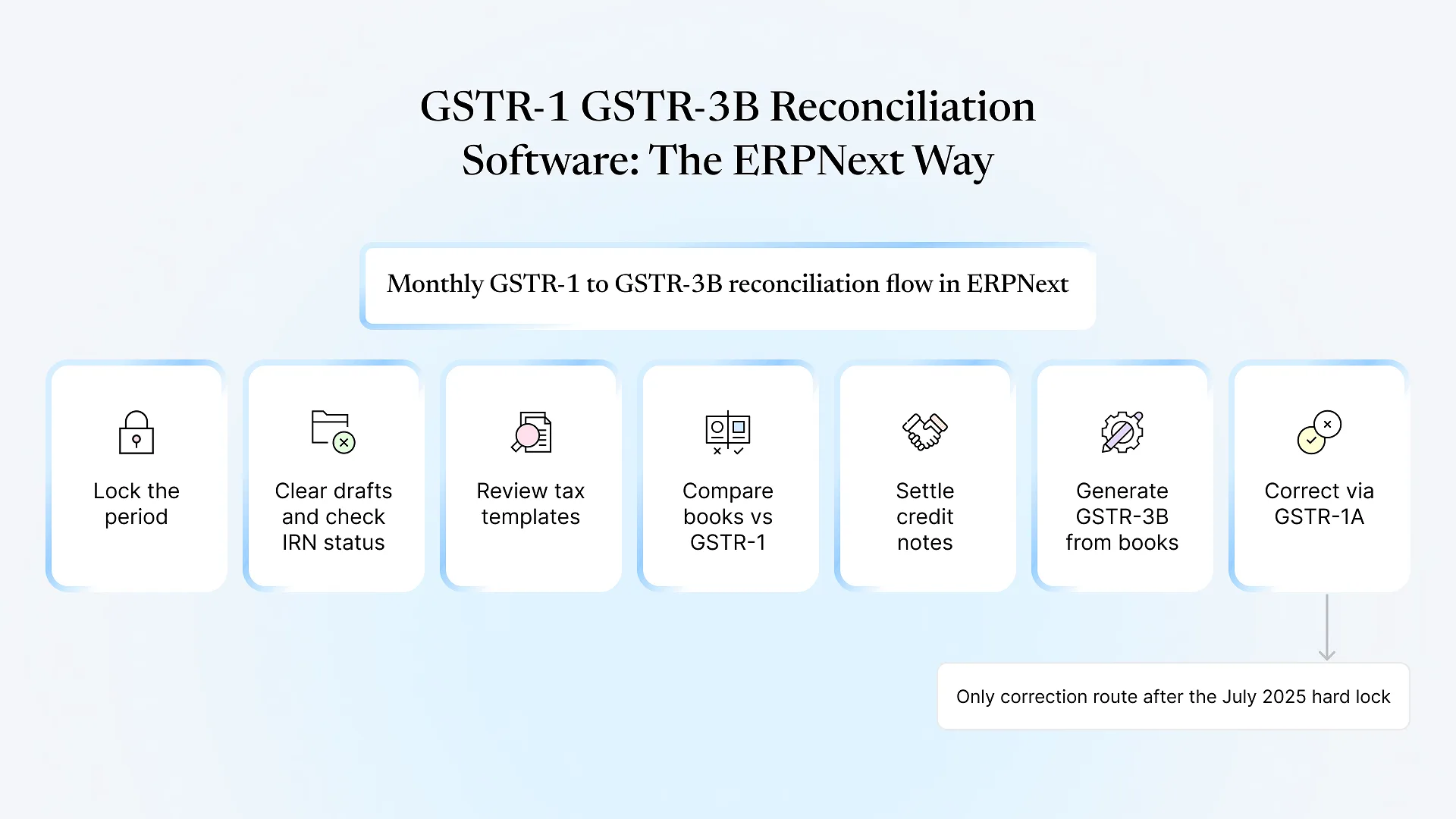
Lock the period
Set the Accounts Frozen Till Date in Accounts Settings so nobody can post back-dated entries into a month you are about to file.
Clear drafts and check cancellations
Confirm every invoice meant for the return is submitted, and no cancelled invoice still has an active IRN (or vice versa).
Review tax templates on invoices
Filter the period's sales invoices and check that place of supply and tax head match each customer's state and GSTIN.
Compare books with GSTR-1 data
In recent versions of India Compliance, the GSTR-1 view lets you compare what your books contain against what has been uploaded or filed on the portal.
Settle credit notes and amendments
Decide which period each credit note belongs to and report it the same way in both returns.
Generate GSTR-3B from the same records
Use ERPNext's GSTR-3B report instead of retyping figures, and compare its Table 3.1 values with what the portal auto-populates.
Correct through GSTR-1A if needed
If a difference appears after GSTR-1 is filed, amend it there before filing GSTR-3B. The auto-populated liability can no longer be edited in 3B itself.
When You Still Need Separate GSTR-1 GSTR-3B Reconciliation Software
You file for many GSTINs across group entities and want one consolidated reconciliation view.
Part of your billing happens in a system not connected to ERPNext, such as a marketplace seller panel or a legacy POS.
Your tax team or CA prefers a vendor-managed compliance layer on top of the ERP
Frequently Asked Questions
If your team reconciles GSTR-1 and GSTR-3B in spreadsheets every month, the real problem is usually upstream: tax templates, period controls or how credit notes are handled. Reconciliation software will keep finding those differences; it won’t stop them forming.
Aavatto has worked hands-on with Frappe and ERPNext since 2020 for businesses across India and the Middle East, including setups another vendor left half-configured. GST configuration is part of our tailored ERPNext implementation work.
Book a free ERPNext consultation and we’ll walk through how your GST data flows from invoice to return, and where it’s likely to break.