



What Accounts Receivable and Payable Automation in ERPNext Covers
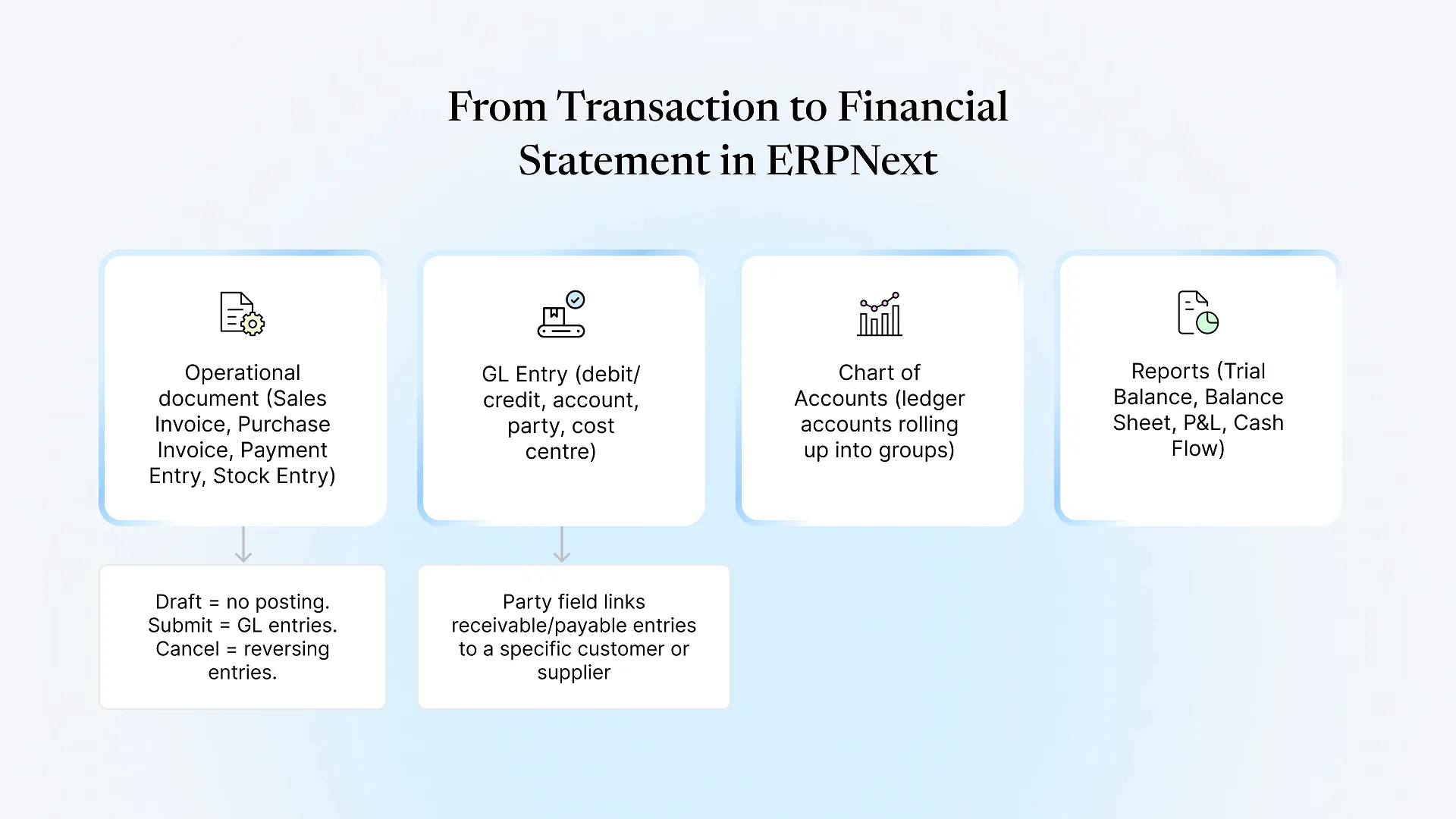
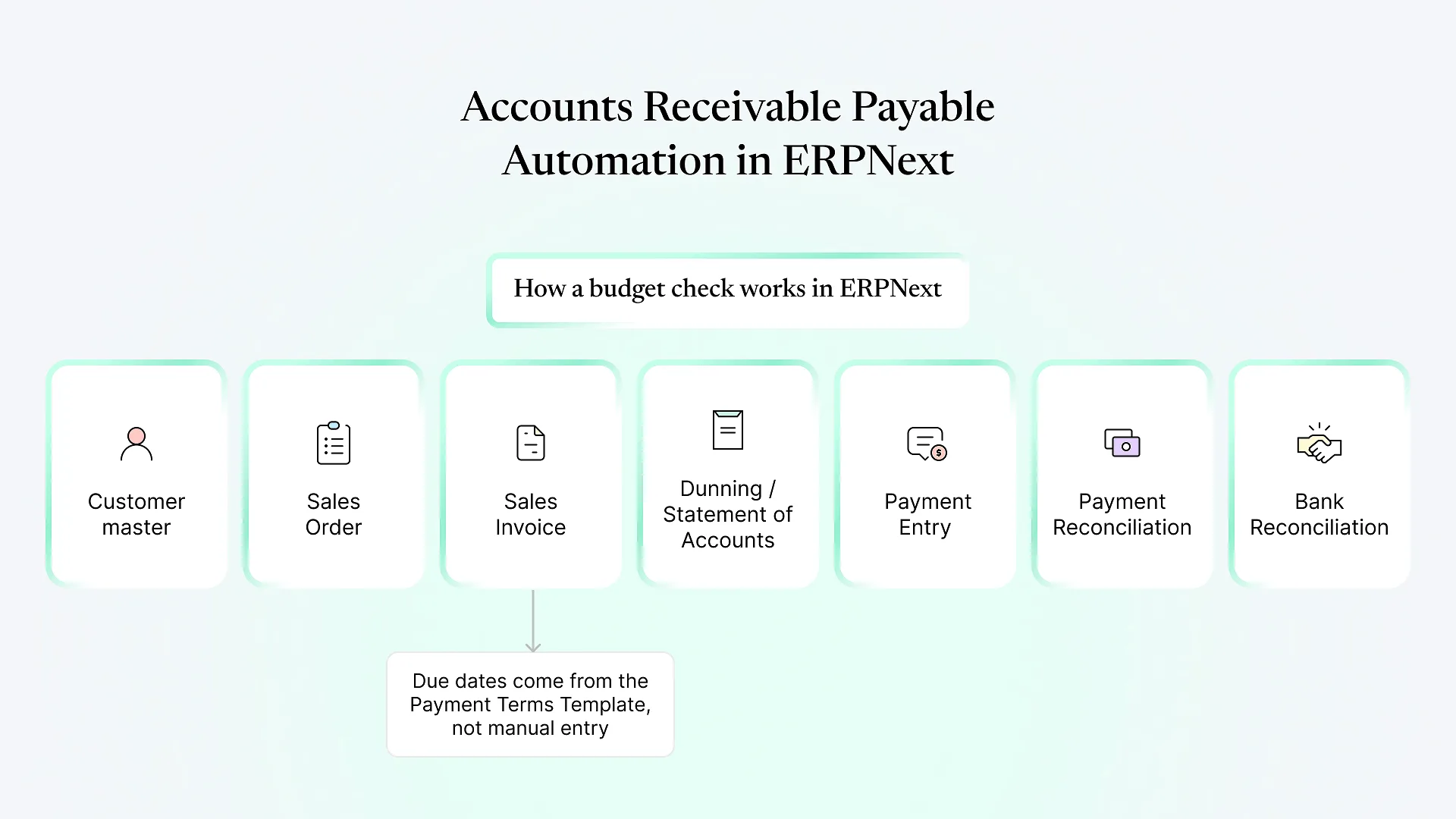
ERPNext automates AR and AP by linking every invoice to its payment terms, customer or supplier ledger, and bank entry. Out of the box it generates payment schedules, aging reports, overdue reminders (Dunning), scheduled customer statements, TDS deductions and payment-to-invoice reconciliation. Approval chains, custom reminder logic and bank-specific payment files usually need configuration or development.
The rest of this guide breaks ERPNext receivables and payables into specifics, written for the finance head who has to decide what to switch on.
The Receivables Side: From Invoice to Cash
Payment terms drive everything downstream
Every automation on the AR side depends on one setting many teams skip: the Payment Terms Template. Attach it to the customer, and every Sales Invoice gets a payment schedule automatically, including split terms such as 50% advance and 50% on delivery.
Without it, due dates are typed by hand, and your aging report is only as accurate as the person who typed them.
Credit limits
Advances and recurring invoices
Aging and outstanding reports
Reminders and statements without manual emailing
Dunning creates overdue notices for unpaid invoices, with configurable dunning types and optional fees or interest.
Process Statement of Accounts emails customers their statement on a schedule you set, so the monthly "please find attached" routine disappears.
Matching money to invoices
The Payables Side: From Bill to Payment
Linking bills to what was ordered and received
ERPNext links Purchase Order, Purchase Receipt and Purchase Invoice. Buying Settings can enforce that rates stay the same through the purchase cycle, and Accounts Settings controls how much over-billing is allowed against an order. Together, that gives you most of a three-way match without a separate tool.
What it doesn’t do by default is route a mismatched bill to a named approver with a reason attached. That’s a workflow you configure.
Approval workflows
The Workflow feature lets you define states and approvers for Purchase Invoices and Payment Entries. A typical setup: an accountant prepares, the finance manager approves anything above one threshold, and the CFO approves anything above a higher one.
It’s configuration, not code. But someone has to map your real approval matrix first, including who covers when an approver is travelling.
TDS, GST and VAT
For Indian businesses, Tax Withholding Categories apply TDS automatically on Purchase Invoices or Payment Entries once the configured thresholds are crossed. Reconciling GST input credit against the government portal is handled through the India Compliance app rather than core ERPNext, so check it’s installed and configured before relying on it.
In the Middle East, VAT runs through tax templates, and e-invoicing requirements differ by country. Treat those as a separate compliance scope, not something that comes with the AP setup.
Paying suppliers
Native vs Configure vs Build: AR/AP Automation at a Glance
| Task | Native in ERPNext | Needs configuration | Usually custom |
|---|---|---|---|
| Payment schedules from terms | ✓ | Payment Terms Templates | |
| Credit limit blocking | ✓ | Per-customer limits, override role | |
| Recurring invoices | Auto Repeat | Schedule, email template | |
| Aging reports (AR and AP) | ✓ | ||
| Overdue reminders | Dunning | Dunning types, email templates | WhatsApp/SMS reminders |
| Scheduled customer statements | ✓ | Frequency, recipients | |
| Payment-to-invoice matching | ✓ | Complex auto-matching rules | |
| Bank reconciliation | ✓ | Statement import mapping | Live bank feeds |
| Bill approval chains | Workflow states and roles | Multi-condition routing | |
| TDS on payables | ✓ | Tax Withholding Categories | |
| Bank payment files | ✓ |
When Customization Makes Sense
Customize when a workflow reflects how your business earns or pays, not just a preference for how a screen looks. Collection escalations tied to a sales rep’s territory, vendor payment runs grouped by project, and bank payment file formats are good examples.
Build these as custom apps rather than edits to ERPNext’s core, so upgrades don’t break them. That’s the approach behind Aavatto’s ERPNext customization work for finance teams in India and the Middle East.