If you have a development team on staff, the custom ERP vs ERPNext decision isn’t abstract. It’s whether that team should spend the next six to eighteen months building one from scratch instead of implementing and customizing an existing platform. The short answer: build a custom ERP only when your core workflow is a genuine competitive advantage that no configurable platform can model; for nearly everything else, ERPNext’s open-source, customizable foundation gets you there faster and cheaper, with room to add custom modules later. The rest of this guide is the reasoning behind that answer, and a framework to apply it to your own business.
This is also the build vs buy ERP question in a more specific form, because it’s not really about buying software off a shelf. It’s about how much of the underlying platform you configure versus how much you write yourself.
Custom ERP vs ERPNext: What Each Term Actually Means
It helps to be precise about what’s being compared, because the terms get used loosely.
A custom-built ERP means your team writes the data models, business logic, workflows, and reporting layer from scratch, usually on a general-purpose framework, sometimes on no framework at all. You own every line of it. Nothing is inherited from a shared codebase used by other companies.
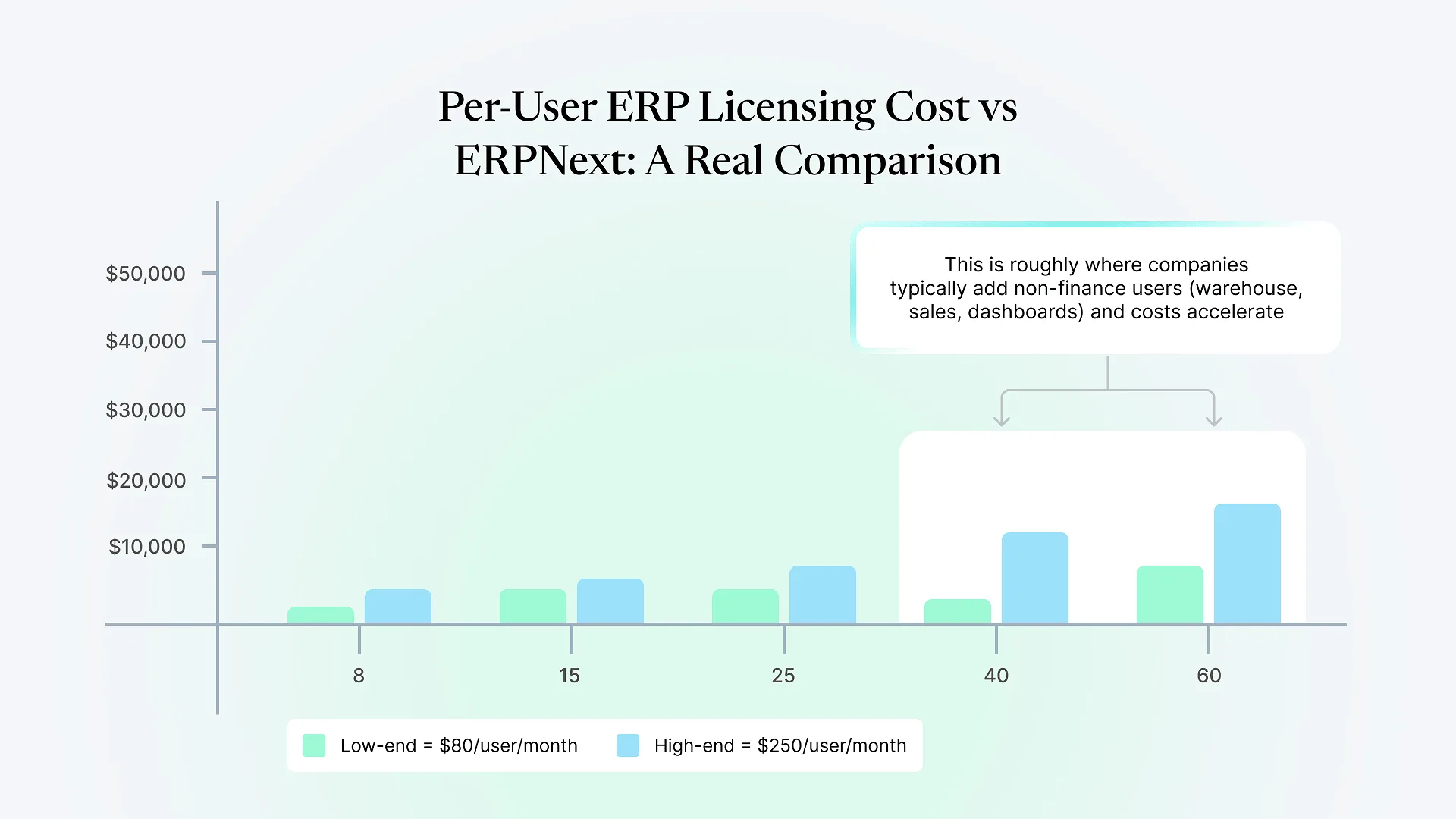
ERPNext is open-source ERP software built on the Frappe framework. There’s no per-user license fee to use the software itself, which is worth stating plainly since most “buy” comparisons assume SaaS subscription pricing, and that isn’t how ERPNext’s core licensing works. What you pay for is implementation, configuration, hosting, and any custom development layered on top. Frappe, the framework underneath ERPNext, is also available directly, which is the middle ground most comparisons skip: you can build fully custom applications on the same framework ERPNext runs on, inheriting its permission system, reporting engine, and API layer without inheriting ERPNext’s business logic.
That middle ground matters. The real decision usually isn’t “build everything” versus “configure a packaged product.” It’s how much of the underlying framework you use as-is versus how much business logic you write yourself.
The Real Cost Comparison
Custom ERP costs are front-loaded and open-ended
You're paying developer time to design a data model that doesn't exist yet, build and test workflows that already have known failure modes in mature ERP products, and construct reporting and permissions from zero. None of this is wasted effort if your process genuinely doesn't fit any existing model, but if it does fit, you're re-solving problems ERPNext has already solved.
ERPNext implementation costs are weighted toward configuration and change management
You're paying for someone who knows the platform to map your actual processes onto its modules, customize what doesn't fit natively (custom doctypes, workflows, and reports are standard within Frappe), and get your team through the operational disruption of a go-live. That work is real and it isn't free, but it starts from a working accounting, inventory, and workflow engine rather than a blank schema.
The ongoing cost difference is the one people underestimate
A custom ERP means your team owns maintenance, security patching, and every future feature request indefinitely. There's no community, no plugin ecosystem, and no upgrade path someone else maintains. ERPNext gets updates, security fixes, and improvements from an active open-source community that you didn't have to build. The tradeoff is that you're working within its data model and conventions rather than ones you invented.
Neither model is cheaper in the abstract. It depends entirely on how much custom logic your business actually needs, which is the next question.
Thinking through the total cost of ownership here is worth a second pair of eyes before committing engineering months to either path.
When Building From Scratch Genuinely Makes Sense
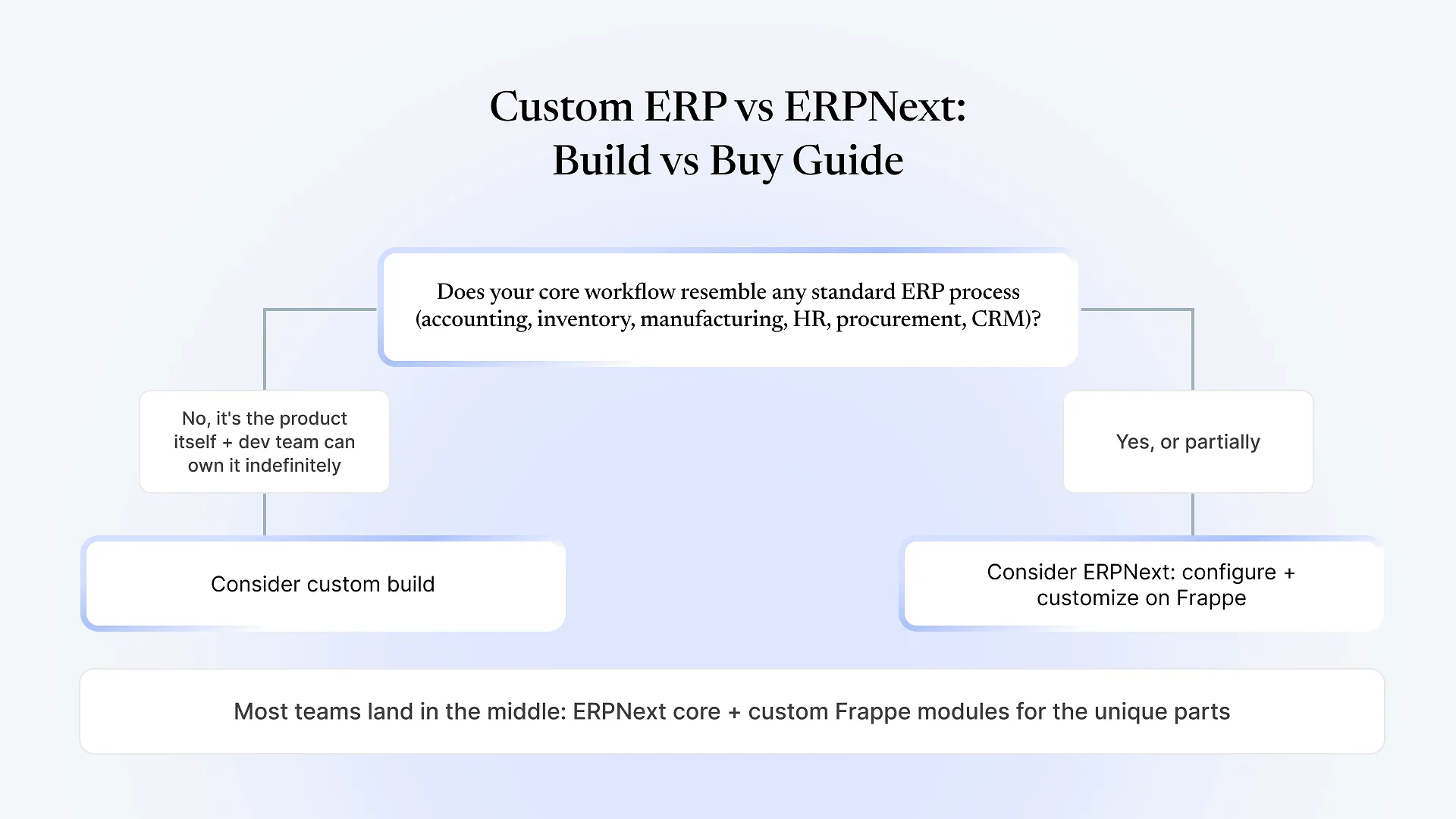
Your core operational workflow is the actual product or competitive moat, not a supporting process, but the thing customers are paying for.
The workflow doesn't resemble accounting, inventory, manufacturing, procurement, HR, or CRM in any recognizable way, so there's nothing in ERPNext's module set to configure against.
You have a development team with capacity to own this indefinitely, not just to build v1 and move on to the next project.
You expect the system to run largely unchanged, or with proprietary logic, for years, long enough to amortize the build cost.
Data residency, architecture, or integration constraints rule out running on any shared open-source framework.
When It Doesn't, and What People Get Wrong
Most companies that seriously consider building from scratch are actually reacting to a bad prior ERP experience, not evaluating build vs buy on its merits. That’s worth separating out. If the real problem was a rigid, non-configurable system or an implementation partner who couldn’t customize it properly, the fix is a platform built to be customized, which is what ERPNext and Frappe are designed for, not a from-scratch rebuild.
The other common miscalculation: treating “we have developers, so building is free” as true. Developer time isn’t free just because it’s already on payroll. It’s time not spent on the product or features that actually differentiate the business. Building accounting, inventory valuation, and tax compliance logic from scratch is rarely where in-house engineering talent creates the most value, even when it’s technically capable of doing it.
Decision Framework
| Factor | Lean custom-built | Lean ERPNext (configure + customize) |
|---|---|---|
| Core workflow | Unlike any standard ERP process; is the product itself | Resembles accounting, inventory, manufacturing, HR, procurement, or CRM |
| Time to value | Not a constraint; can absorb 6–18+ months to v1 | Need something operational in weeks to a few months |
| Engineering capacity | Dedicated team that will own this indefinitely | Team has other priorities; can't commit to permanent ownership |
| Cost tolerance | Can absorb high upfront cost for long-term control | Needs predictable, lower upfront cost with room to customize later |
| Long-term maintenance | Willing to own security, upgrades, and every future feature | Prefers an actively maintained platform with a community and update cycle |
| Customization depth needed | Deep, proprietary business logic with no ERP precedent | Moderate to significant customization on top of standard modules |
The Hybrid Path Most Comparisons Miss
The framework above treats this as binary, but in practice, most companies that evaluate this seriously end up somewhere in the middle: ERPNext for the processes that are genuinely standard, like accounting, inventory, and basic procurement, and custom Frappe application development for the one or two workflows that are actually unique to the business. Because ERPNext and custom Frappe apps run on the same underlying framework, this isn’t a compromise stitched together with integrations. A custom module can share the same permission model, database, and reporting layer as the rest of the system.
This is the path we build most often for manufacturers and distributors across India and the Middle East: ERPNext handling the operational core, and purpose-built Frappe applications covering the one process that off-the-shelf configuration genuinely can’t model, whether that’s a specific production workflow, a compliance requirement, or a customer-facing process the business runs differently on purpose. It’s worth naming plainly that this option is one a from-scratch build and a rigid ERP evaluation both tend to miss, because it requires a partner who can do both configuration and custom development, not just one.
Frequently Asked Questions
Building a custom ERP is occasionally the right call, but it’s the right call less often than the “we have developers, we can just build it” instinct suggests. If your workflow genuinely has no ERP precedent and you can commit engineering capacity to it indefinitely, build. If it resembles anything ERPNext already models well, or if the honest answer is “some of both,” it’s worth mapping your specific workflow against the framework above before committing months of development time either way. Talk to an ERPNext consultant before you decide — a short conversation now is cheaper than six months down the wrong path.