Most ecommerce ERP integration projects don’t fail during setup — they fail three months later, when a customer orders a product that sold out an hour earlier but the storefront hadn’t caught up yet. Ecommerce ERP integration is the process of connecting your online store to your ERP system so orders, stock levels, and product data sync automatically between them. Done well, it replaces manual re-entry between two separate systems and prevents overselling caused by stock data going stale.
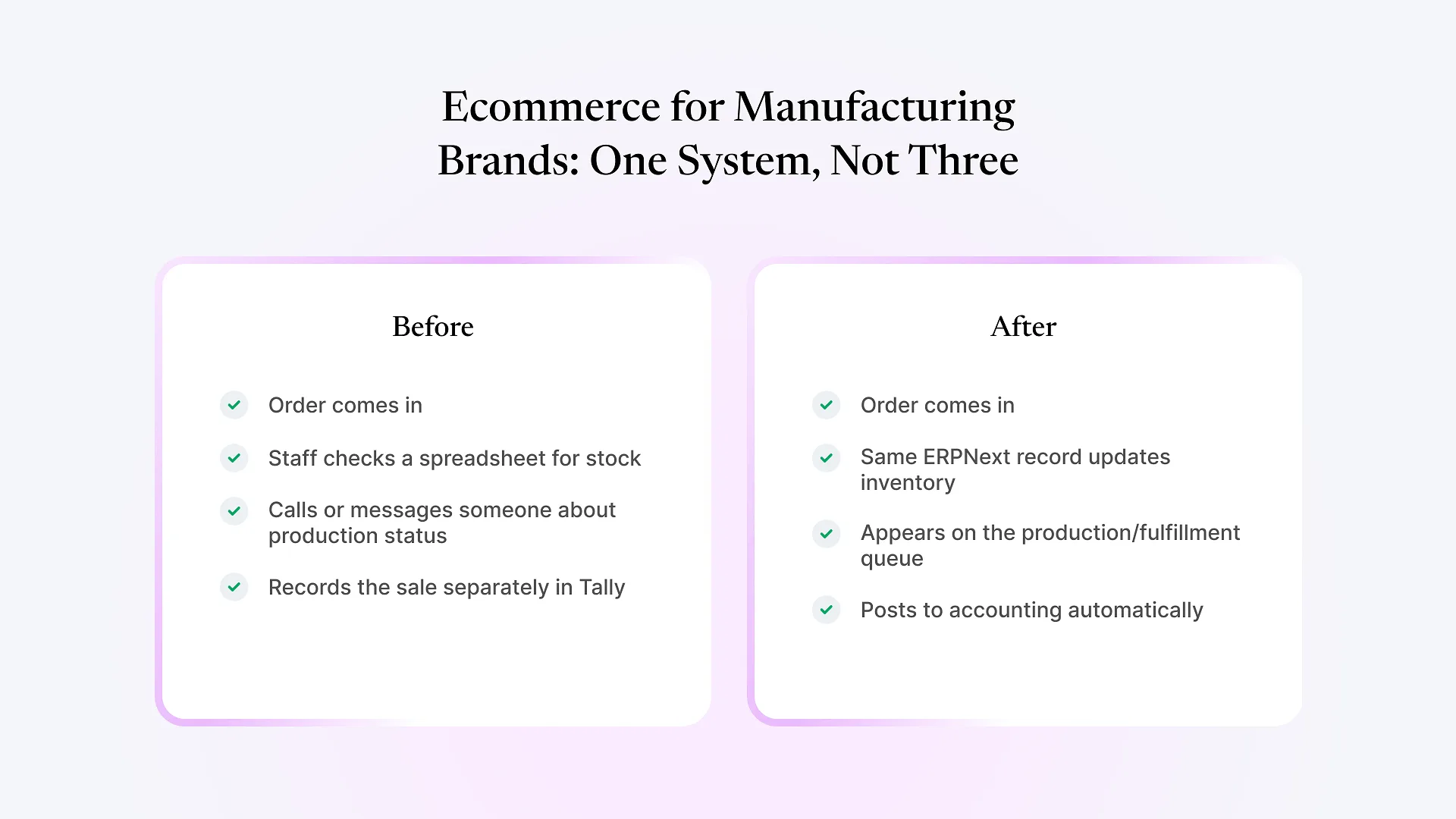
For D2C and manufacturing brands selling online, this distinction matters more than for a pure retailer, because your “available stock” isn’t just a number sitting in a warehouse — it’s tied to production schedules, batch and lot tracking, raw material availability, and sometimes multiple fulfillment locations. A generic integration built for a retailer reselling finished goods doesn’t account for any of that.
What "Connecting Your Store to ERP" Actually Involves
At a basic level, integration needs to move three things between systems: orders (storefront to ERP), stock levels (ERP to storefront), and product/pricing data (usually ERP or PIM to storefront). Most teams get the order flow working reasonably fast — an order comes in, it creates a sales order or invoice in the ERP. That part is close to solved by nearly every integration method on the market.
Stock sync is where things get harder. Learning to sync ecommerce inventory with ERP isn’t a one-time data push — it’s a continuous, bidirectional loop that has to stay accurate under real conditions: partial shipments, returns, manual stock adjustments, production batches finishing mid-day, and multiple sales channels drawing from the same pool of inventory.
Where Most Ecommerce ERP Integrations Actually Break
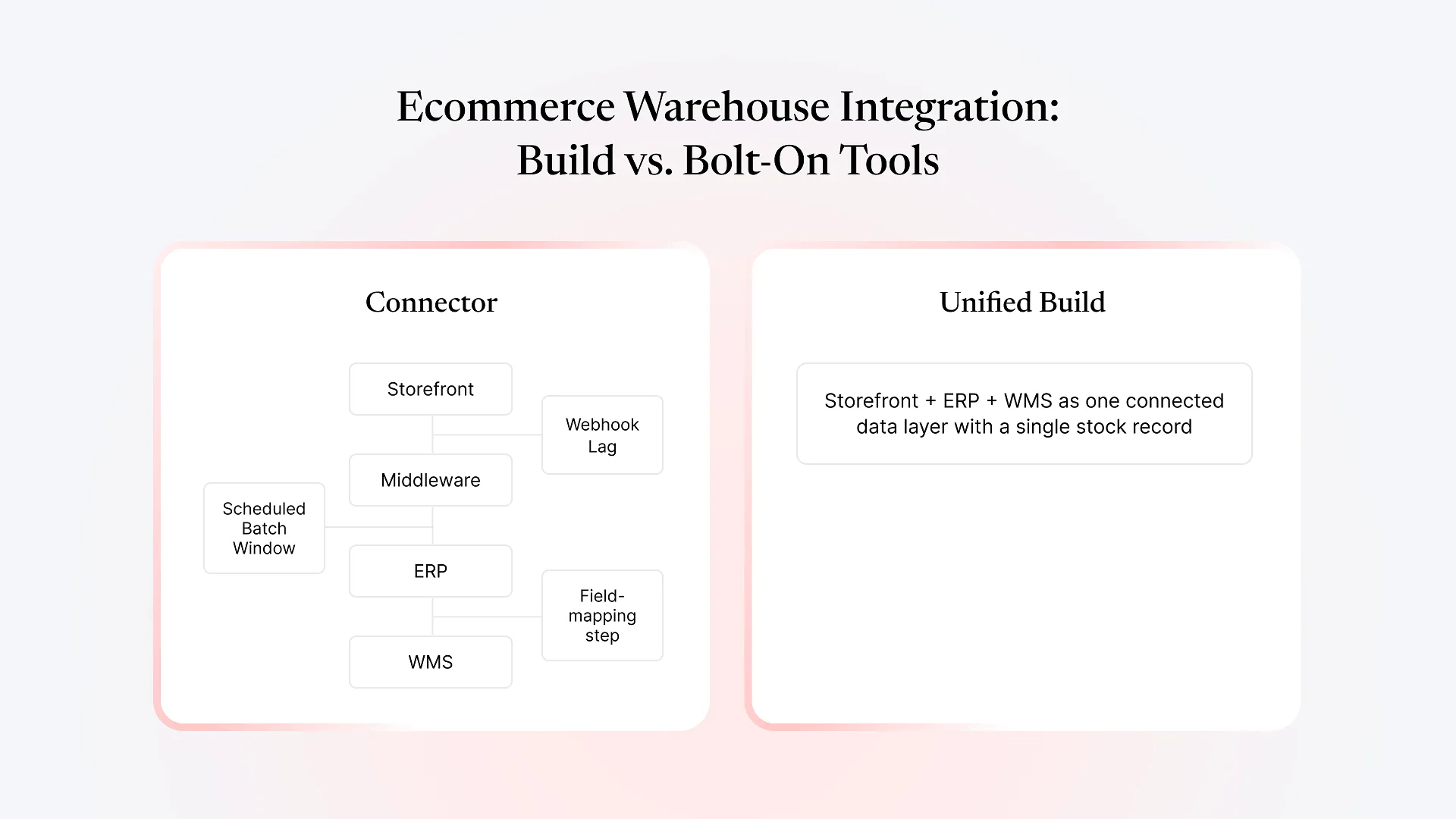
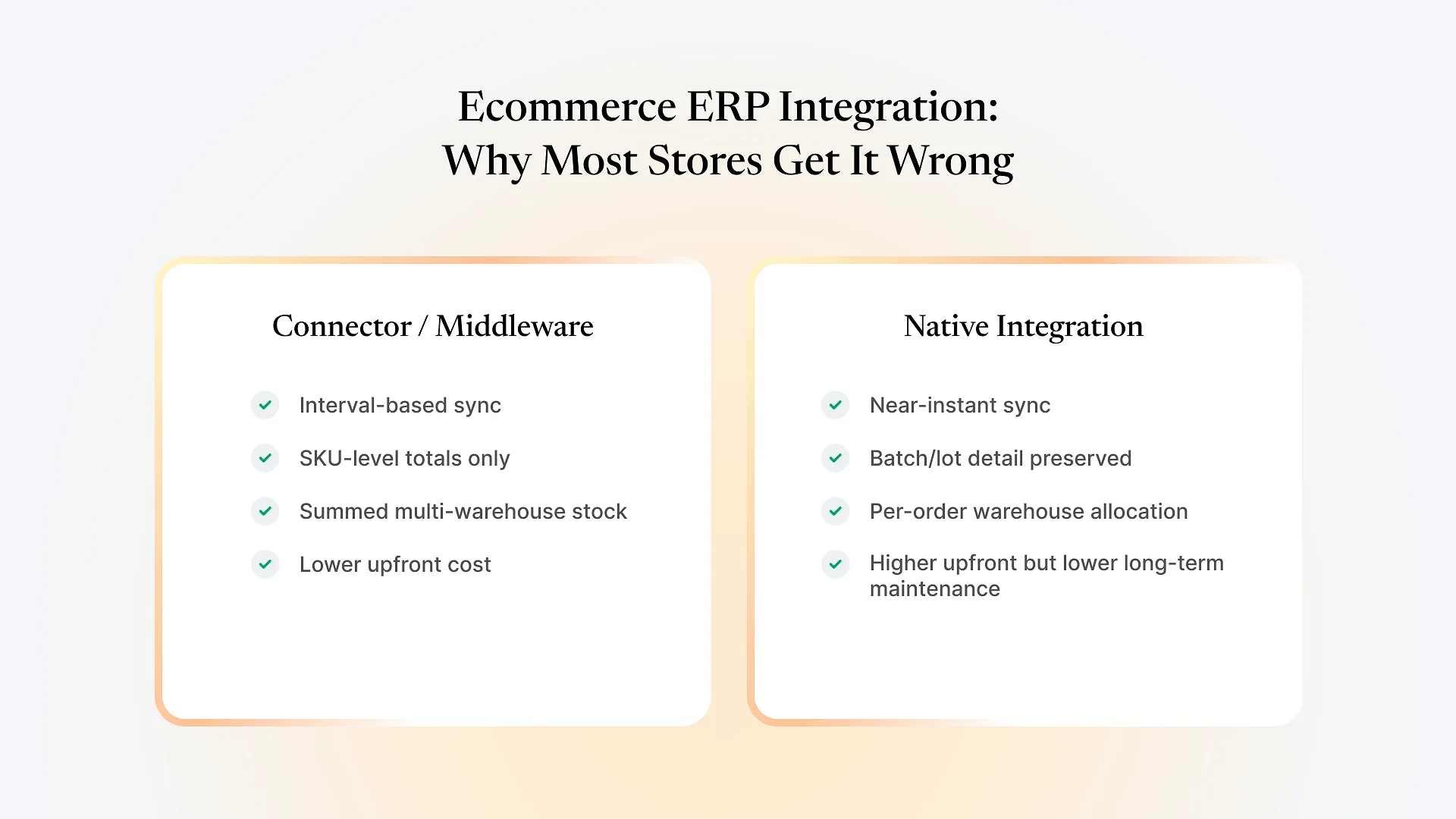
Most off-the-shelf integrations — whether a marketplace connector app, a middleware tool, or a custom API script — run on a polling interval rather than a true real-time push. If your sync runs every 15 or 30 minutes, there's a window where your storefront shows stock that's already gone, especially around high-velocity SKUs or flash sales. The result is oversold orders, refunds, and support tickets, not because the ERP data was wrong, but because the storefront hadn't been told yet.
If you manufacture what you sell — food, cosmetics, textiles, anything with lot or expiry tracking — your ERP likely tracks stock at the batch level. Most ecommerce platforms only understand a single SKU-level quantity. A connector that only syncs the total often can't tell the storefront which batch is being sold, which becomes a real problem the moment you need to trace a batch for quality or compliance reasons after the sale already happened online.
Brands running more than one warehouse or a mix of owned and third-party fulfillment need the integration to decide which location fulfills which order — by proximity, by stock availability, or by business rule. Many integrations simply sum stock across locations into one number, which works until an order needs to ship from a specific warehouse and the system has no way to express that.
A return processed on the storefront should adjust ERP stock; a quality hold or manual adjustment made in the ERP should reflect on the storefront. Connector-based tools frequently sync one direction well (orders out, stock in) and treat the reverse path as an afterthought, which is usually where "why doesn't the website match the warehouse" support tickets originate.
If you’re also weighing whether your warehouse operation itself needs dedicated software before you connect it to a storefront, this buyer’s checklist for choosing a warehouse management system walks through that decision first — it affects what your ecommerce integration actually has to sync against.
Connector-Based vs. Native Integration
| Connector / Middleware Integration | Native Integration (built on the same platform logic) | |
|---|---|---|
| How it works | Third-party app or middleware polls both systems and pushes updates on an interval | Storefront and ERP share the same underlying data model, or communicate through direct, event-driven API calls |
| Stock sync speed | Interval-based (minutes), not instant | Can be near-instant, triggered by the actual stock-changing event |
| Batch/lot awareness | Usually flattened to SKU-level totals | Can preserve batch, warehouse, and lot detail if both systems support it |
| Setup cost | Lower upfront, since it's off-the-shelf | Higher upfront, since it's built or configured for your specific model |
| Long-term maintenance | Breaks with platform updates on either side; ongoing subscription cost | Maintained as part of your existing ERP relationship, if that relationship already exists |
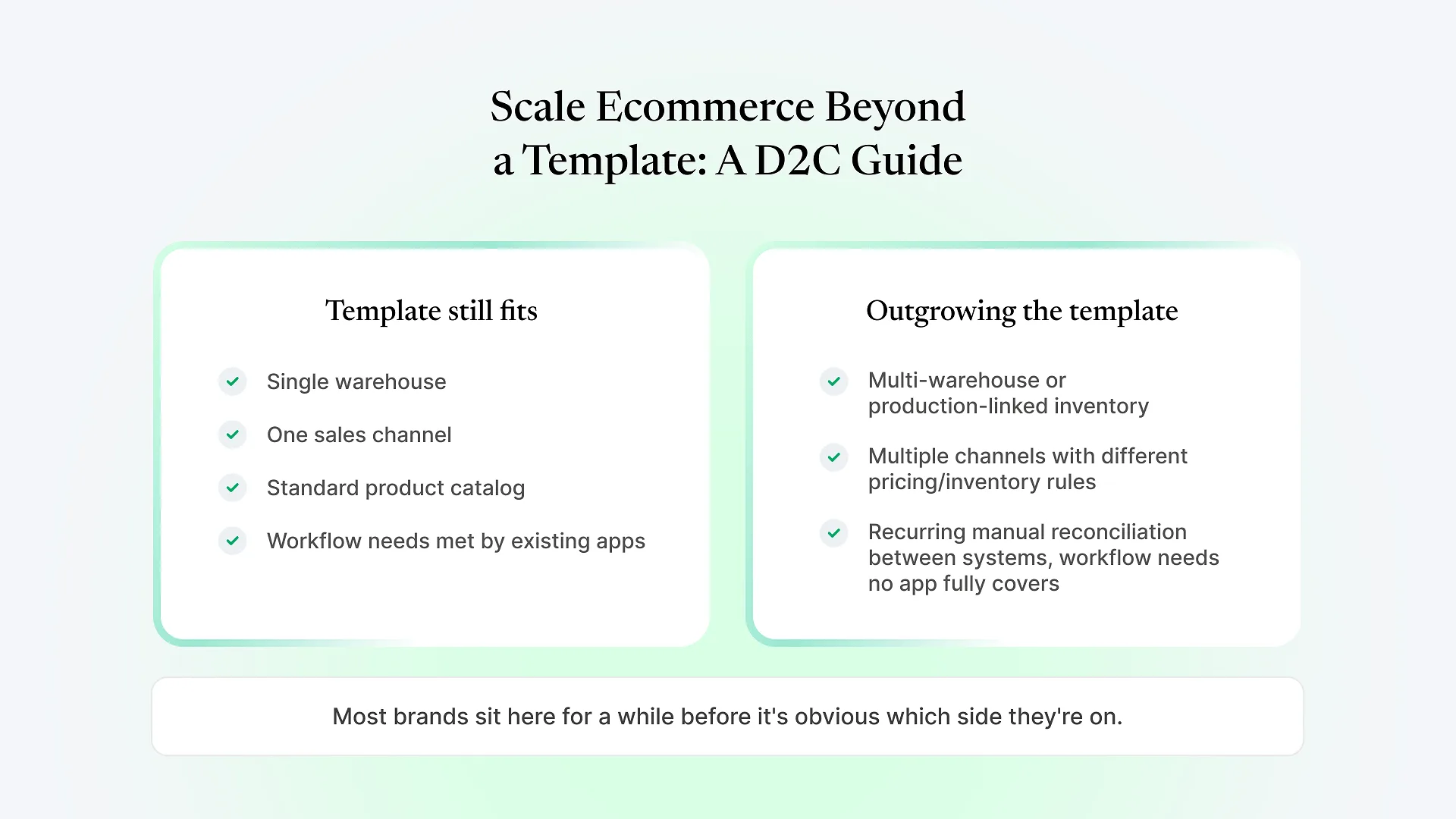
Neither approach is universally “correct.” A connector-based tool is a reasonable choice for a straightforward retailer with a single warehouse and low order volume, where occasional sync lag is a minor inconvenience rather than a recurring cost. It becomes the wrong choice once oversold orders, batch traceability, or multi-location fulfillment start costing more in support time and lost trust than a properly built integration would have cost to set up. This is the architecture we build when we connect a custom storefront to ERPNext for a manufacturing or D2C brand — treating stock sync as an event tied to your actual order and production flow, rather than a scheduled batch job running on a timer.
This is also the point where it’s worth thinking through the build, not just the sync. If you’re mapping out what a real integration would look like for your own catalog and warehouse setup, talk to us about your e-commerce build — it’s a conversation about your specific stock model, not a generic pitch.
What Good Integration Looks Like for a D2C or Manufacturing Brand
Reflect stock changes from production, sales, and returns close to the moment they happen, not on a fixed polling schedule
Preserve batch and lot detail through to the point of sale, so a quality issue traced in the ERP can be matched back to specific online orders
Apply fulfillment rules across multiple warehouses or channels, rather than treating all stock as one undifferentiated pool
Handle partial fulfillment and backorders without creating a mismatch between what the storefront promises and what the warehouse can actually ship
Keep tax and pricing logic (particularly GST handling for India-based sellers) consistent between the storefront and the ERP, rather than maintained separately in two places
Frequently Asked Questions
Most ecommerce ERP integration problems trace back to one decision made early and rarely revisited: whether the sync runs on an interval through a third-party connector, or is built to reflect stock changes as they actually happen in your business. If you’re deciding which approach fits your store, talk to us about your e-commerce build — we’ll look at your actual catalog, warehouses, and order volume before recommending either path.