A WordPress website redesign makes sense when your site is slow, dated, or hard to update, but the job it needs to do hasn’t changed: present your business, publish content, and capture leads. If your operations have grown more complex than that, though, a redesign is a cosmetic fix on a foundation you may already be outgrowing.
That distinction matters more than most redesign checklists let on. Plenty of businesses redesign a site every two or three years out of habit, without asking whether WordPress is still the right tool for what the business has become. This guide is meant to help you tell the difference before you spend the budget.
Signs your WordPress site genuinely needs a redesign
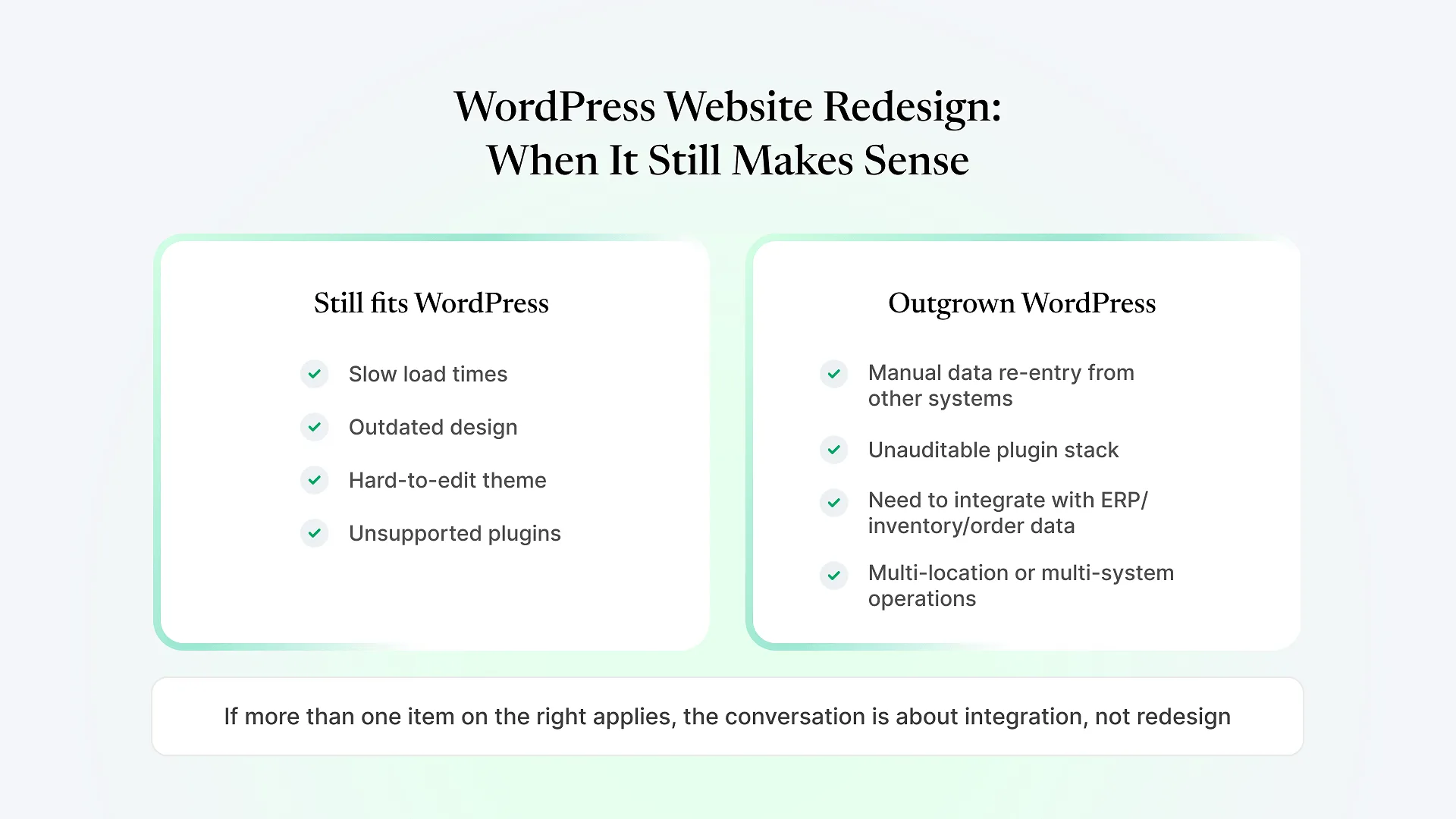
The site loads slowly on mobile, even after basic caching and image compression.
Updating a page requires a developer because the theme or page builder has been customized past the point of easy editing.
The design still reflects how your business looked three or more years ago, and doesn't reflect current services, positioning, or pricing.
Core plugins are outdated or unsupported, creating security exposure.
The site isn't structured around how people actually search for what you offer today.
These are all fixable within WordPress. A redesign — new theme, cleaned-up plugin stack, restructured content, updated design — solves each of them without requiring a platform change.
When a redesign isn't the real fix
The pattern changes once a business’s needs move past “public-facing content site” into something that has to talk to the rest of the business. A few signs this is happening:
Your team is manually re-entering information that already exists somewhere else — product data from an ERP or inventory system, order details from a separate fulfillment tool, customer records from a CRM the website doesn’t talk to. A new WordPress theme won’t remove that manual step; it will just look better while the same workaround continues underneath it.
Another signal is when “just add a plugin” has become the default answer to every new requirement, and the plugin stack has grown past what anyone fully understands or can audit. At that point, redesign conversations quietly turn into “which fifteen plugins do we keep,” which is a different and more expensive project than most people budget for.
If your business is genuinely at this stage — inventory, order management, multi-location operations, or back-office systems that the website should be feeding into or pulling from — that’s a conversation about integration and custom development, not a theme refresh.
We work across both situations. Most of our engineering focus is on ERPNext implementation and custom Frappe development for businesses whose operations have outgrown off-the-shelf tools, but WordPress development remains part of what we handle for existing and prospective clients who need a straightforward marketing site done well, without turning it into a bigger project than it needs to be.
If you’re already unsure which category you’re in, that uncertainty is itself useful information — it usually means it’s worth a short conversation before committing budget either way.
What a good WordPress redesign should actually include
Remove anything unused, consolidate overlapping plugins, and flag anything unsupported before it becomes a security problem.
Redesigns that only change fonts and colors while leaving the same confusing navigation rarely move the needle.
Heavy sliders, autoplay video, and unoptimized images are still common causes of slow WordPress sites in 2026.
WordPress needs ongoing core, theme, and plugin updates. A redesign without a maintenance plan behind it tends to look dated again within a year or two.
When to look beyond a redesign entirely
Frequently Asked Questions
Not sure which category your website falls into? Explore our WordPress development service to see how we scope redesign work, or reach out if you’d rather talk through where your site currently stands before deciding anything.