




How ERPNext works as purchase requisition software
| Material Request type | What it's for | What it converts into |
|---|---|---|
| Purchase | Buying from a supplier | Request for Quotation, Supplier Quotation, or Purchase Order |
| Material Transfer | Moving stock between warehouses | Stock Entry (transfer) |
| Material Issue | Issuing stock for consumption | Stock Entry (issue) |
| Manufacture | Triggering production | Work Order |
| Customer Provided | Material supplied by the customer | Receipt against the customer |
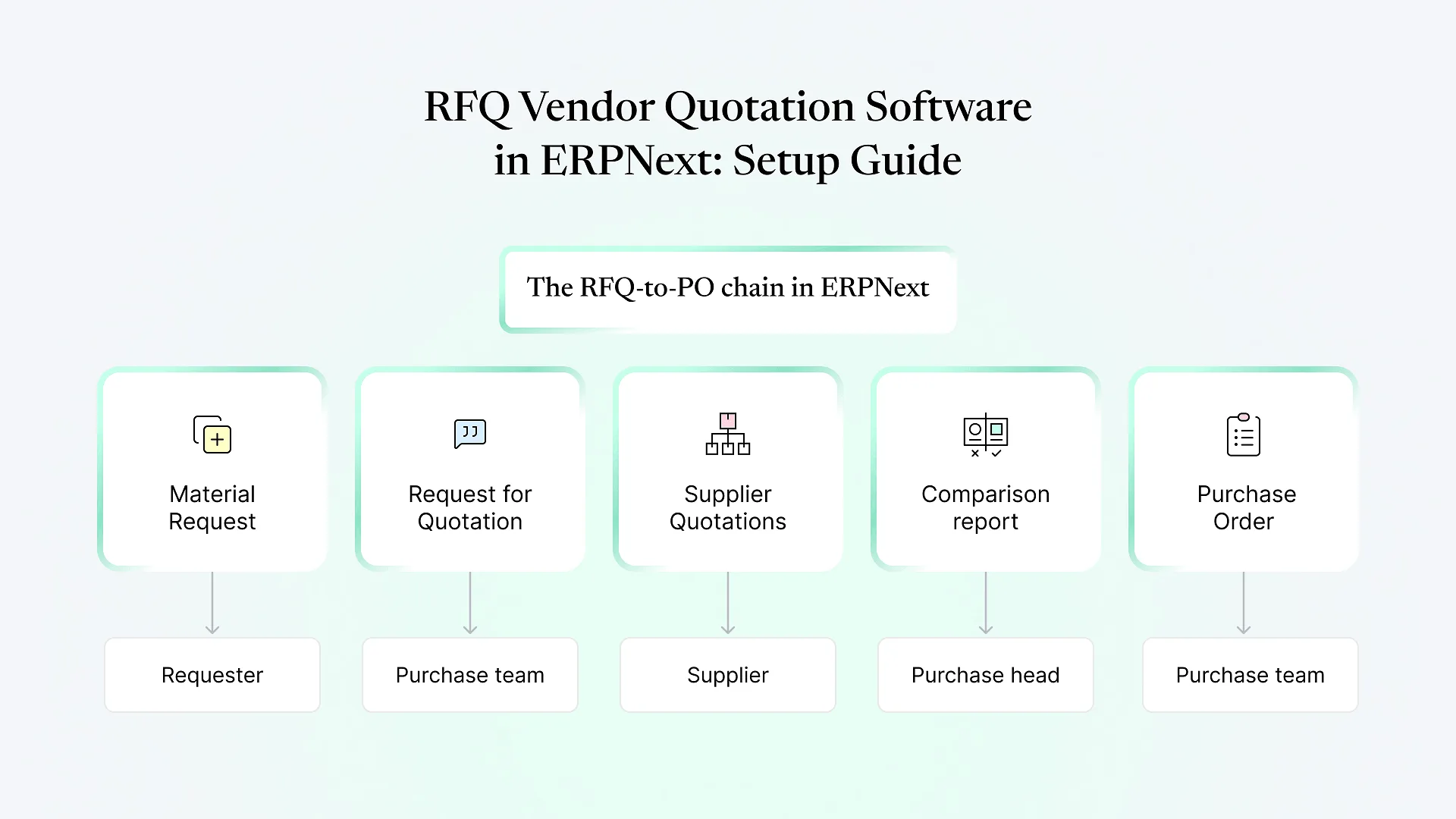
For procurement, the Purchase type matters most. Once a Purchase request is submitted, the buying team can pull its lines into an RFQ to collect competing quotes, or straight into a purchase order for known suppliers. ERPNext tracks ordered and received quantity against each request line. A request shows Pending, Partially Ordered or Ordered, so you can see which needs are still open without chasing anyone.
That traceability is the main reason to move off emailed indents. Every PO can be traced back to who asked for it, when, and for which cost centre.
Designing the purchase requisition workflow
Out of the box, a Material Request is simply drafted and submitted. Approvals come from ERPNext’s Workflow feature, where you define states (Draft, Pending HOD Approval, Pending Purchase Approval, Approved, Rejected), which roles can move a document between them, and any conditions on those transitions.
A practical starting design for a mid-sized manufacturer or distributor:
Requester drafts the request with item, quantity, required-by date and cost centre. Make cost centre mandatory, because budget checks depend on it.
Department head approves that the need is real and the quantity is sensible.
Purchase team reviews whether the item can be met from existing stock elsewhere, or whether to consolidate it with other open requests.
Conditional escalation. Requests above a value threshold, or for certain item groups such as capital goods, route to finance or a plant head.
Approved requests become available for RFQ or PO creation.
Keep the number of states small. Every extra approval adds days to a lead time, and people find workarounds when the process is slower than a phone call. Where the standard workflow conditions can’t express a rule, for example approvers that differ by plant and item category, small extensions through ERPNext customization are usually cleaner than stacking more workflow states.
How budget control works in procurement
This is where ERPNext differs from standalone requisition tools that only record a budget figure. A Budget in ERPNext is set for a fiscal year against a cost centre or a project, with amounts per expense account. You can spread it across the year with a monthly distribution, so a March request is checked against the budget accumulated up to March rather than the full annual amount.
You then choose, separately for each stage, what happens when a document would exceed the budget:
| Stage | Annual budget exceeded | Accumulated monthly budget exceeded |
|---|---|---|
| Material Request | Stop / Warn / Ignore | Stop / Warn / Ignore |
| Purchase Order | Stop / Warn / Ignore | Stop / Warn / Ignore |
| Actual expenses (invoices, journal entries) | Stop / Warn / Ignore | Stop / Warn / Ignore |
Stop blocks submission. Warn shows a message but lets the user continue. Ignore skips the check.
A common pattern is Warn at Material Request, so requesters see the problem early without being blocked on urgent needs, then Stop at Purchase Order, where the commitment is actually made. That puts the hard control with the purchase team, who can make the call on reallocating budget. Teams comparing budget control in procurement ERP options should know that this stage-by-stage choice is configurable in ERPNext without custom code.
Where budget control quietly doesn't apply
Budgets work on profit-and-loss expense accounts. If a stock item's purchase posts to an inventory (balance sheet) account, the budget check may not cover it the way you expect. Raw-material buying is often exactly this case. Many companies budget consumables, services and spares tightly but control raw materials through planning and reorder levels instead.
No cost centre on the request means nothing to check against. Make the field mandatory or default it per department.
ERPNext can create Material Requests automatically when stock falls below reorder levels. These still go through your workflow if one applies to the doctype, but review the auto-created requests with the same discipline as manual ones.
If buyers can create a PO without a Material Request, the requisition step becomes optional in practice. Decide whether that's allowed, and for which item groups.
We see these gaps regularly when reviewing ERPNext setups that went live without the procurement rules being tested end to end.
If several of these sound familiar, it usually helps to map your current approval and budget rules on one page before changing any settings. That’s a short exercise we’re happy to do with you.
A setup checklist for purchase heads
Cost centres reflect how budgets are actually owned (department, plant, or project)
Cost centre is mandatory on Purchase-type Material Requests
Budgets entered per expense account, with monthly distribution where spend is seasonal
Stop / Warn / Ignore chosen deliberately for Material Request, PO and actual expenses
Workflow states kept to the minimum that matches real approval authority
Value or item-group thresholds defined for escalation
Policy decided on POs raised without a Material Request
Reorder-level automation reviewed, with an owner for auto-created requests
Budget Variance report scheduled for monthly review with finance
Frequently Asked Questions
Getting the requisition-to-PO flow right
ERPNext gives purchase teams a real requisition system: traceable requests, configurable approvals, and budget checks at the stages you choose. Value comes from the configuration decisions, such as which cost centres hold budgets, where to warn versus stop, and which purchases sit outside the check, not from switching the features on.
Aavatto has worked hands-on with Frappe and ERPNext since 2020, implementing and repairing setups for manufacturers and distributors across India and the Middle East. If you’re planning a tailored ERPNext implementation or want your current procurement flow reviewed, book a free ERPNext consultation and we’ll walk through your requisition, approval and budget rules with you.