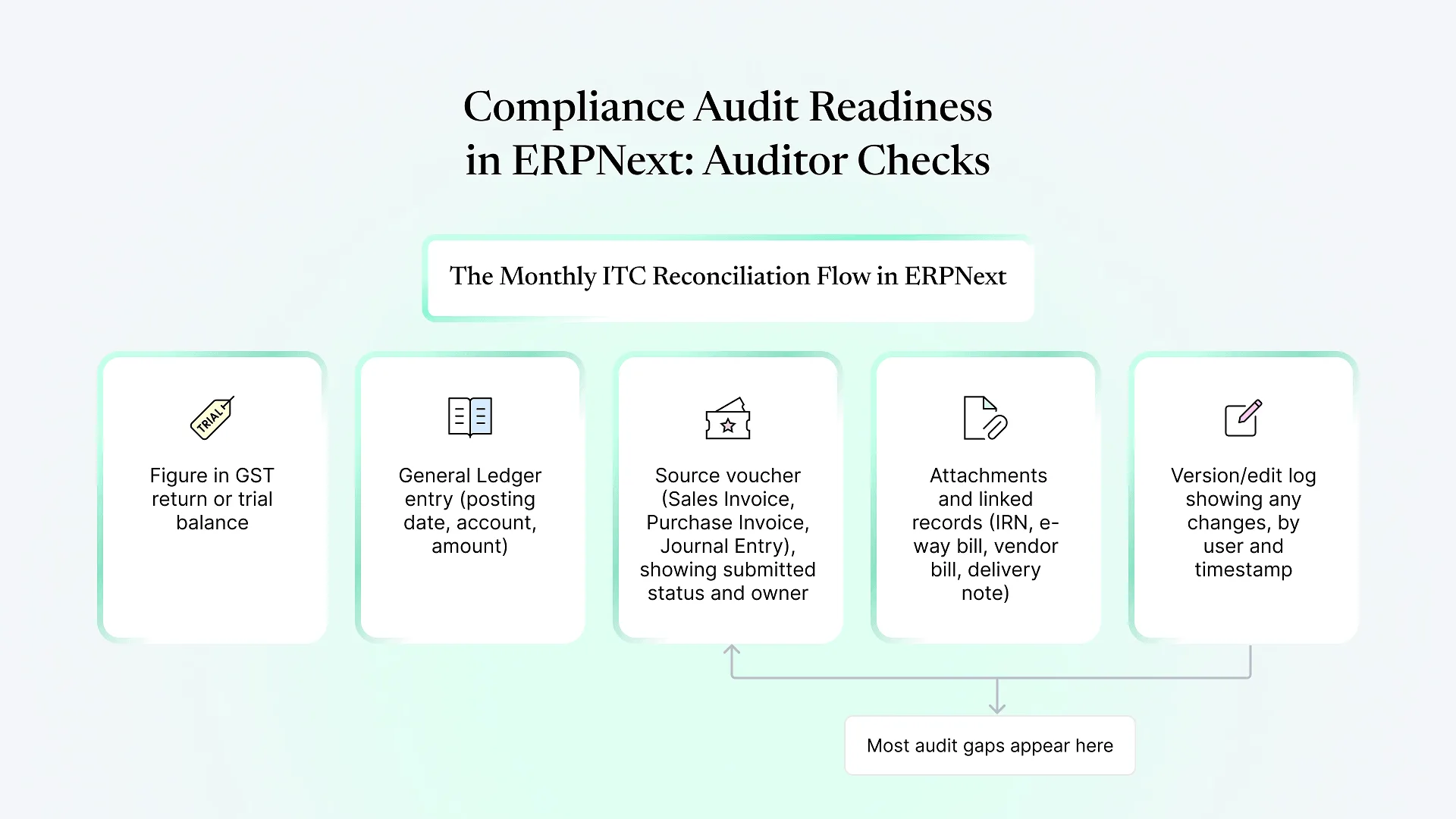






Before every GSTR-3B filing, finance teams in India have to answer one question: how much input tax credit can we safely claim this month? Your purchase register gives one number, GSTR-2B gives another, and the gap is either credit you’re losing or credit you shouldn’t be taking.
Input tax credit reconciliation software compares the purchase invoices recorded in your books against supplier-reported data in GSTR-2B (and GSTR-2A). It flags invoices that match, differ, or are missing on either side, so you can decide what ITC to claim, defer, or chase. In ERPNext, this is handled by the India Compliance app’s Purchase Reconciliation Tool.
This walkthrough covers how that tool works, where mismatches actually come from, and how to turn reconciliation into a predictable monthly routine rather than a deadline scramble.
Why ITC Reconciliation Has Become a Monthly Control
Under Section 16(2)(aa) of the CGST Act, ITC is generally available only when the supplier has reported the invoice and it appears in your GSTR-2B. GSTR-2B is a static monthly statement: once generated for a period, it doesn’t change when a supplier files late. So if your supplier hasn’t filed, or filed with the wrong GSTIN or amount, the credit doesn’t exist for that month, whatever your books say.
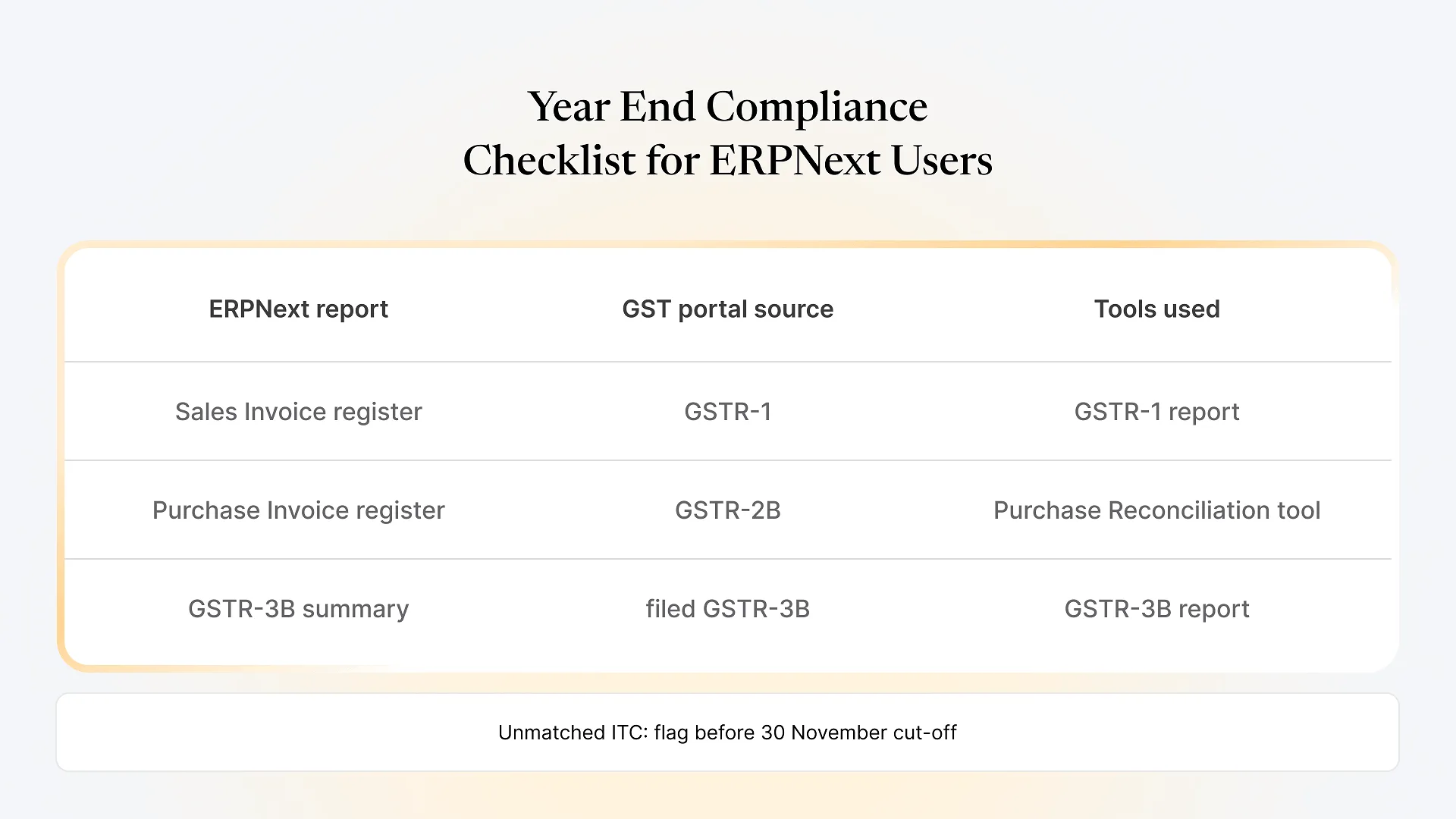
There are other conditions too. You must have actually received the goods or services, and you must pay the supplier within 180 days of the invoice date or reverse the credit. There’s also an outer time limit under Section 16(4): ITC for a financial year must be claimed by 30 November of the following year or the date of filing the annual return, whichever is earlier.
The Invoice Management System (IMS) on the GST portal adds another step. Recipients can accept, reject, or keep supplier invoices pending before GSTR-2B is generated, which means reconciliation increasingly needs to happen before 2B is finalised, not after.
All of this makes reconciliation a monthly control rather than a year-end tidy-up. GST rules are amended regularly, so confirm current positions with your GST practitioner; the workflow below holds regardless.
How Input Tax Credit Reconciliation Software Works in ERPNext
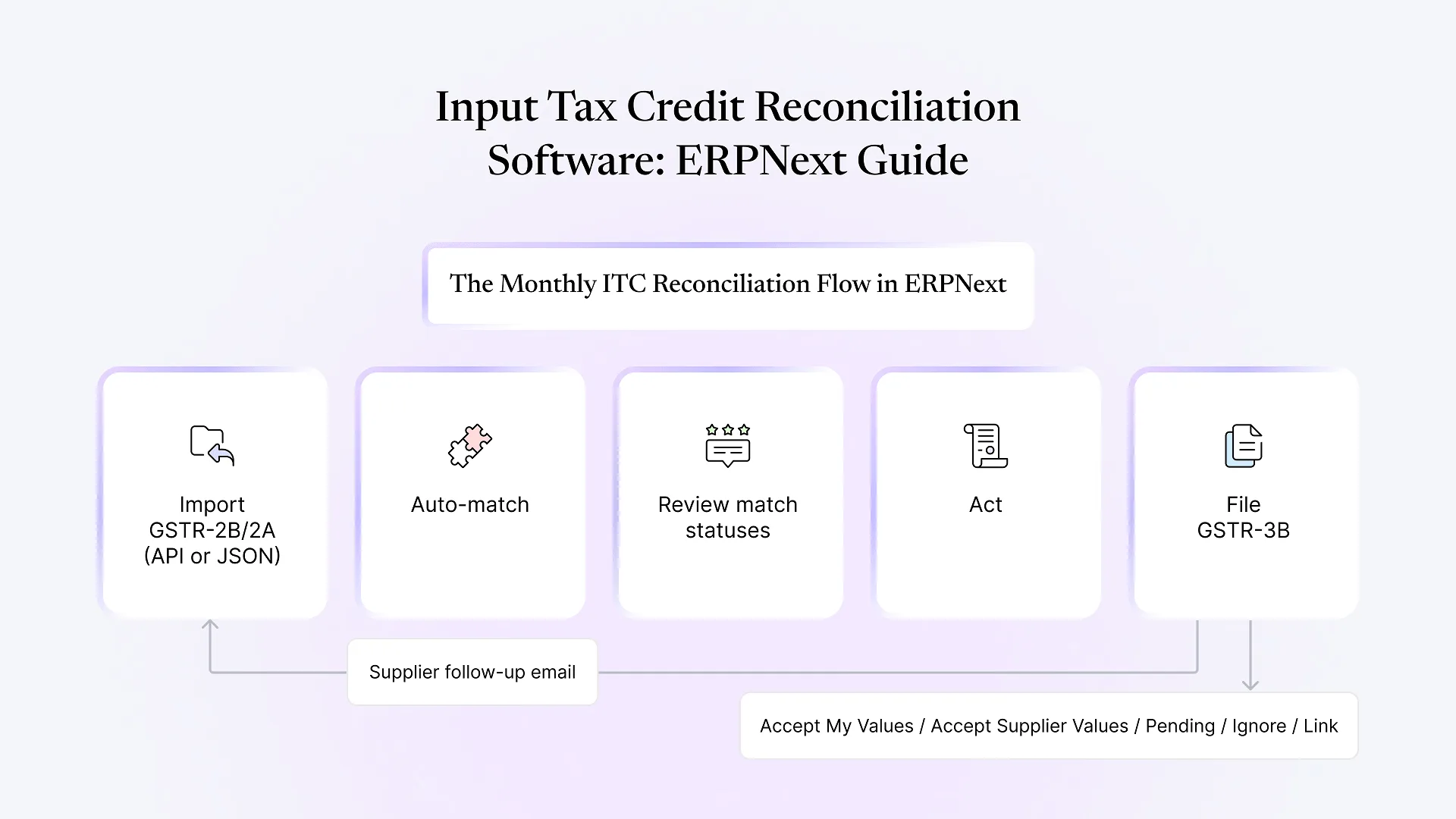
Step 1: Bring in GSTR-2B and GSTR-2A data
the app connects to the GST portal and pulls GSTR-2B/2A for the selected periods. This needs India Compliance API access configured and a GST portal session authenticated by OTP.
download the return file from the GST portal and upload it into the tool. Slower, but it works without API setup.
Step 2: Run the automatic match
The tool compares each supplier-reported invoice against your Purchase Invoices, and against Bills of Entry for imports. The matching is driven by supplier GSTIN, bill number, bill date, document type, and taxable value and tax amounts.
Bill numbers are normalised before comparison, so “INV/24-25/0012” and “INV-24-25-12” can still be paired as a suggested match. Tolerances for small rounding differences can be set so that a one-rupee difference doesn’t block a match.
Step 3: Review the match statuses
| Status | What it means | Typical action |
|---|---|---|
| Exact Match | GSTIN, bill details and tax amounts all agree | Accept |
| Suggested Match | Probable pair, but a field such as bill number format differs | Review, then accept or relink |
| Mismatch | Pair found, but amounts, dates or tax heads disagree | Investigate which side is wrong |
| Manual Match | You linked the records yourself | Confirm and accept |
| Missing in 2A/2B | In your books, not in supplier filings | Follow up with supplier, don't claim yet |
| Missing in PI | Supplier filed, but no Purchase Invoice in ERPNext | Book it, or confirm it isn't yours |
Step 4: Act on each record
For every row you choose an action: Accept My Values, Accept Supplier Values, Pending, Ignore, or link to a different document. These actions are stored against the Purchase Invoice, so next month you aren’t re-reviewing invoices you already decided on.
From the same screen you can export a supplier-wise list of unmatched invoices and email it to suppliers, which turns “chase the vendor” from a spreadsheet job into a two-click step.
Where ITC Mismatches Really Come From
| Root cause | What it looks like | Prevention in ERPNext |
|---|---|---|
| Bill number entered loosely | "12" in ERPNext vs "INV/24-25/0012" filed by supplier | Make Supplier Invoice No. mandatory; train staff to copy it exactly |
| Bill date confused with posting date | Invoice falls into the wrong period | Make Supplier Invoice Date mandatory and separate from posting date |
| Wrong supplier GSTIN | Supplier has multiple state registrations | Maintain one address per GSTIN and select the correct billing address |
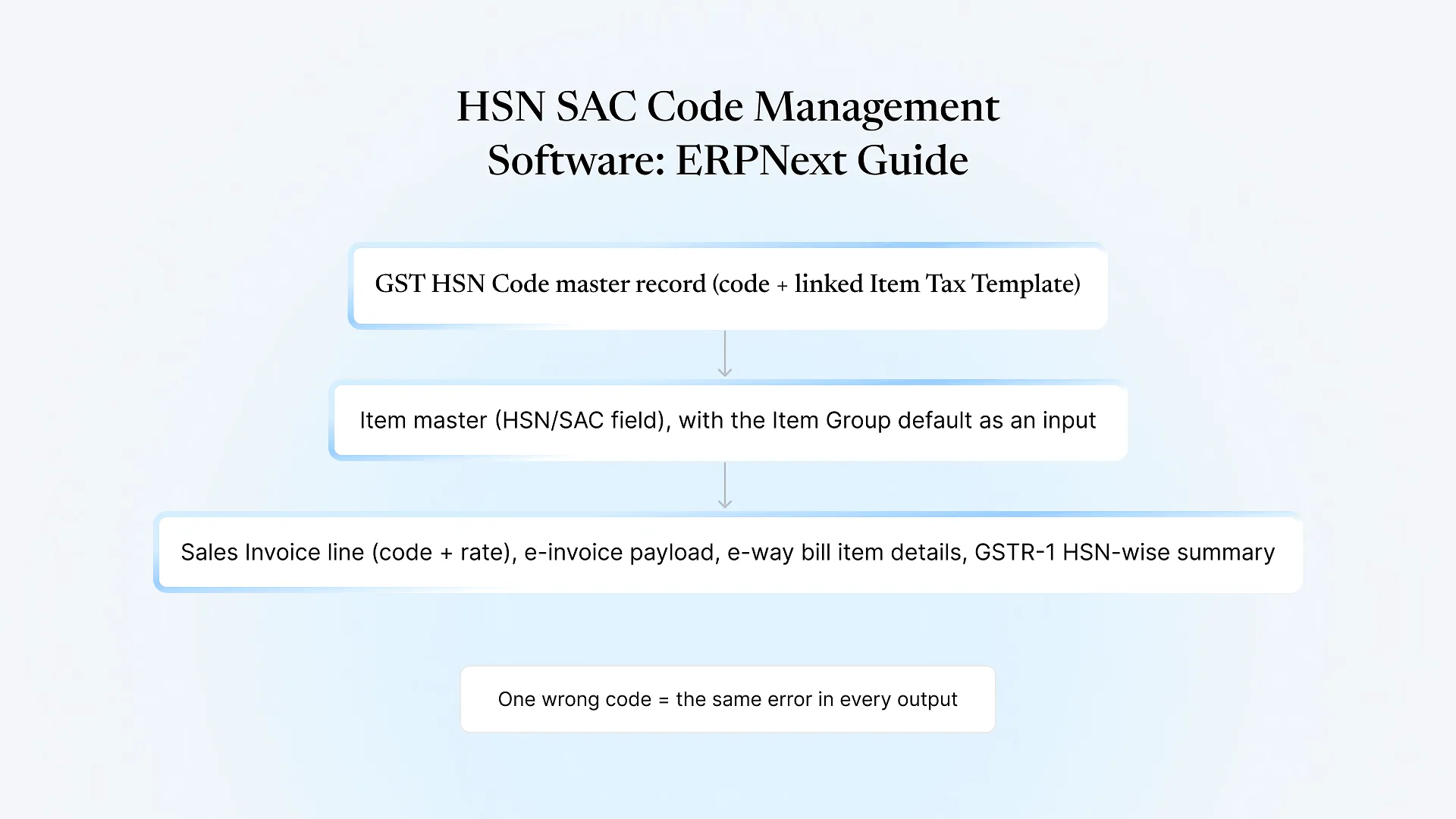
| Wrong tax head | IGST booked where CGST+SGST applies, or the reverse | Use item tax templates and correct place-of-supply settings |
| Duplicate entry | Same bill booked twice from email and paper copies | Enable the check that blocks duplicate supplier invoice numbers |
| Supplier error or late filing | Not in 2B at all, or amounts differ | Outside your control: follow up and keep ITC pending |
Only the last row is truly the supplier’s problem. The other five are configuration and process issues inside your own ERP, and fixing them usually cuts the monthly review down to genuine exceptions.
If your team keeps resolving the same kinds of mismatch every month, the fix is likely in how purchase invoices are captured, and that’s worth a short review before the next filing cycle.
A Monthly ITC Reconciliation Routine That Holds Up
Close purchase booking for the period. Agree a cut-off date so late entries don't keep shifting the numbers.
Review supplier invoices in IMS where applicable, before GSTR-2B is generated.
Import GSTR-2B once it's available, and refresh GSTR-2A for later supplier filings.
Accept Exact Matches in bulk. These are usually the majority once data entry is clean.
Work through Suggested Matches and Mismatches. Decide which side is right and correct the Purchase Invoice if the error is yours.
Book or reject "Missing in PI" records. These are often expenses someone forgot to enter.
Email suppliers about "Missing in 2B" invoices and keep that ITC marked pending.
Check the 180-day payment condition using accounts payable ageing, and reverse ITC where it applies
Prepare GSTR-3B using the reconciled figures, and keep the reconciliation export as working papers.
What ERPNext Won't Do for You
It can't make suppliers file
Persistent non-filers are a vendor-management decision, not a software setting.
It depends on clean master data
Wrong GSTINs, missing addresses or loose tax templates will produce noise no matter how good the matching is.
API access needs setup
You'll need India Compliance API access, GST portal API access enabled, and someone who handles OTP authentication each cycle.
Judgement stays with you
The tool shows you the evidence; deciding whether to claim, defer or reverse is still a finance call.
Getting this right is mostly configuration: tax templates, supplier addresses, mandatory fields, and user roles for who can accept supplier values. That’s typically handled as part of a tailored ERPNext implementation rather than switched on after go-live. At Aavatto we’ve been building and fixing Frappe/ERPNext systems for Indian businesses since 2020, and GST configuration is one of the areas we most often find needing a second look.
Frequently Asked Questions
Get Your ITC Reconciliation Set Up Properly
If you’re on ERPNext and still reconciling ITC in spreadsheets, or the Purchase Reconciliation Tool shows more mismatches than matches, the issue is usually fixable in configuration and purchase entry. We can review your GST setup, walk through your last reconciliation with you, and show where the noise is coming from.
Book a free ERPNext consultation and bring your last month’s reconciliation; that’s usually the fastest way to see what needs changing.