



Anyone who’s requested a few ERPNext quotes has probably noticed the timelines don’t agree. One partner says six weeks, another says four months, and neither explains why. The honest answer is that both can be right — your ERPNext implementation timeline depends less on ERPNext itself and more on how your business, your data, and your decision-making are set up going in.
A typical ERPNext implementation takes anywhere from 4 to 12 weeks for a straightforward, single-location setup, and 3 to 6+ months for a multi-module or heavily customized deployment. The biggest swing factors are how many modules you’re deploying, how far your workflows differ from ERPNext’s defaults, and how quickly your team can clean and hand over data.
Here’s what actually moves that number, phase by phase.
Why There's No Single ERPNext Go-Live Time
deploying just Accounts and Inventory is a different project than Accounts, Manufacturing, HR, and CRM together, each with its own configuration and testing.
using ERPNext close to its default workflows moves faster than rebuilding approval chains, custom print formats, or industry-specific fields.
clean, structured master data (items, customers, chart of accounts, opening balances) migrates in days; messy spreadsheets scattered across departments can add weeks before configuration even starts.
ERPNext Implementation Timeline by Project Size
| Project Size | Typical ERPNext Go-Live Time | What This Usually Looks Like |
|---|---|---|
| Small business, single module or two | 4-6 weeks | One location, core Accounts + Inventory, minimal customization |
| Mid-size company, multiple modules | 8-14 weeks | Accounts, Inventory, and one or two of Manufacturing/HR/CRM, moderate customization |
| Larger or multi-location business | 3-6+ months | Multiple modules across several sites, integrations, heavier customization and data migration |
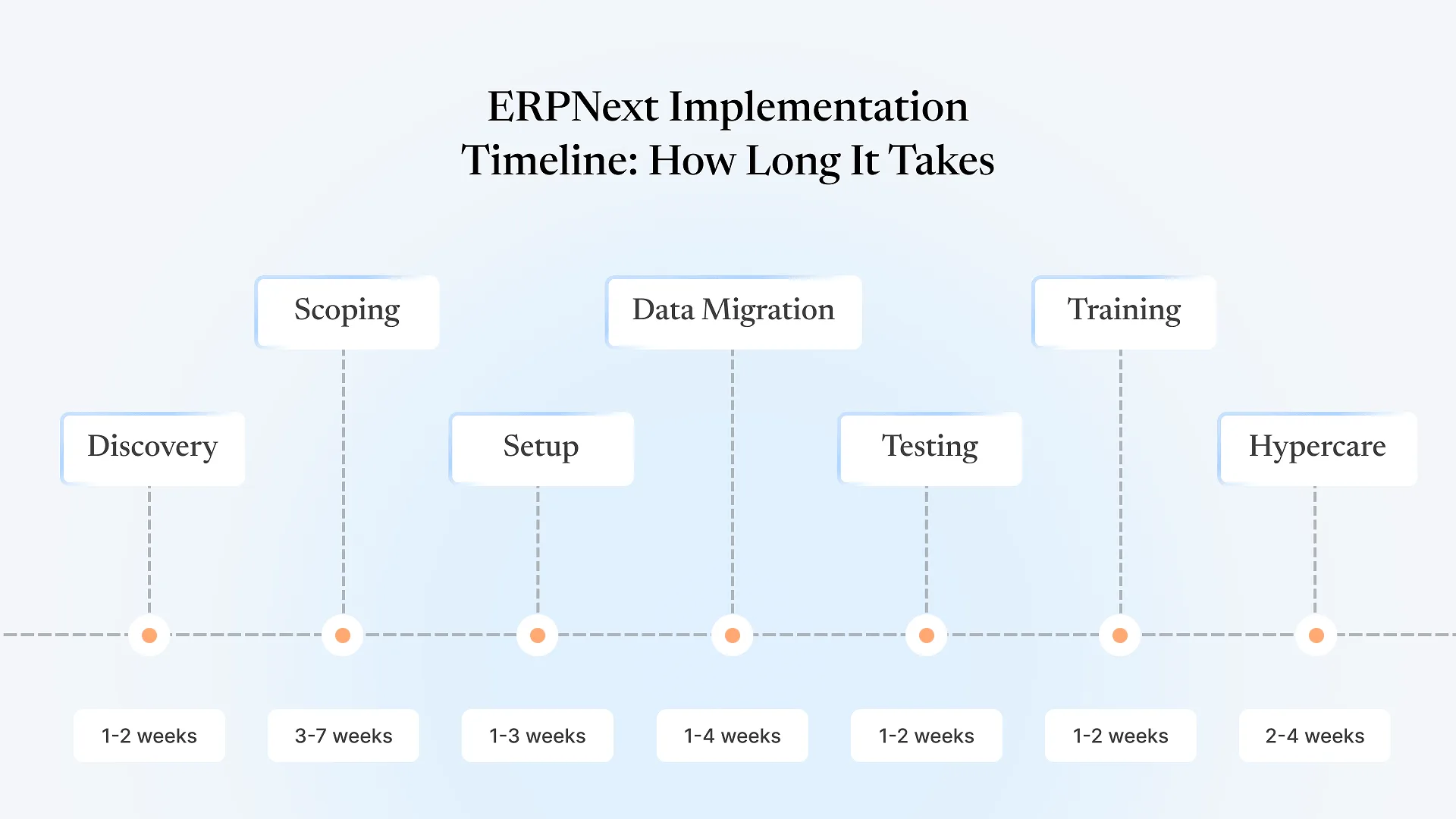
The Implementation Phases That Add Up to Your Timeline
Your team and the implementation partner map current processes against ERPNext's defaults and flag where they diverge. This phase moves fastest when the right people — the ones who actually run the process, not just manage it — are in the room.
The partner turns discovery into a fixed-scope proposal: which modules, which customizations, and a cost and timeline estimate tied to that specific scope. A vague scope here is the single biggest cause of timeline drift later, because "we'll figure out customization as we go" almost always means more weeks than planned.
Core settings, roles, permissions, and standard modules get configured. For a low-customization project this phase can be short; for one requiring custom doctypes, workflows, or print formats, it extends and starts to overlap with the next phase.
This is the phase most likely to blow past its estimate, and almost never because of ERPNext itself. Master data spread across old systems, spreadsheets, and someone's personal notes needs to be cleaned, standardized, and validated before it can be imported. Businesses that assign one owner to get this data audit-ready before the project starts routinely finish this phase faster than businesses that start cleaning data mid-migration.
Your team runs real transactions — a full sales cycle, a purchase cycle, a payroll run — to confirm the configured system actually matches how the business works, not just how it was described in discovery.
Staff are trained on their specific workflows, not the whole system, and the cutover to ERPNext happens — usually timed to a period boundary (month-end, financial year-end) to avoid splitting historical records mid-cycle.
The partner stays closely involved after go-live to catch configuration gaps that only show up under real daily use. This period isn't downtime for the vendor — it's where most remaining timeline risk actually surfaces.
If you’re already comparing quotes, cost and timeline are worth reviewing together — see how ERPNext implementation costs in India break down by the same scope factors covered here.
What Actually Slows ERPNext Go-Live Down
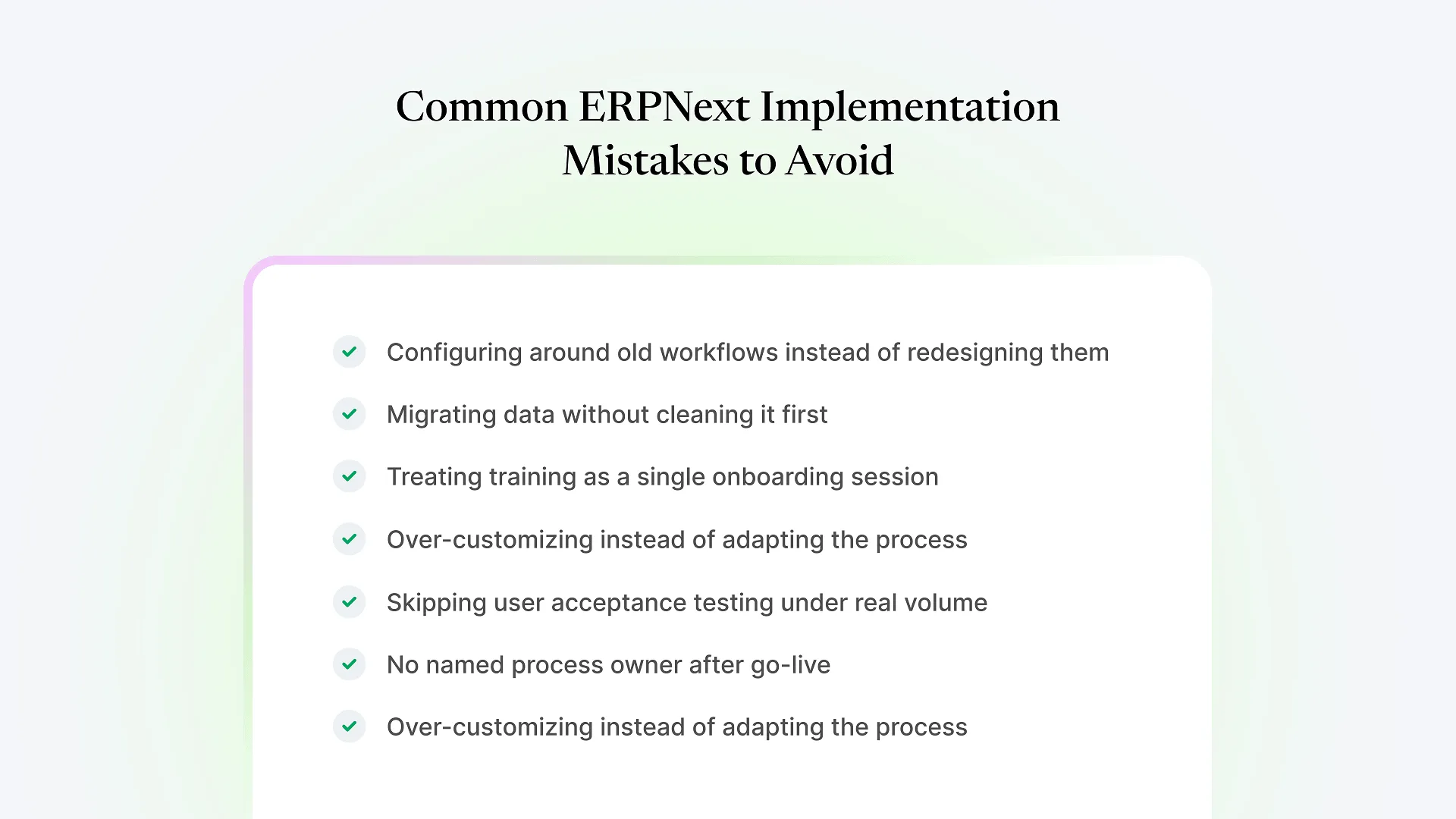
Undefined scope at kickoff
Projects that start configuration before customizations are formally agreed tend to re-open "finished" work repeatedly.
Slow decision cycles
If sign-off on a workflow or approval chain takes two weeks each time it's needed, that delay compounds across every module touched.
Partial team availability
Data migration and UAT both need dedicated time from people who also run the business day to day — if that time isn't protected, those phases stretch.
Data cleanup treated as a side task
Master data that "will get cleaned up along the way" is the single most common reason a 4-6 week project turns into 10.
Frequently Asked Questions
Most single-location businesses deploying one or two core modules with minimal customization go live in 4-6 weeks, assuming data is reasonably organized before the project starts.
Generally yes, but not linearly — a handful of well-scoped customizations agreed upfront add far less time than the same number of changes requested piecemeal during configuration or testing.
To a point. Discovery and scoping can move faster with prepared, decisive stakeholders, and data migration moves faster with pre-cleaned master data — but testing and hypercare shouldn't be compressed, since skipping them tends to create post-go-live issues that cost more time than they saved.
Different partners scope different levels of customization, testing rigor, and post-go-live support into their timeline — a shorter quoted timeline sometimes just means less testing or support built in, not a faster process for the same scope.
A stalled project usually needs a scope and data audit before a new timeline can be set — jumping straight back into configuration without diagnosing why it slipped tends to repeat the same delay.
Ready to see how these factors apply to your business? Book a free ERPNext consultation and get a scope-based timeline instead of a guess.