What ERPNext's Native Workflow Feature Actually Does
ERPNext’s Workflow doctype is a state machine. You define a set of states (Draft, Pending Approval, Approved, Rejected), the transitions allowed between them, which role can trigger each transition, and optional email alerts when a state changes. It’s genuinely useful for linear, single-track approvals: one document, one approver role per stage, one path from start to finish.
This is well documented elsewhere, so we won’t re-teach the mechanics here. What matters for this article is the shape of what it can do: one state field, moved along a fixed sequence, by one role at a time. That shape is also its limit.
ERPNext Workflow Automation: When the Built-In Feature Needs More
A purchase order might need finance approval if it exceeds a threshold, department-head approval if it's a new vendor, or both if it's a new vendor above the threshold. ERPNext's workflow_state field can't hold three different conditions at once — it's built for one dimension of state, not a decision tree across several fields.
Approving a Sales Order might need to auto-generate a draft Delivery Note, reserve stock, or notify a linked project. The native workflow changes a state; it doesn't reach into other doctypes to trigger side effects.
Some processes need two approvers acting independently — say, finance and the requesting department — rather than one approving, then handing off to the next. Native workflow transitions are sequential by design, not parallel.
If an approval sits untouched for a set period, someone often needs a nudge or the request needs to reassign automatically. ERPNext's workflow has no built-in timer or escalation logic — it waits indefinitely unless someone manually intervenes.
An approval might need to check a bank balance via an API, confirm a vendor's status in an external portal, or notify a third-party logistics system. The native feature has no concept of anything outside ERPNext.
| Approval pattern | Native ERPNext Workflow | Needs custom development |
|---|---|---|
| Single sequential approval chain | Yes | No |
| Routing based on one field (e.g., amount) | Yes, with basic conditions | Sometimes |
| Routing based on multiple combined fields | No | Yes |
| Auto-triggered actions in other doctypes | No | Yes |
| Parallel/independent multi-approver sign-off | No | Yes |
| SLA timers and automatic escalation | No | Yes |
| Integration with external systems | No | Yes |
What Custom Frappe Development Actually Looks Like Here
Server scripts and controller hooks (before_save, on_submit, on_update in hooks.py) that evaluate multi-field conditions and route documents accordingly, instead of relying on a single workflow_state.
Custom doctypes, often a child table logging each approver's action independently, to support parallel approval tracking that a single state field can't represent.
Background jobs using Frappe's job queue to check pending approvals against a time threshold and trigger escalation or reassignment automatically.
Custom notifications and webhook logic that go beyond email — WhatsApp, SMS, or a call to an external API when an approval fires.
Permission queries that layer additional visibility rules on top of standard role permissions, for cases where "who can approve this" depends on more than a static role assignment.
This is exactly the kind of gap our custom Frappe workflow automation work at Aavatto is built to close — not replacing ERPNext’s workflow feature, but extending it with code where the state machine alone can’t express the rule. Because our team works hands-on across ERPNext implementations in India and the Middle East, including projects where we’ve come in to fix workflow logic that an earlier implementation left half-built, we tend to recognize these patterns quickly rather than treating each one as a novel problem.
It’s fair to say this work adds a maintenance surface that pure configuration doesn’t — custom scripts need someone who understands both the Frappe framework and the business rule behind them. There’s no single timeline for this kind of build; a conditional routing rule might be a day of work, while a multi-system escalation flow with external integrations is a longer project. The tradeoff is worth naming rather than glossing over.
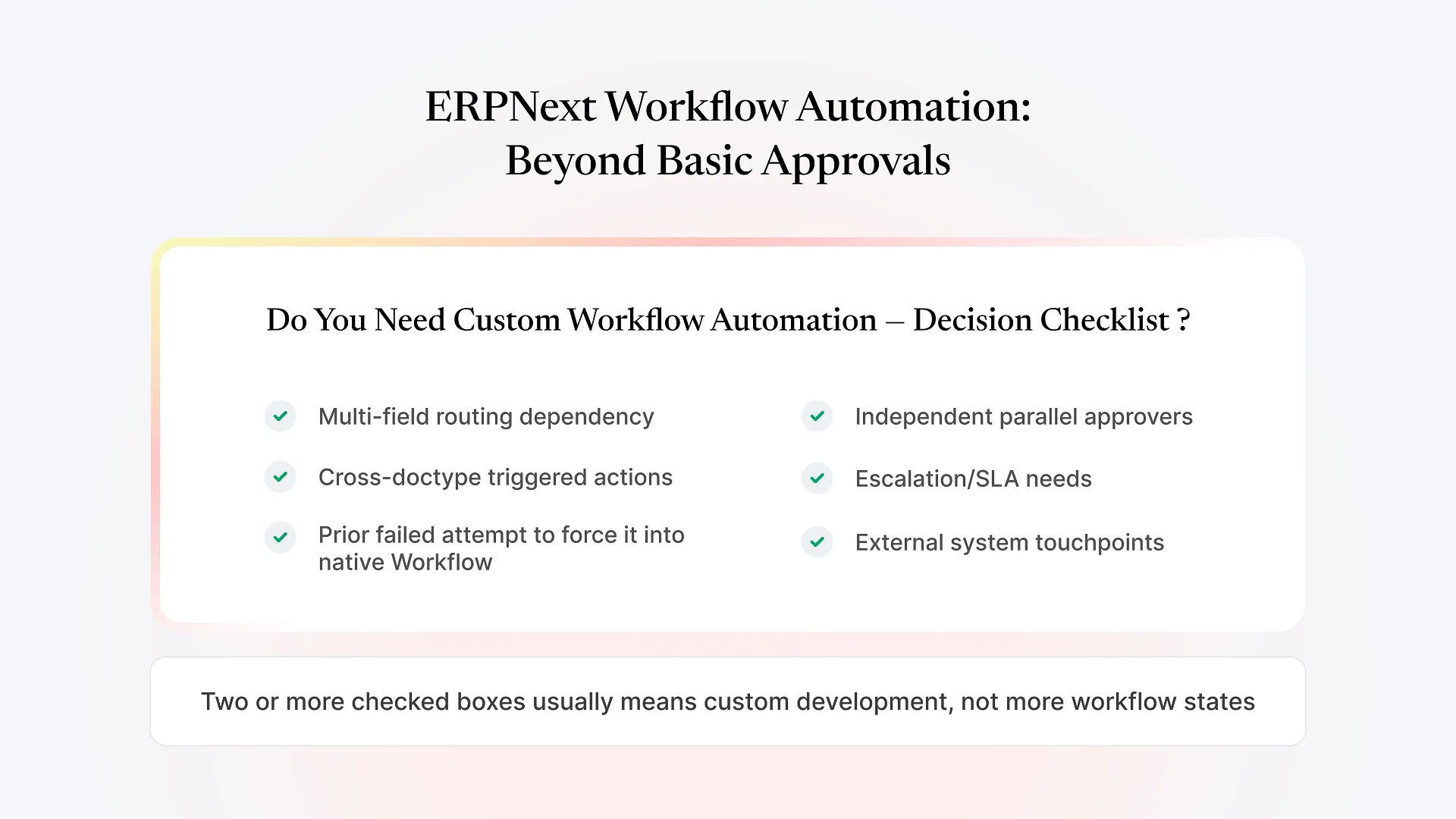
A Quick Framework: Do You Need Custom Workflow Automation?
Does who approves depend on more than one field at a time (amount, department, vendor type, location)?
Does approval need to trigger something in a different doctype, not just change a status?
Do two or more people need to approve independently, rather than one after another?
Does an unactioned request need to escalate or reassign after a set period?
Does the process touch a system outside ERPNext (bank, government portal, courier, e-commerce platform)?
Have you already tried to force this into the native Workflow screen and hit a wall?
Honest Tradeoffs Worth Knowing Upfront
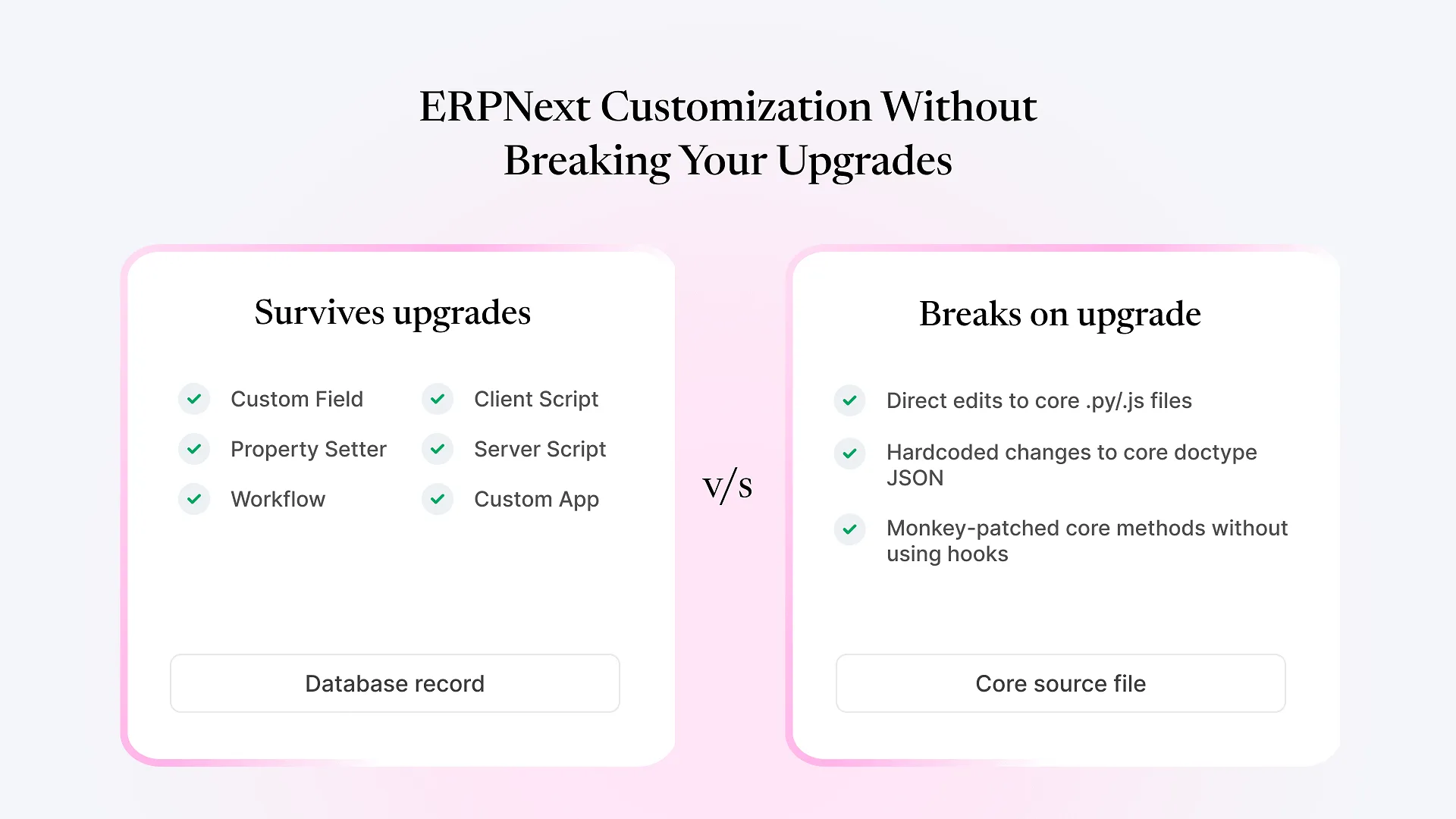
Custom workflow logic is code, not configuration — it needs version control, testing when ERPNext or Frappe versions upgrade, and someone who can maintain it. It’s not the right answer for every approval hiccup; sometimes the actual fix is simplifying the business process itself before automating it, since automating a genuinely confusing process just makes the confusion faster.
The honest reason to build custom logic is that the rule is real and won’t go away — not that automation is inherently better than a human checking something. Where the rule is genuinely complex (multi-field routing, cross-system triggers, SLA enforcement), custom development reduces the delay caused by manual handoffs and removes the risk of a step getting missed. It doesn’t make the underlying process simple; it makes an already-necessary process consistent.