A quality control textile ERP setup is how a system like ERPNext records fabric or garment inspections and ties each rejection back to a batch, supplier, or production stage — so a rejected roll or lot doesn’t just get set aside, it becomes traceable data linked to cost and accountability.
For most textile units, the inspection itself already happens. Someone on the floor is checking fabric rolls against AQL sampling or flagging garments during final inspection before they’re packed. What’s usually missing isn’t the checking step — it’s what happens to that decision afterward: whether a rejection gets logged against a specific batch and supplier, or written on a slip of paper that never makes it into a report anyone acts on.
Why Most Rejection Tracking Software Pages Don't Answer This
Search for quality control in a textile context and most of what comes back is a features list: AQL inspection modules, four-point grading, auto-generated debit notes, dashboards. Those are real, useful capabilities, and several textile-specific platforms offer them well. But a features page describes what the software does, not how a rejection actually moves through the system it’s sitting inside — whether it blocks stock from being used, who gets notified, and whether the cost of that rejection ever reaches a report anyone reviews before the next purchase order.
That’s a different question from “does the software have a QC module,” and it’s the one that determines whether quality control data actually changes a decision, or just sits in a log.
How ERPNext Structures Quality Control for a Textile ERP Setup
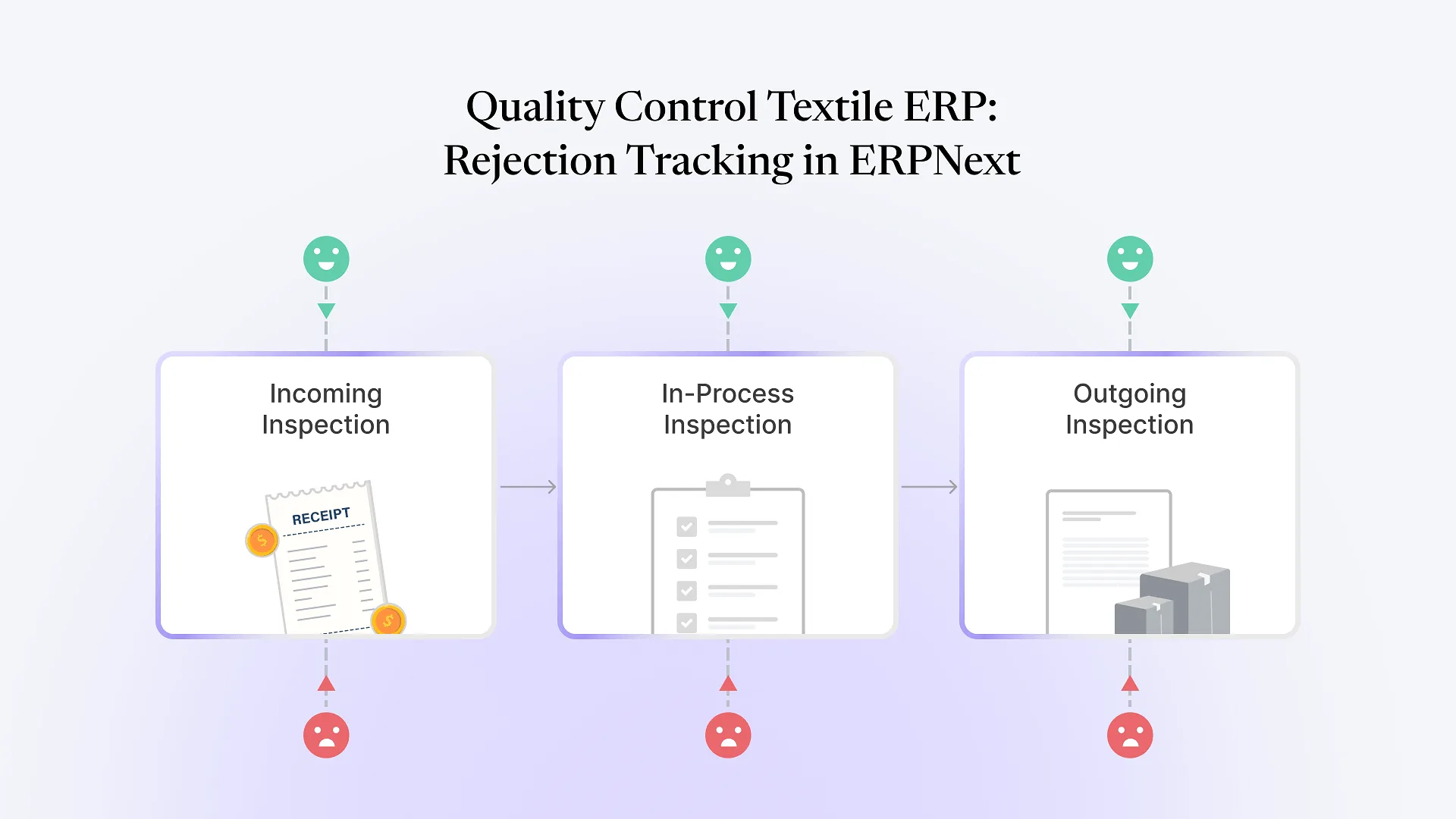
ERPNext handles this through a Quality Inspection record, not a bolt-on QC add-on. Each inspection is tied to a Quality Inspection Template that defines what’s being checked — GSM, shrinkage, colorfastness, defect count per roll — along with the tolerance or pass/fail logic for each parameter. The inspection itself attaches to the transaction it belongs to: a Purchase Receipt for incoming fabric, a Stock Entry for an in-process manufacturing step, or a Delivery Note before goods leave the facility.
| Inspection type | Triggered at | What a failure does |
|---|---|---|
| Incoming | Purchase Receipt (raw material arrival) | Can block the batch from being consumed until reviewed, if the item is configured to require inspection before use |
| In-process | Stock Entry during manufacturing | Flags the batch or job for rework or scrap before it moves to the next operation |
| Outgoing | Delivery Note before dispatch | Holds the shipment or batch from being invoiced and shipped until resolved |
This is where the four-point fabric grading system (ASTM D5430) or an AQL sampling plan fits in — as the tolerance logic loaded into a Quality Inspection Template, not a separate module bolted alongside the ERP. The mechanism is standard ERPNext functionality; the configuration work is teaching it your specific grading rules, sampling ratios, and what counts as a rejectable defect for your buyers.
What Happens After a Rejection: Rework, Scrap, and Supplier Accountability
A failed inspection is only useful if it routes somewhere specific. In ERPNext, rejected quantity typically moves to a separate rejected warehouse through the same transaction that flagged it, which keeps it physically and financially separate from usable stock without needing a manual note to remember it’s on hold.
From there, three paths are common in textile operations:
Return to supplier
For incoming material rejected at receipt, a return against the original Purchase Receipt generates a debit note, adjusting what's owed without a separate manual accounting entry.
Rework
For in-process defects that are fixable — a stitching flaw, a dye-lot mismatch — the batch can be routed through an additional manufacturing operation or a fresh Work Order rather than being written off.
Scrap
For material that can't be reworked economically, it's written off through a stock adjustment, which is what actually turns a rejection into a cost your finance team can see, rather than a shelf of unusable fabric no one accounted for.
None of these paths are automatic. Someone has to decide, for each rejection type, which one applies — and that decision needs to be configured into the workflow up front, not improvised after the first rejection happens.
If you want to see how this kind of end-to-end tracking connects to the rest of a textile operation — not just quality control in isolation — our guide to managing production, inventory, and dispatch in one ERPNext system covers how these pieces fit together for a textile manufacturer.
Turning Rejection Data Into a Metric You Can Act On
A rejection logged once is a record. A rejection logged consistently, batch after batch, is a metric — rejection rate by supplier, by operation, by fabric type. That’s the difference between quality control as a compliance step and quality control as something that changes a purchasing or process decision.
ERPNext makes this possible because every Quality Inspection is linked back to its source document and item, which means rejection data can be reported by supplier, batch, or operation without a separate tracking spreadsheet. What it doesn’t do automatically is decide which cuts matter to your business — that reporting still has to be built around the questions you actually want answered, like which supplier’s rejection rate is trending up, or which operation produces the most reworked units.
If your unit is still tracking rejections in a register or a shared spreadsheet, see how we approached this kind of production and inventory consolidation for a textile manufacturer — quality data is one piece of a larger pattern of disconnected systems that a single ERP setup resolves together, not separately.
Where This Gets Genuinely Complicated
A few things trip up quality control configurations that look simple on paper:
Sampling logic doesn't map cleanly to piece-level tracking
AQL sampling checks a subset of a lot, not every unit — but if your batches are tracked at the roll or piece level, the template needs to reflect that a "pass" applies to the sampled lot, not a guarantee on every individual piece in it.
Defects discovered late are expensive to trace back
If a defect surfaces after fabric from a rejected lot has already been cut into multiple garment batches, tracing it back requires batch genealogy to have been captured at every stage — not just at receipt.
Grading judgment doesn't always fit a fixed parameter
Four-point grading has clear numeric thresholds, but a human inspector's judgment call on borderline cases doesn't always translate cleanly into a pass/fail rule without some tolerance for override and documentation of why.
None of this makes quality control tracking impractical inside ERPNext — textile units run this successfully. It means the sampling rules, batch traceability depth, and override process need to be decided during implementation, not discovered the first time a rejection doesn’t fit the template.
Frequently Asked Questions
Yes. Quality control runs through the Quality Inspection doctype, linked to Quality Inspection Templates that define what's being checked and the pass/fail or tolerance logic for each parameter.
Each Quality Inspection is linked to the batch and the source transaction (Purchase Receipt, Stock Entry, or Delivery Note) it belongs to, so rejection history can be reported by batch, supplier, or operation.
Yes, but as configuration rather than an out-of-box preset. AQL sampling ratios or four-point (ASTM D5430) grading thresholds are set up as the parameters and tolerances inside a Quality Inspection Template.
Both paths exist. Rejected stock typically moves to a separate rejected warehouse, from which it can be returned to the supplier (generating a debit note), routed to rework, or written off as scrap depending on the case.
It can be. Because rejections and scrap write-offs are stock and accounting transactions, not just a note in a register, the cost of rejected material flows into standard inventory and manufacturing cost reports rather than staying invisible.
If quality control at your unit still means a register, a spreadsheet, and a phone call when something gets rejected, talk to us about what an ERPNext quality tracking setup would look like for your operation — starting with the same batch-level traceability that makes production and dispatch data reliable elsewhere in the system.