A Frappe DocType is the core building block of any application built on the Frappe framework — including ERPNext itself. When you create a DocType, Frappe generates a database table to store its data, plus a working list view, form view, permission rules, and REST API for it automatically. Every “thing” ERPNext tracks — a customer, an invoice, a purchase order — is a DocType under the hood.
For most ERPNext users, that’s a piece of trivia, not something they’ll ever need to act on. But if your business runs a workflow that doesn’t map cleanly onto ERPNext’s standard modules — a custom approval chain, an industry-specific tracking process, a form full of fields no ERP vendor anticipated — DocTypes are the reason that workflow can be built as a proper application instead of bolted on with spreadsheets and workarounds.
What a DocType Is, Exactly
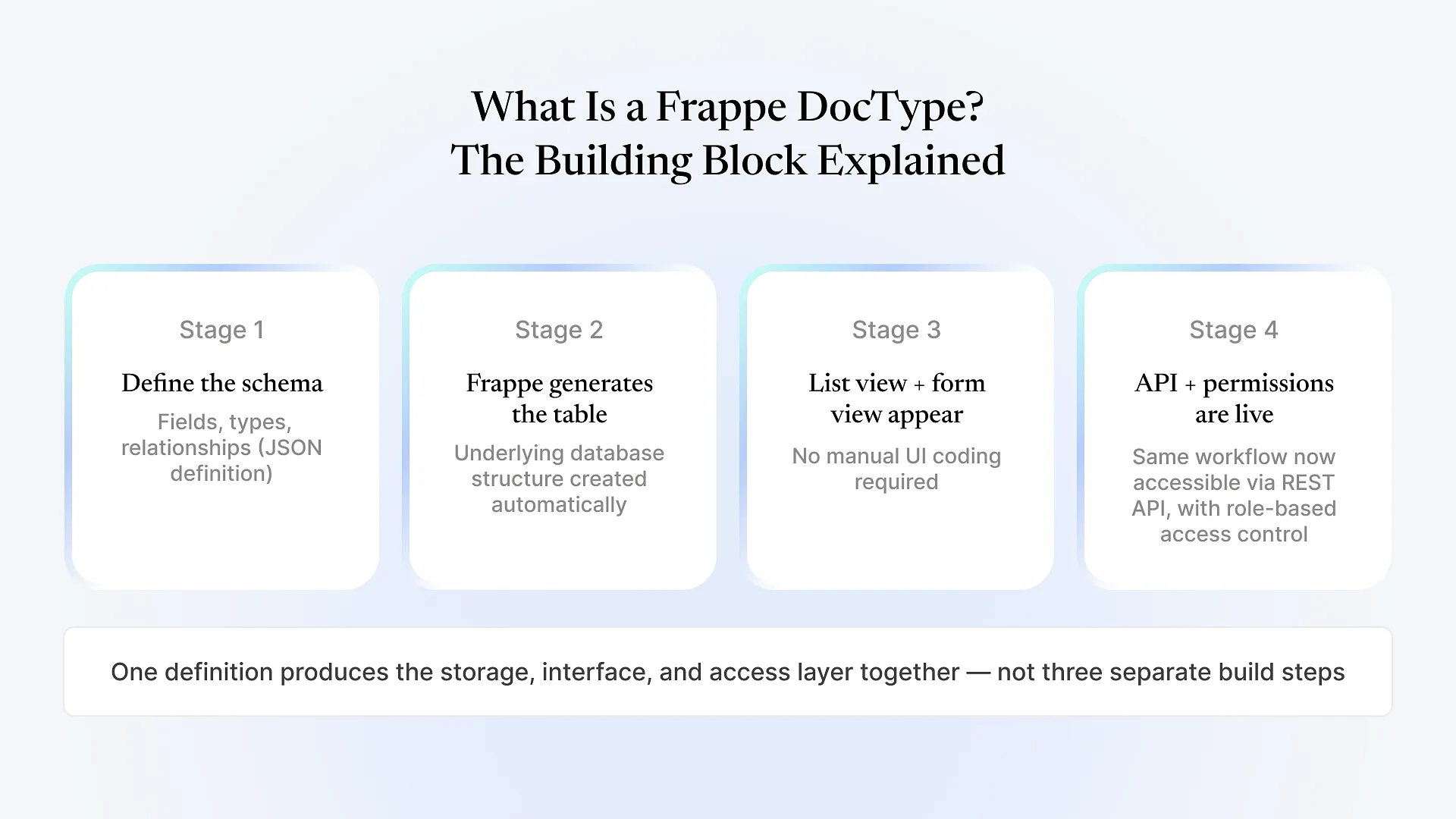
Strip away the ERP context and a DocType is a schema definition with behavior attached. You define it as a JSON structure: what fields it has, what type each field is (text, date, link to another DocType, currency, attachment), which fields are required, and how it relates to other DocTypes.
Frappe takes that definition and does the rest. It creates the underlying database table. It generates a list view so records can be browsed and filtered. It generates a form view so records can be created and edited, with validation applied automatically. It exposes REST API endpoints so the same data can be read or written from outside the browser — a mobile app, an integration, a scheduled script. None of that is written by hand for a standard DocType; it comes from the definition itself.
That’s the meaningful difference between a DocType and an ordinary database table. A table just stores rows and columns. A DocType stores the schema and generates the interface, permissions, and API around it in one step — which is why Frappe describes it as covering the model, view, and controller for that piece of data, not just the storage layer.
What a DocType Gives You Automatically
A list view with sorting, filtering, and search
A form view with field validation based on the schema
Role-based permissions controlling who can read, write, or delete records
Auto-generated REST API endpoints for programmatic access
There are also a few structural variants worth knowing. A child table DocType manages one-to-many relationships — line items on a sales order, for instance, where multiple child records belong to a single parent document. A single DocType behaves more like a settings page than a list of records; it doesn’t create a new table with multiple rows, and is typically used for global configuration rather than repeated entries. Most custom work touches standard DocTypes and child tables far more often than single DocTypes.
Frappe vs. ERPNext: Where DocTypes Fit
Frappe is the underlying framework — the engine that knows how to turn a DocType definition into a working table, form, and API. ERPNext is an application built on top of that framework, made up of hundreds of pre-built DocTypes (Sales Order, Item, Employee, and so on) already wired together into finance, inventory, HR, and manufacturing modules. We’ve written a fuller explanation of how the Frappe framework and ERPNext relate if that distinction is new to you.
The reason this matters for custom development specifically: because ERPNext and any custom app are built the same way — as DocTypes on Frappe — a new DocType for your business sits alongside the standard ones as a first-class part of the system, not a bolted-on add-on. That shared Frappe custom app architecture is what lets a custom workflow get the same permissions, reporting, and API access that a standard ERPNext feature gets, instead of living in a separate tool that doesn’t talk to the rest of your data.
When DocTypes Actually Matter to Your Business
If your operations map reasonably well onto ERPNext’s existing modules, you can run the system for years without ever opening the DocType builder — and that’s the normal, expected case for most businesses. This section is for the businesses where that’s not true.
Common situations where a business ends up needing a custom DocType instead of a workaround:
An approval or handoff process specific to your industry that doesn't match any standard ERPNext document type
A tracking form with fields no general-purpose ERP vendor would think to include — certification numbers, batch-specific compliance data, equipment-specific readings
A workflow that currently lives in a spreadsheet because "no software does exactly this," when in practice it's a data model and a form away from being a proper application
Data you need to expose through an API to another system, where a spreadsheet or generic form tool has no equivalent
What This Means When You're Evaluating a Custom Frappe App
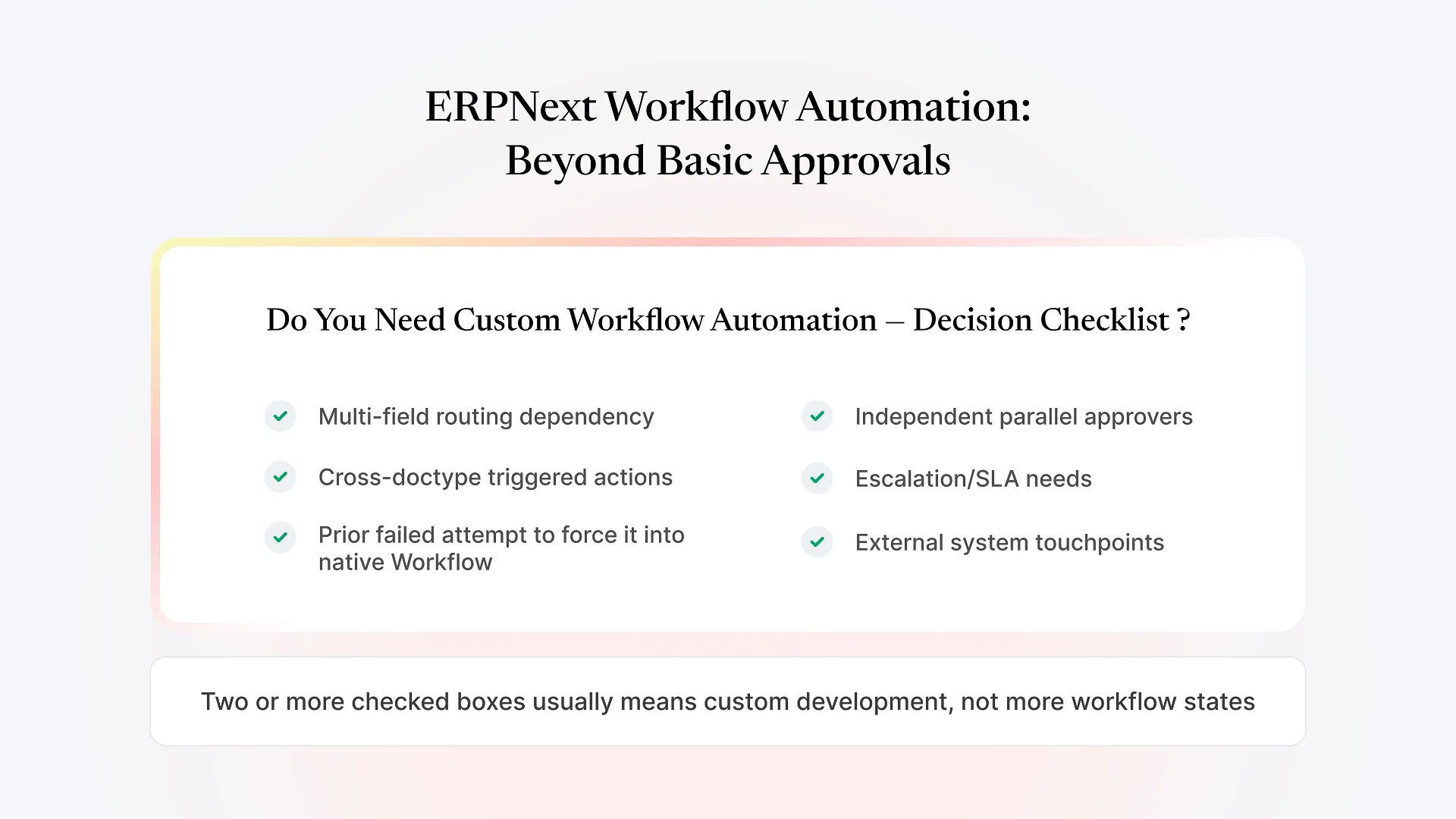
If a developer or implementation partner tells you they’re building “a custom DocType” for your workflow, you now know roughly what that includes by default: the data model, the table, the list and form views, permissions, and API access. What it doesn’t automatically include is everything specific to your process — custom validation logic, integrations with other systems, workflow approval chains, or a print format that matches your existing paperwork. Those are separate, additional work on top of the DocType itself, and worth asking about explicitly when you’re scoping a quote.
This is also where the difference between customizing ERPNext and building genuinely custom Frappe apps shows up in practice. Customization changes what’s already there — adding a field, adjusting a form. Custom app development defines something new — a DocType (or several, related to each other) that didn’t exist in standard ERPNext at all. Both are legitimate, and most implementations use some mix of the two; the point is knowing which one your workflow actually needs before you sign off on a build.