Custom Frappe app development means building a purpose-made application on the Frappe framework — the same platform ERPNext runs on — instead of stretching ERPNext’s standard modules to fit a workflow they weren’t designed for. It gives full control over the data model, forms, and logic while staying connected to existing ERPNext data.
Most businesses don’t start here. They start by customizing ERPNext itself — adding a field, adjusting a workflow, tweaking a print format — because that’s the lower-effort path and it usually works. The question this article answers is what happens when it stops working: when the workflow you’re trying to support isn’t a variation on something ERPNext already does, but something ERPNext was never built to do.
ERPNext Customization vs. Custom Frappe App Development
ERPNext customization means working within ERPNext's existing DocTypes and modules — adding custom fields, building a custom print format, adjusting a workflow's approval steps, writing a server script that fires on a document event. You're extending something that already exists.
Custom Frappe app development means building a new application — new DocTypes, new forms, new business logic, sometimes a new portal experience — on the Frappe framework itself. It's sometimes called building an ERPNext custom app, since it usually still needs to work alongside an existing ERPNext instance rather than standing completely apart. It might live alongside ERPNext and talk to it, or it might have nothing to do with ERPNext at all. You're not extending an existing module; you're building the module that doesn't exist yet.
Signs Your Workflow Has Outgrown Standard ERPNext
| Signal | What it usually means |
|---|---|
| You're bending an existing DocType to mean something it wasn't designed for | The data model itself doesn't fit — customization is patching a mismatch, not fixing it |
| Every customization request touches the same three or four workarounds | You're layering fixes on fixes instead of solving the underlying gap |
| The workflow involves external parties (customers, vendors, field staff) who shouldn't see the ERPNext backend | You need a purpose-built portal, not more backend fields |
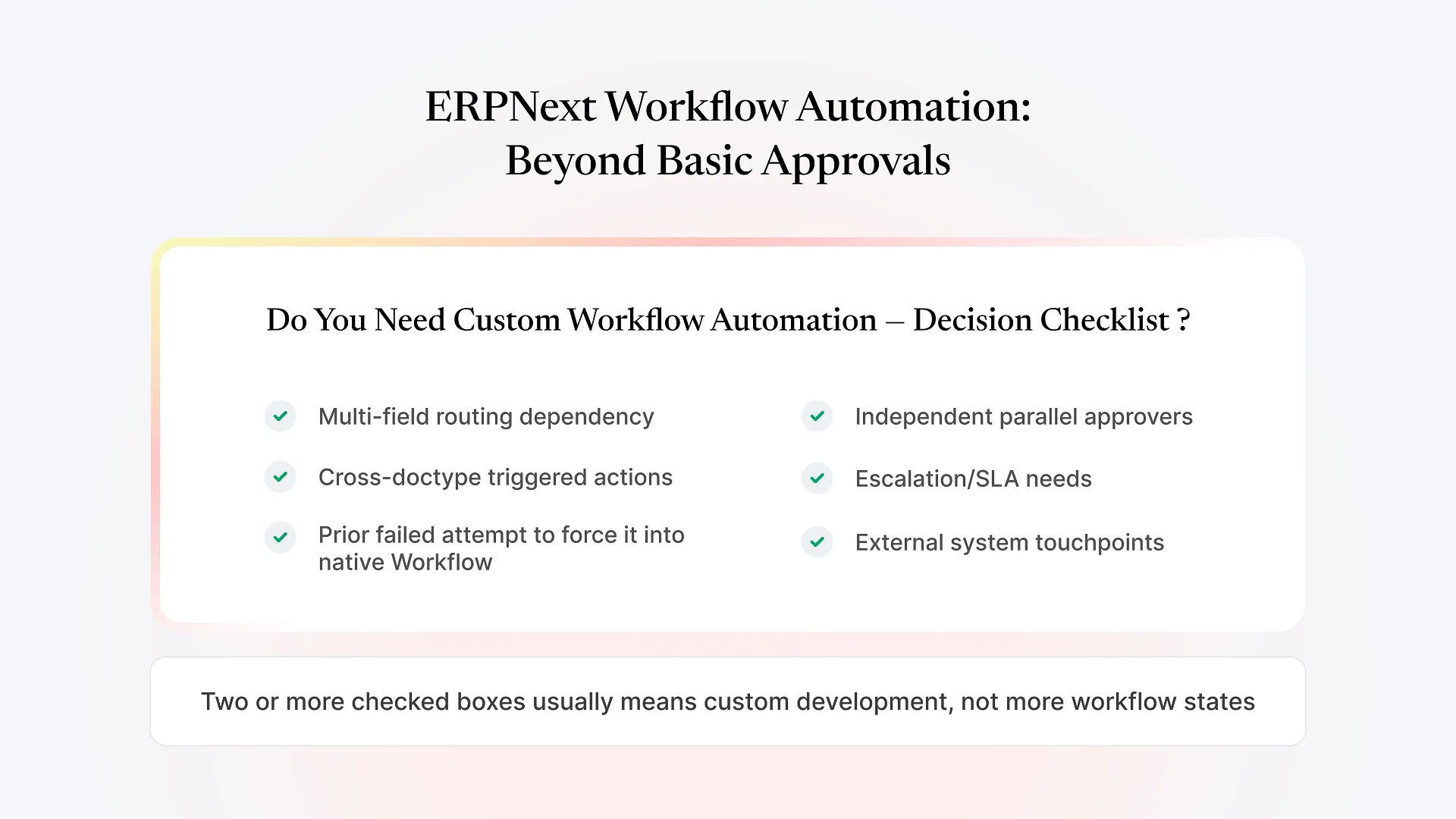
| Approval or process logic branches in ways no amount of workflow configuration can express | The logic has outgrown what configuration — as opposed to code — can reasonably do |
| Customizations are starting to complicate ERPNext version upgrades | You're modifying core behavior in ways that don't survive upstream changes |
A Practical Framework for Deciding
Adding fields to a Sales Order is extension. Managing a fleet of delivery vehicles with route-specific compliance rules is a different kind of thing — ERPNext doesn't model it, and forcing it into an existing DocType (say, treating each vehicle as a warehouse) creates confusion that compounds over time.
If customers, field agents, or subcontractors need a simplified, purpose-built experience — not the full ERPNext desk — that's a custom app conversation, because ERPNext's UI isn't built for that audience.
Temporary or edge-case needs are usually worth solving with configuration and scripting inside ERPNext, even if it's a bit inelegant. Structural needs — the thing your business is actually built around — deserve a properly modeled custom app, because you'll be living with the alternative's compromises indefinitely.
If the answers point toward “different kind of thing,” “yes, outside interface,” and “structural,” you’re very likely better served by custom Frappe app development than another layer of ERPNext customization.
What Building a Custom Frappe App Actually Involves
Because a custom app on Frappe uses the same framework as ERPNext — DocTypes, the Frappe ORM, role-based permissions, the same REST API layer — it can integrate with your existing ERPNext data rather than living as a disconnected side system. A custom logistics app can read and write Sales Orders directly; a customer portal can pull invoice status from ERPNext’s own tables without duplicating them elsewhere.
In practice, building one involves:
Modeling the actual workflow as DocTypes
the records, fields, and relationships that reflect how the business really operates, not how a generic module approximates it.
Building the logic and validation rules
the workflow needs — approval chains, calculations, status transitions — as code rather than configuration, which handles branching complexity that workflow rules can't.
Designing the interface for who'll actually use it
which might be the standard Frappe desk for internal teams, or a stripped-down portal for external users who should never see ERPNext's backend.
Deciding the integration boundary with ERPNext
does the custom app read ERPNext data directly, sync on a schedule, or stay fully separate? This decision shapes maintenance for years, so it's worth getting deliberately rather than defaulting to "whatever's fastest now."
What It Costs to Get This Choice Wrong
Over-customizing ERPNext to avoid building a proper app has a real cost: every custom field, script, and workflow override is something that has to be re-verified at the next ERPNext upgrade. Enough of them, and upgrades become a project of their own rather than a routine update — one of the more common reasons ERPNext implementations end up stuck on old versions.
Under-scoping in the other direction — building a custom app when the need was really a small ERPNext customization — has its own cost: a separate system to maintain, its own deployment and testing overhead, and a data model that now needs to stay in sync with ERPNext rather than living inside it. There’s no version of this that’s free; the goal is matching the effort to the actual shape of the problem, not avoiding effort altogether.
How Aavatto Approaches This
Frequently Asked Questions
If the framework above points you toward custom-app territory, it’s worth scoping before spending more cycles patching ERPNext customizations around a workflow they were never meant to hold. Discuss your custom workflow with Aavatto’s team to find out which path — customization, custom app, or a mix of both — actually fits what you’re running.