If your business runs on Microsoft Dynamics and you’re evaluating ERPNext for another part of the operation — a warehouse, a specific division, a workflow Dynamics doesn’t handle well — the real question isn’t whether the two systems can be connected. It’s what data actually needs to move between them, in which direction, and whether the integration holds up once real transaction volume hits it.
ERPNext Microsoft Dynamics integration works by building a middle sync layer that moves specific data — usually master data, stock levels, or transaction records — between the two systems using defined sync rules, background job processing, and error handling, since there’s no native connector between the platforms. Every integration is scoped around what your systems actually need to exchange, not a generic plug-in.
Why This Isn't a Plug-and-Play Connector
Dynamics and ERPNext don’t share a data model or a common integration platform, so connecting them means custom work built on top of each system’s own API — there’s no marketplace connector you install and configure in an afternoon.
Before that work starts, a few decisions have to get made: which data needs to move (item master, stock, customers, transactions), which direction it flows (Dynamics as the single source of truth pushing one-way, or a genuine two-way sync where updates in either system reflect in the other), and how often — near real-time through events, or scheduled batch syncs where that’s the better operational fit.
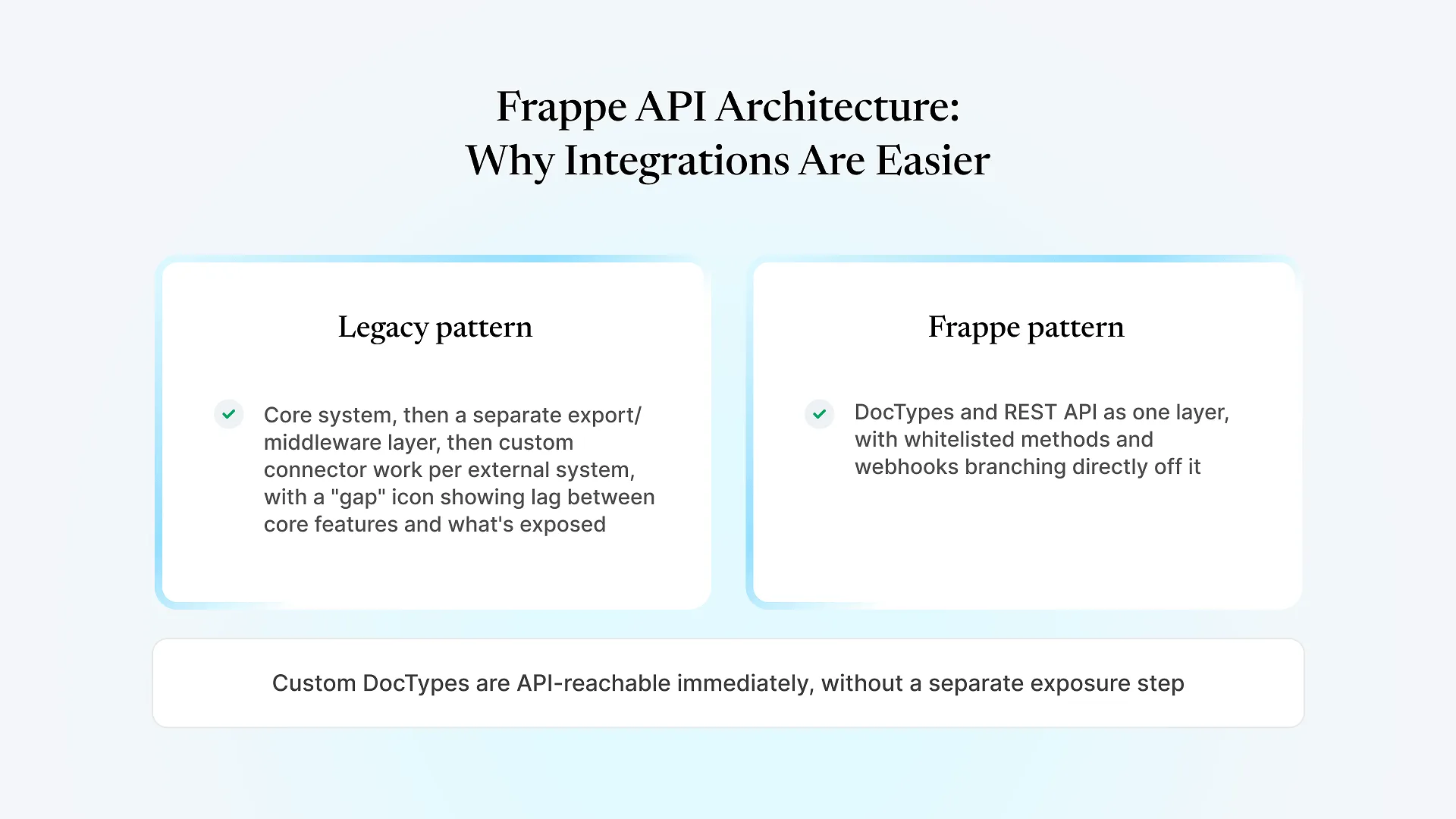
ERPNext’s side of this is comparatively straightforward, since the Frappe framework it’s built on exposes every object through a REST API by default, including custom ones. The harder part is almost always the other side: what Dynamics is willing to expose, how its fields and objects map onto ERPNext’s, and what the sync layer does when the two systems disagree about the current state of a record.
A Real Integration: Dynamics, Logistics, and POS in One Sync Layer
Here’s how that played out for one client, since it’s the part most integration write-ups skip in favor of staying theoretical.
A retail and distribution client running operations across India came to us with three systems that didn’t talk to each other: Microsoft Dynamics holding master data, a separate logistics and fleet system managing deliveries, and Wondersoft POS running store-level operations. None of them agreed with each other.
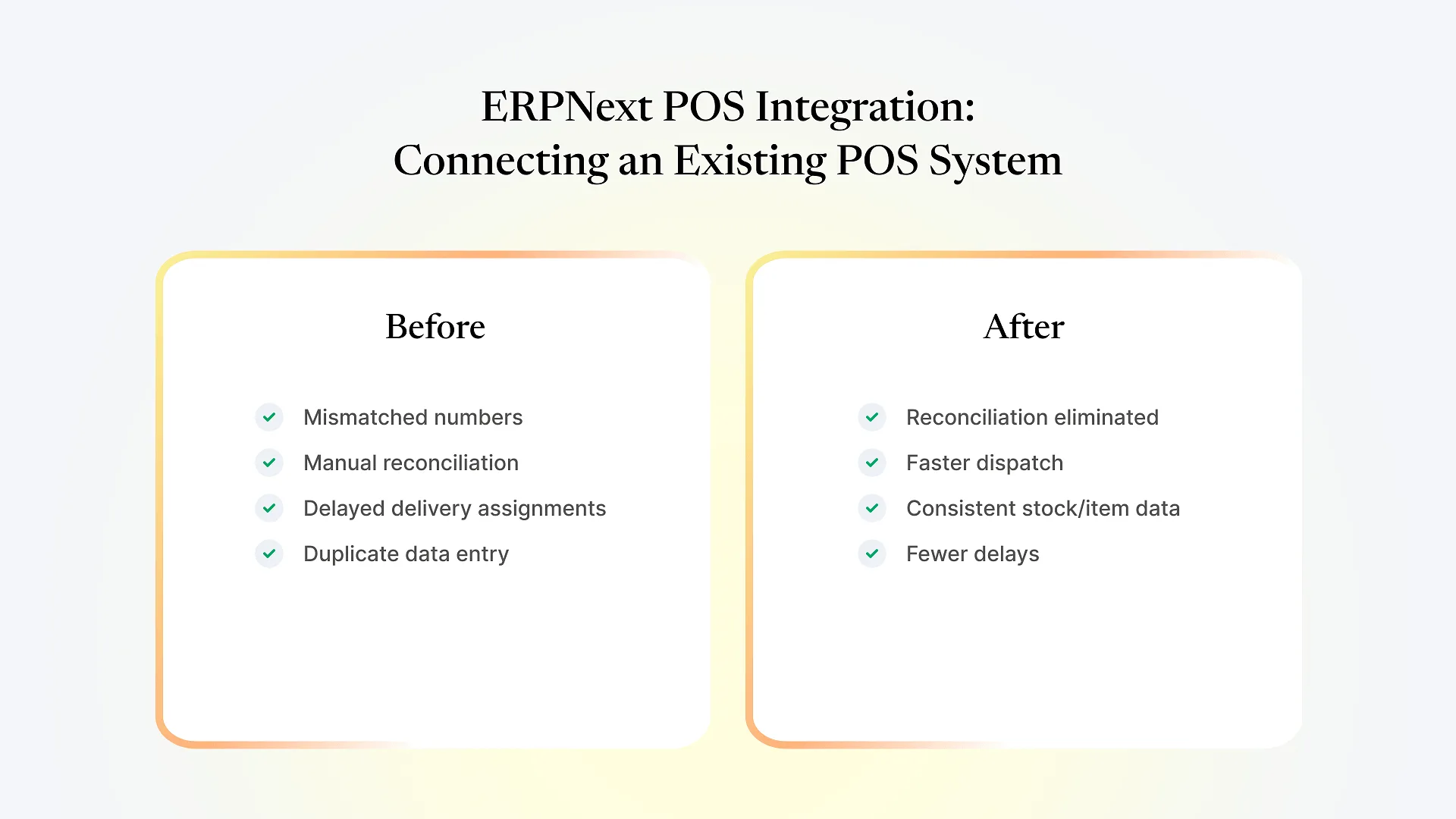
Stock and item numbers didn’t match across the three systems, which meant someone reconciled them by hand every day. Delivery assignments lagged because the logistics system had no live view of what was actually in the warehouse or on a truck. Store and fleet teams were often re-entering data that already existed somewhere else in the stack.
We built a dedicated Frappe-based integration layer to sit between the three systems, rather than forcing a direct connection from Dynamics to each one individually. It handles two-way sync where both sides need current data, like stock and item records, and one-way sync where one system should stay the source of truth.
The processing runs through background job queues rather than synchronously, which matters once you’re syncing at a volume where a blocking, real-time call would slow down whatever triggered it. Every sync failure gets logged with a clear error trail and a controlled retry, instead of failing silently until someone notices a mismatch days later. We tested the layer specifically for peak-hour load, since a sync that works fine at low volume and falls over during the busiest hours isn’t solving the actual problem. Field mappings are admin-managed, so adjusting what maps to what doesn’t require a new code deployment every time the business changes something.
The result was that manual reconciliation between the three systems went away entirely. Dispatch got faster because the logistics system finally had a live, accurate view connecting warehouse stock to vehicles to stores. Stock and item data stayed consistent across ERP, POS, and logistics instead of drifting apart daily, and the delays and mismatches that used to be routine dropped off.
Because the integration layer was built around sync rules and admin-managed mappings rather than hard-coded point-to-point connections, it’s also architected to extend to additional systems without a rebuild. You can see the full breakdown in our case study on this Microsoft Dynamics and logistics system integration.
What This Means If You're Scoping Your Own Dynamics Integration
Decide sync direction per data type, not for the integration as a whole
Master data might reasonably stay Dynamics-owned and flow one-way, while stock movements need two-way sync so neither system goes stale.
Background processing beats synchronous calls once volume is real
A sync that blocks a transaction while it waits on the other system's response doesn't hold up past a pilot.
Error handling has to be visible, not silent
A failed sync nobody notices until a customer complains is worse than no sync at all — logging and retry logic aren't optional extras.
Peak-load testing matters more than average-load testing
Systems tend to fail at the busiest hour, not the quietest one, so that's the condition to test against.
Admin-managed mappings save you from a deployment cycle every time the business changes
If every field mapping change needs a developer and a release, the integration becomes a bottleneck instead of removing one.