Most businesses that search for how to rebuild an ERPNext system don’t actually need a full rebuild. If the underlying setup — company structure, chart of accounts, core workflows — is sound and the problems are concentrated in specific modules, customizations, or configurations, a targeted repair costs less, takes weeks instead of months, and gets you back to a working system faster than tearing it down and starting over.
The hard part isn’t deciding you want your ERPNext system fixed. It’s figuring out which kind of broken you’re actually dealing with, because “rebuild” gets used for everything from “reconfigure two modules” to “start over completely” — and those are very different projects with very different costs.
Why "Rebuild ERPNext System" Isn't One Question
The system technically works, but nobody trusts the numbers, so people have gone back to spreadsheets for anything important.
Specific modules or workflows were never finished properly and are actively causing errors, duplicate work, or bad data.
The whole implementation was rushed, misconfigured at the foundational level (chart of accounts, company structure, core master data), or built by a vendor who's no longer reachable.
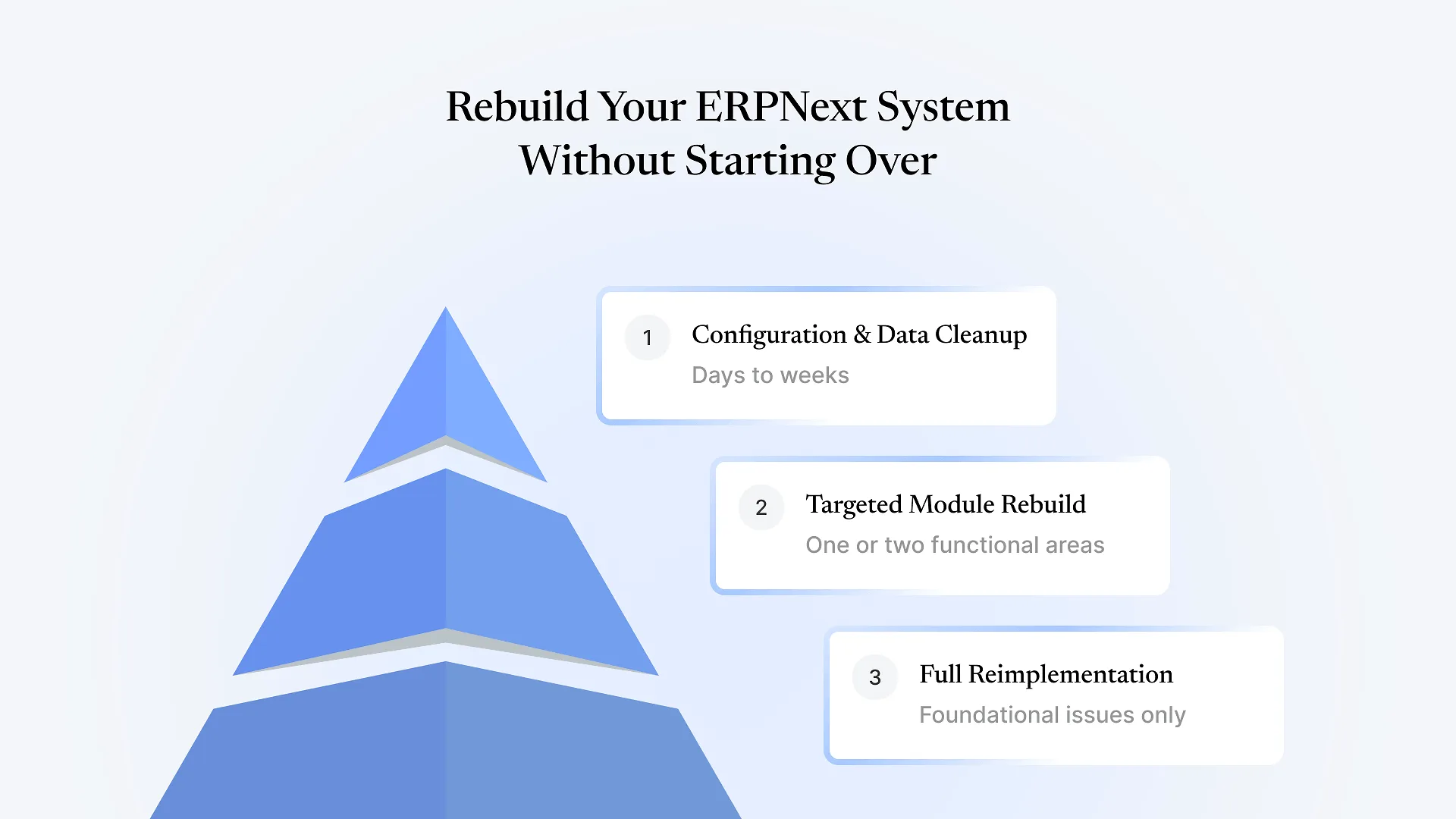
Three Tiers of ERPNext Recovery
Tier 1: Configuration and data cleanup
The core setup is right, but specific settings, permission rules, or data hygiene issues are causing the problems people notice — wrong stock valuation, inconsistent naming, workflows that don't route approvals correctly. Usually a matter of days to a few weeks.
Tier 2: Targeted module rebuild
One or two functional areas — manufacturing, inventory, a custom app — were built incorrectly or never finished, while the rest of the system (accounting, core masters, user setup) is stable. This tier involves rebuilding those specific pieces without re-migrating data or re-training users on parts of the system that already work.
Tier 3: Full reimplementation
The foundational structure is wrong — company or warehouse hierarchy doesn't match the business, chart of accounts was never properly mapped, or so much has been patched around broken foundations that repair would cost more than starting clean. Genuinely rare, but it happens — particularly when the original implementation was rushed to hit a deadline or handled by someone without real ERPNext experience.
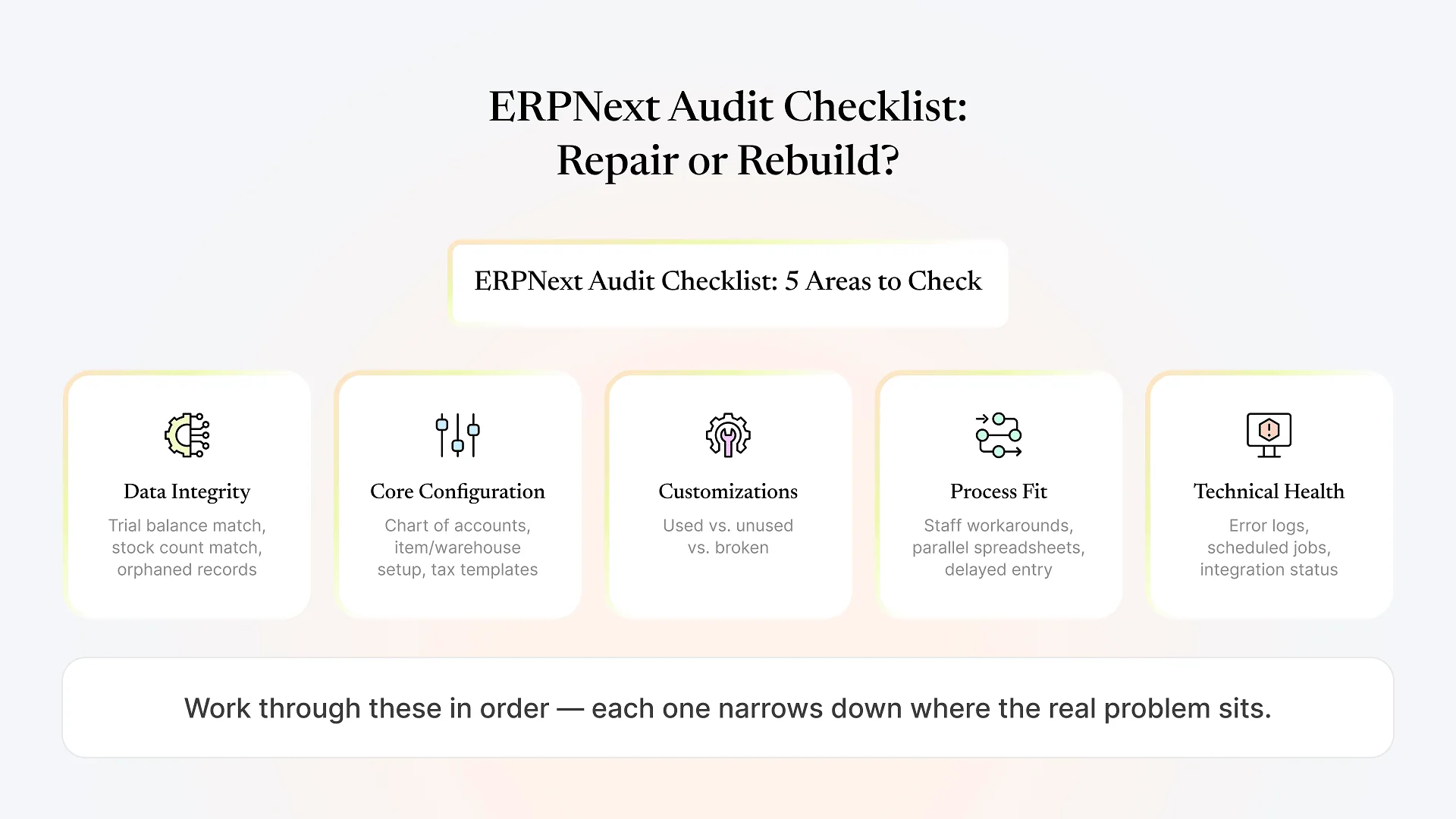
How to Tell Which Tier You're In
If yes, that rules out Tier 3 on its own — foundational structure is the hardest thing to fix, and if it's right, you're not starting from zero no matter how broken the rest feels.
Complaints about "the whole system" often turn out to be one broken module (commonly manufacturing or inventory) creating downstream errors that show up elsewhere, like inaccurate stock values throwing off financial reports.
Messy data is a cleanup project. Data that was never structured correctly to begin with — no consistent item coding, no real bill-of-materials setup — is closer to a rebuild of that specific area.
Widespread abandonment sometimes points to Tier 3, but it's just as often a Tier 1 or 2 problem — the underlying system may be fine, and it's the specific workflow people touch every day that's broken and driving them back to spreadsheets.
An unreachable original vendor doesn't automatically mean a rebuild — it means whoever picks this up needs to audit the system before touching anything, which is a different problem from the system itself being unsalvageable.
If your honest answers point to Tier 1 or Tier 2, a rebuild in the “start over” sense isn’t what you need — paying for one would mean re-migrating data and retraining staff on parts of the system that were never actually the problem.
Getting an outside, independent read on which tier applies to your specific setup is usually worth doing before committing to either path — a free health check of your ERPNext system is a low-commitment way to get that read before you decide anything.
When Fixing a Broken ERPNext Beats a Full Rebuild
The case for repair over rebuild comes down to cost, time, and risk. A targeted fix touches only what’s actually wrong, so you’re not paying to re-migrate clean data or reconfigure master records that already work. It’s faster, since the project doesn’t require the parallel-run cutover a full reimplementation usually needs. And it’s lower-risk, because you’re not asking users who’ve already lost trust once to relearn an entire system — just fixing the specific thing that broke it.
This is also where implementation partners often default to recommending a rebuild anyway: a full reimplementation is a bigger, more predictable engagement for them than diagnosing someone else’s work. An honest audit of what’s salvageable, before recommending anything, is a different starting position than defaulting to the bigger project.
When a Full Rebuild Really Is the Right Call
None of this is an argument that rebuilds are never necessary. If the chart of accounts and company structure were set up wrong from day one, if core master data was never standardized, or if the system has been patched around broken foundations for so long that untangling it would cost more than starting clean, repair isn’t the cheaper option anymore — it’s the more expensive one, because you’d be paying to work around a foundation that should be replaced.
If your implementation didn’t just have rough edges but failed outright — go-live never stabilized, the business reverted to its old process, or the project was abandoned mid-build — that’s a different and more serious situation than what this article covers, and we’ve written a full recovery roadmap for implementations that have failed completely that walks through that scenario in more depth.
Frequently Asked Questions
Get an Honest Read on Which Tier You're In
If your ERPNext system feels broken, the most useful next step isn’t deciding between “live with it” and “rebuild everything” — it’s finding out, specifically, what’s actually wrong. Get a free health check of your ERPNext system and get a clear, honest answer on whether you’re looking at a configuration fix, a targeted rebuild, or something more foundational, before you commit budget to either.