What ERP for Manufacturing SME Actually Means
For a manufacturing SME, “ERP” usually means one connected system covering production planning, inventory, purchasing, sales, and accounting — replacing a patchwork of spreadsheets, a standalone accounting package, and whatever the shop floor uses to track work orders. The value isn’t the software feature list; it’s having one source of truth for stock levels, production status, and costs instead of three disconnected ones that drift out of sync.
This matters more for manufacturing than for a services business, because a manufacturing SME’s ERP has to represent something physical and time-sensitive — raw material on hand, work in progress, finished goods ready to ship — accurately enough that people on the floor and in the office are working from the same numbers in real time.
Thinking through your own rollout timeline? A short scoping conversation upfront usually surfaces the disruption risks specific to your production setup before they show up at go-live.
Why Manufacturers Delay — or Fear — Going Live
Most manufacturing SMEs don’t avoid ERP because they doubt the value. They avoid it, or delay it repeatedly, because they’ve seen or heard about a go-live that stopped production. Three patterns show up consistently:
No parallel-run period
The old system gets switched off the same day the new one goes live, so there's no safety net if something in the new configuration doesn't match how the floor actually works.
Data migration treated as an afterthought
Item masters, BOMs, and stock balances get rushed into the new system close to launch, so errors surface during live production instead of during testing.
Training scheduled too late
Floor staff and supervisors see the new system for the first time days before go-live, which means go-live doubles as training — always the wrong time for that.
None of these are technology problems. They’re sequencing problems, which means they’re solvable with a plan built around your production calendar rather than an implementation partner’s default schedule.
A Phased Approach to Going Live Without Stopping Production
Phasing reduces disruption; it doesn’t eliminate it entirely, and any partner who promises a completely risk-free cutover is overselling what’s realistically achievable. What phasing does is shrink the blast radius of anything that goes wrong, and give you a way back to the old process while issues get fixed.
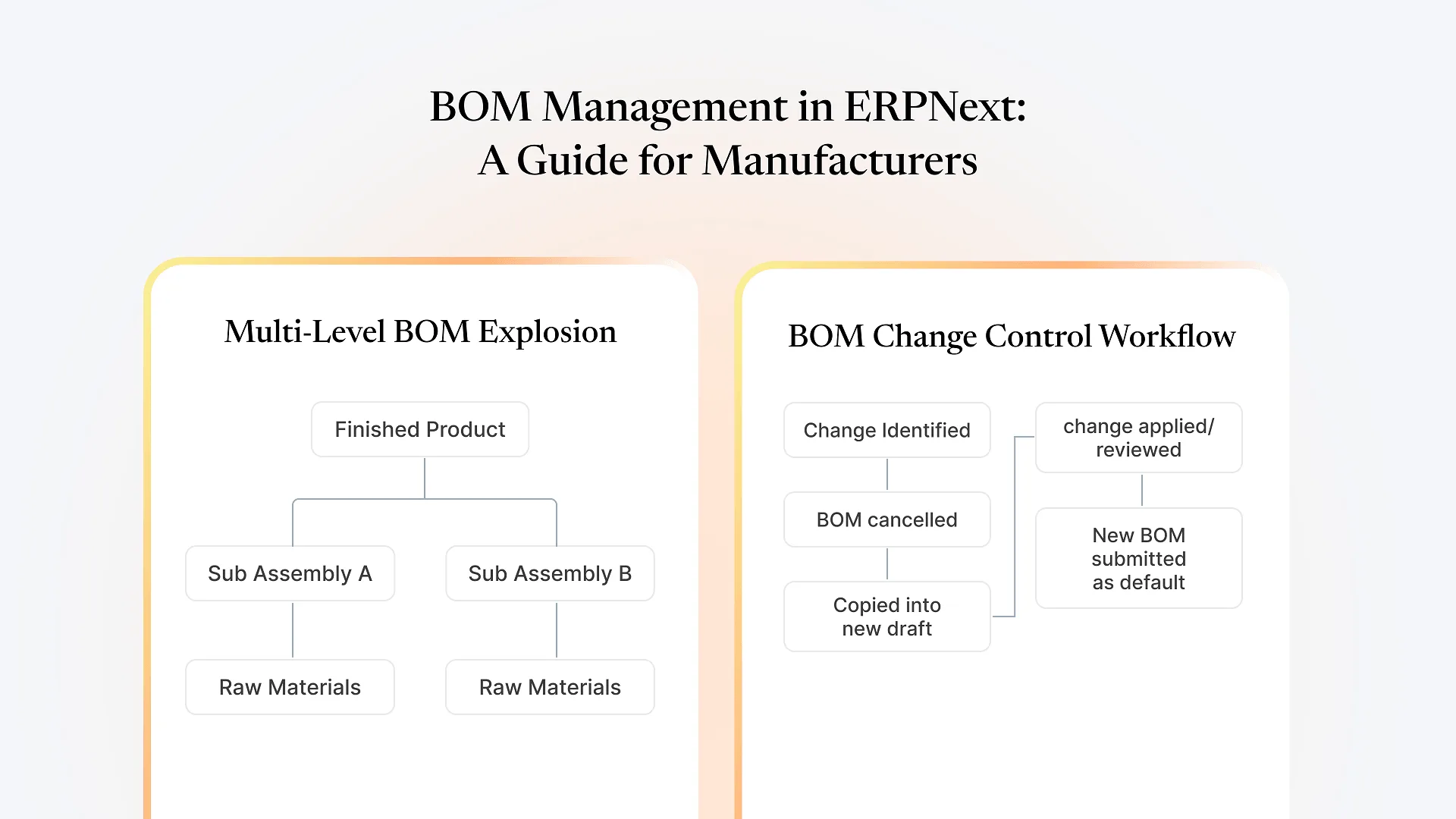
A workable sequence for an ERPNext manufacturing implementation generally looks like this:
Configure and test with real data, not sample data
Load your actual item masters, BOMs, and current stock into a test environment before anyone touches the live system.
Run a parallel period on your lowest-risk product line first
Pick the simplest, most predictable line to go live on the new system while everything else stays on the old process. Confirm it holds up for a full production cycle before expanding.
Migrate data in a dry run, then again for real
A dry-run migration catches mapping errors — wrong units of measure, missing BOM components — while there's still time to fix them without affecting production.
Train the people who'll use it daily, not just the project team
Floor supervisors and purchasing staff need hands-on time with the system before go-live, not a walkthrough the week of.
Expand line by line, plant by plant
Once the first line is stable, extend the same sequence to the next, rather than switching everything over at once.
Common Disruption Points and How to Avoid Them
A few specific moments in a manufacturing ERP rollout account for most of the disruption that does happen:
| Disruption point | Why it happens | How phasing avoids it |
|---|---|---|
| Work orders stall on the floor | New system's production workflow doesn't match how work orders actually move on your line | Test with real work orders during the parallel-run period, on the lowest-risk line first |
| Stock counts don't match | Migrated stock balances are stale or miscounted at cutover | Run a physical count close to migration, then reconcile before going live, not after |
| Purchasing or sales can't process orders | Master data (items, suppliers, price lists) incomplete or mismapped | Validate master data in the dry-run migration before the real one |
| Staff revert to old spreadsheets | Training happened too late or wasn't hands-on | Train daily users on real data before their line goes live, not after |
Where This Fits If You're Outside Textile or Apparel Manufacturing
Much of the detailed ERPNext manufacturing content out there — including our own — tends to focus on specific verticals like textile and garment manufacturing, where production, inventory, and dispatch have particular sequencing needs. If you’re running a manufacturing SME outside those verticals — metal fabrication, electronics assembly, packaging, industrial components, or general job-shop manufacturing — the underlying go-live risks are the same: parallel runs, data migration accuracy, and hands-on training for the people using the system daily. The specifics of your BOMs and shop-floor workflow will differ, but the sequencing discipline that prevents disruption doesn’t change by industry. FMCG manufacturers dealing with batch tracking and expiry-driven inventory face a related but distinct version of this same problem, which is worth a closer look if that’s closer to your operation.
What to Get Right Before You Start
How many product lines or work centers do you run?
This determines how many phases your rollout needs, not just how long it takes.
How clean is your current item and BOM data?
If it lives in spreadsheets with inconsistent naming, budget real time for cleanup before migration — this is usually underestimated.
Who owns training on the floor?
A named person responsible for floor-level adoption matters more than a generic training schedule.
What's your actual production calendar?
Go-live timing should work around your busiest periods, not a partner's project schedule.
There’s no fixed timeline that fits every manufacturing SME — a single-line operation with clean data moves faster than a multi-line plant migrating from years of spreadsheet history. The honest answer is that the sequencing above matters more than the calendar date you pick.
Frequently Asked Questions
It depends heavily on how many product lines you run and how clean your existing data is. A single-line operation with organized item and BOM data can move faster than a multi-line plant migrating years of spreadsheet history. There's no universal timeline that applies across every manufacturing SME.
Yes, and it's one of the more effective ways to reduce go-live risk. Running a parallel period on your lowest-risk product line, before expanding to the rest of the operation, gives you a fallback if something in the new configuration doesn't match how your floor actually works.
Yes. ERPNext's manufacturing module handles production planning, BOMs, and inventory in a way that applies across most discrete manufacturing operations, not just the verticals most commonly written about. The specific configuration — BOM structure, work order flow, shop-floor data capture — depends on how your operation actually runs.
The most common causes are rushed data migration, skipping a parallel-run period, and training staff too close to go-live instead of giving them hands-on time beforehand. These are sequencing and planning issues rather than software limitations.
Not necessarily on day one. A phased approach often migrates the data needed for the first line or work center going live, then expands migration alongside the rollout — which reduces the chance of errors surfacing across your entire operation at once.
If you’re planning an ERPNext manufacturing implementation and want to avoid the disruption that derails so many go-lives, book a consultation with Aavatto. We’ve implemented ERPNext for manufacturing SMEs across multiple sectors and can walk through what a phased go-live would look like for your specific production setup.