Why ERPNext Implementations Fail
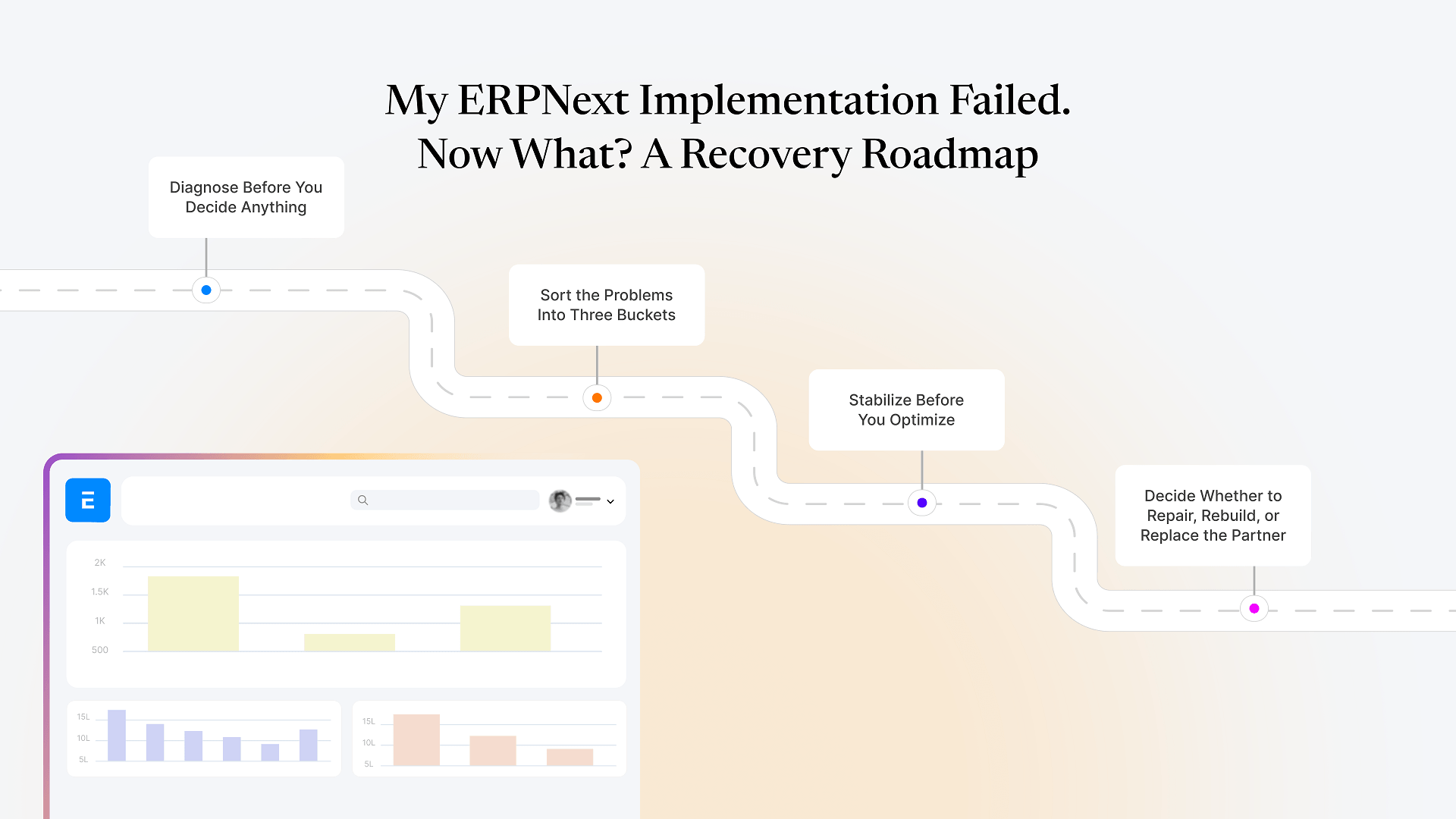
Step 1: Diagnose Before You Decide Anything
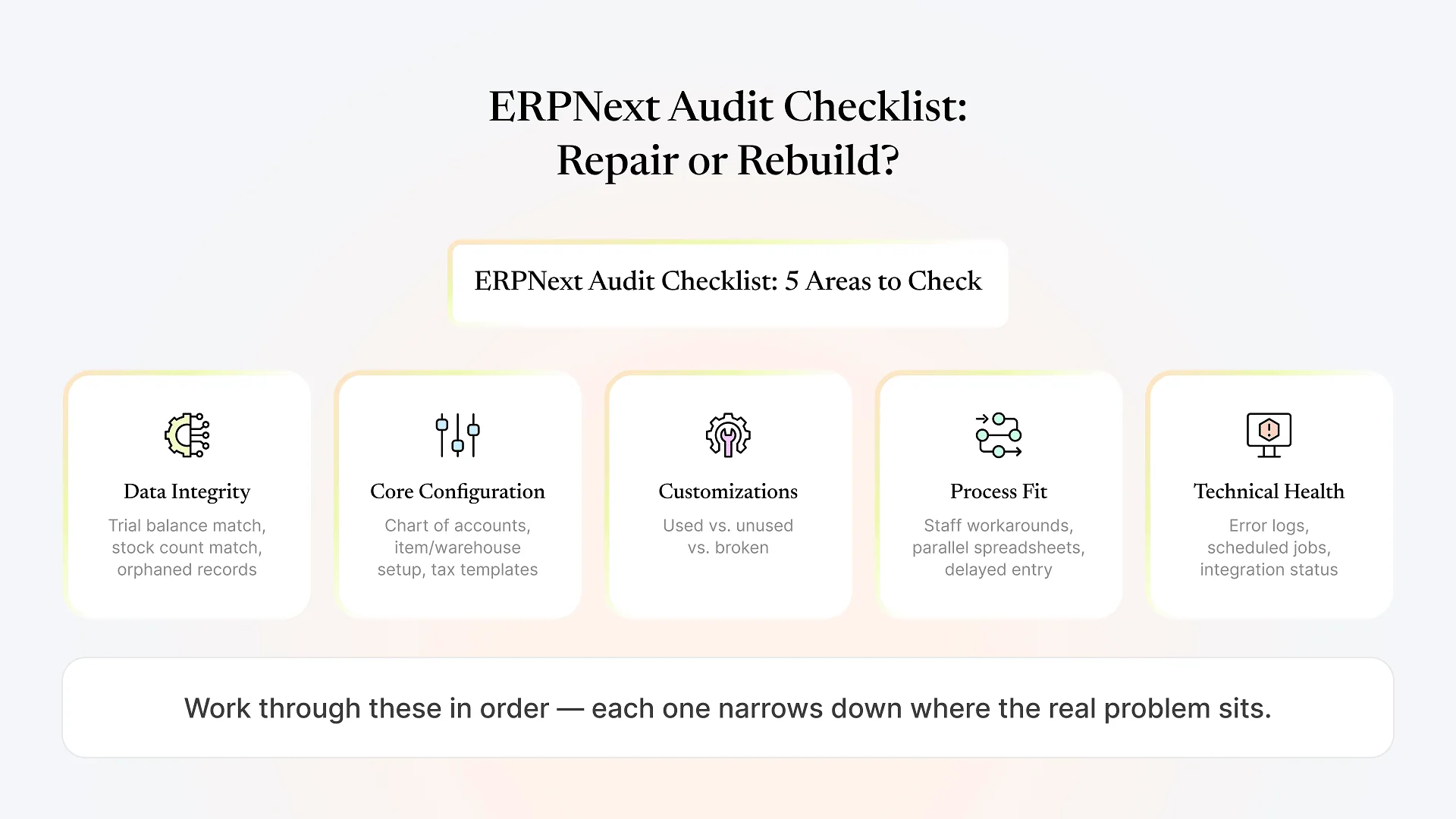
Are stock, ledger, and master data accurate, or is the system running on numbers nobody trusts?
Do the fundamentals (chart of accounts, item and warehouse setup, pricing rules, tax templates) reflect how the business actually runs?
Which custom scripts, fields, or workflows are load-bearing, which are dead weight, and which are actively causing the problems you're seeing?
Are staff working around the system because it's genuinely broken, or because they were never properly trained on it?
Are there unresolved errors, failed scheduled jobs, or integration breakages sitting quietly in the background?
Step 2: Sort the Problems Into Three Buckets
Fixable now
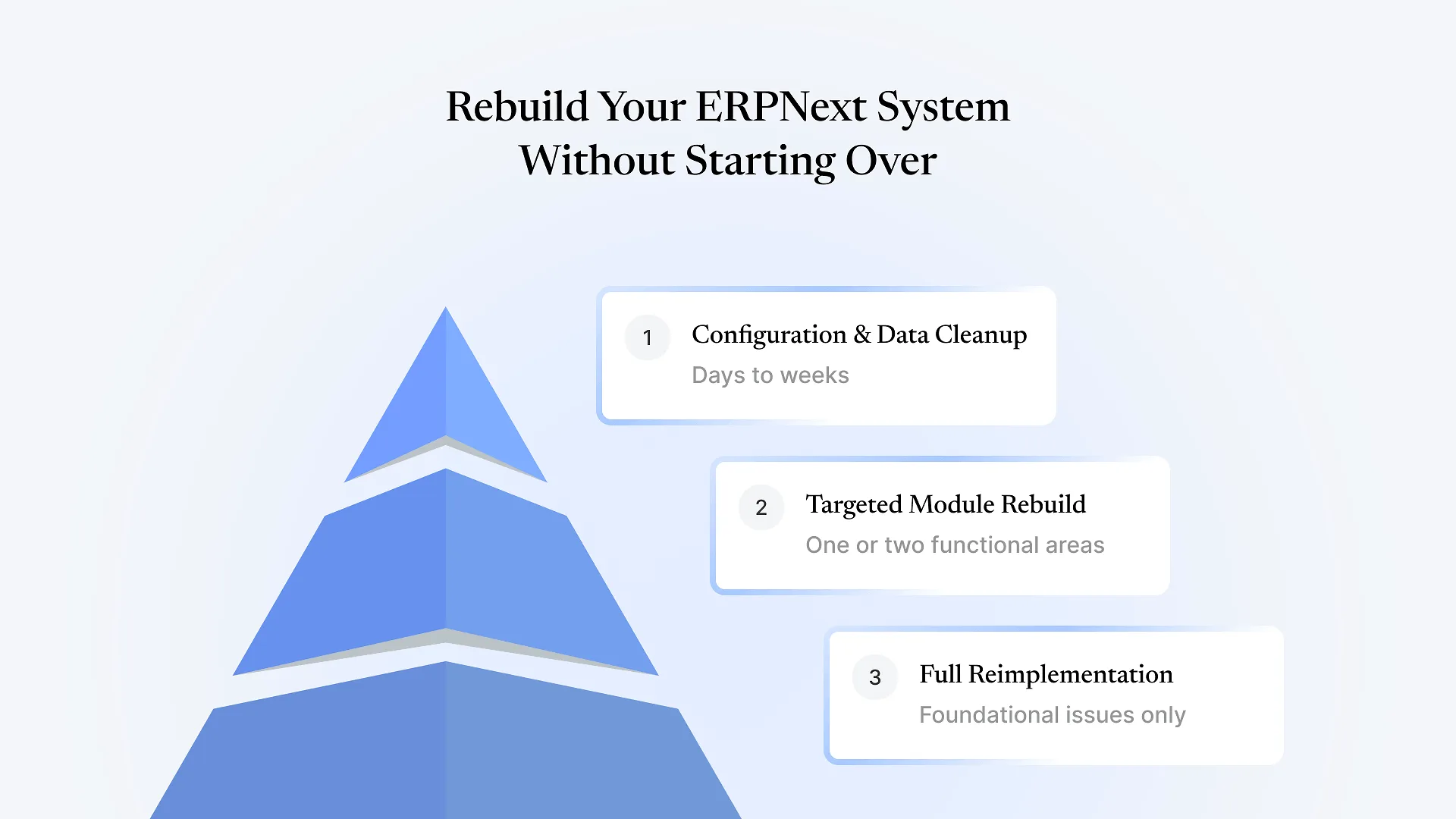
Configuration errors, missing validations, incorrect workflows, and reporting gaps. These are usually a matter of days, not months, once someone competent is looking at the right thing.
Fixable with rework
Data that needs cleaning and re-migrating, customizations that need to be rebuilt rather than patched, or processes that need to be redesigned before the system can support them properly. This takes longer and needs to be sequenced carefully so you're not fixing things twice.
Needs re-implementation
Rare, but real: cases where the core setup — chart of accounts, item structure, or the fundamental way the business was mapped into the system — is wrong at the foundation. Everything built on top of it inherits the problem. This is the only scenario that genuinely calls for starting a module or the whole system over.
Step 3: Stabilize Before You Optimize
Once you know what needs fixing, resist the temptation to fix everything at once, add new features, or chase a “perfect” system in the same pass. Stabilize first.
That means working through the “fixable now” issues in a tight, visible sequence — the kind of structured post-go-live support period some implementation partners call hypercare, but which many ERPNext rollouts skip entirely once the original partner considers the project closed. During this period, every workflow gets watched closely, issues get triaged daily rather than batched into a backlog, and users get direct support instead of being told to “submit a ticket.”
This matters more than it sounds like it should. Once staff stop trusting a system — because inventory doesn’t match reality, or a report was visibly wrong once — they route around it quietly, and that habit is far harder to undo than the original technical problem was to fix.
If your team is already back in spreadsheets, that’s the clearest signal that stabilization, not new features, is where recovery needs to start. Get a free health check of your ERPNext system and you’ll know within a few days which bucket you’re actually in, rather than guessing.
Step 4: Decide Whether to Repair, Rebuild, or Replace the Partner
Not every failed implementation needs a new partner — but if the original one is unresponsive, unwilling to explain their own configuration choices, or proposing a full rebuild without having done a real diagnosis first, that’s worth treating as a separate decision from the technical fix itself.
A partner picking up someone else’s implementation should be able to work from your existing setup rather than insisting on tearing it down, should be transparent about which of your problems are quick fixes versus real rework, and should be willing to put a stabilization plan in writing before asking for a long-term commitment. If a rebuild genuinely is the right call — because the diagnosis in Step 1 supports it — a credible partner will be able to show you exactly why, using your own system as evidence, not general statements about “best practice.”
This is also where Aavatto’s work tends to differ from a first-time implementation: rescuing an existing ERPNext setup means reading someone else’s decisions before making new ones, and being honest when a shortcut someone else took now needs to be paid down rather than built around again.
Frequently Asked Questions
Most can be fixed without a full rebuild. Starting over is only the right call when the foundational setup — chart of accounts, item structure, or how the business was mapped into the system — is wrong, which a proper diagnosis will show clearly rather than leave to guesswork.
It depends entirely on which bucket your issues fall into. Configuration fixes can take days; data cleanup and customization rework take longer and need to be sequenced carefully rather than rushed.
Treat it as two separate problems: the technical state of the system, and who's going to support it going forward. A new partner should be able to assess and stabilize your existing setup without requiring a full rebuild just to get started.
Both show up together often enough that a proper diagnosis checks both — but configuration and process gaps are the more common root cause, with bad data usually a downstream symptom of migrating without cleaning it first.
Rarely. In most cases, the platform wasn't the problem — the way it was implemented was. The fastest way to fix a failed ERP implementation is almost always a structured recovery, not a system switch and a whole new evaluation process.
If your implementation is stuck and you’re not sure whether it needs a quick fix or something more serious, get a free health check of your ERPNext system — you’ll get a clear, specific answer instead of another sales pitch.